Briefings
Elevate is a zero code platform where administrators can configure the Giving Pages. It eases the process for fundraising efforts for non profits and educational institutions. Giving pages are web pages that allow organizations to accept donations and sync all the payments with the Salesforce NonProfit Success Pack (NPSP).
Staying updated with the latest trends and innovations in nonprofit technology is essential for maximizing the benefits of platforms like Salesforce Elevate. Industry events and conferences provide valuable insights into best practices and emerging solutions.
Prerequisites
- Nonprofit Success Pack 3.0 or higher (NPSP) with the Household Account model
- Automatic Payment Creation should be enabled
- Advanced Mapping should be enabled
- Enhanced Recurring Donation should be enabled
Setup
Many organizations adopting Salesforce Elevate already have legacy donor and fundraising data stored in systems like Raiser’s Edge Migrating this data into Salesforce ensures continuity, accurate reporting, and better donor insights.
- Install NPSP Elevate Connector
- Setup Integration user and give permissions to create/Edit Account,Contact,Donations and Payments
- Create user in Elevate
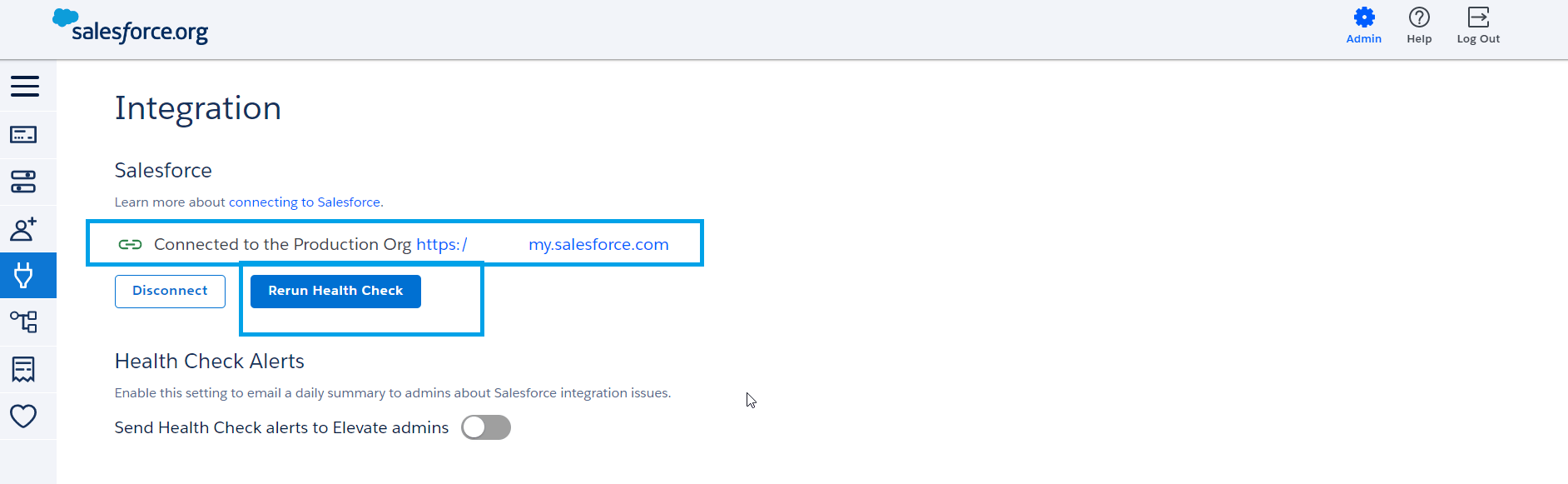
- Link Salesforce Production instance with Elevate
- Run health check
- Add Payment Gateway

- Add Privacy Policy under Settings
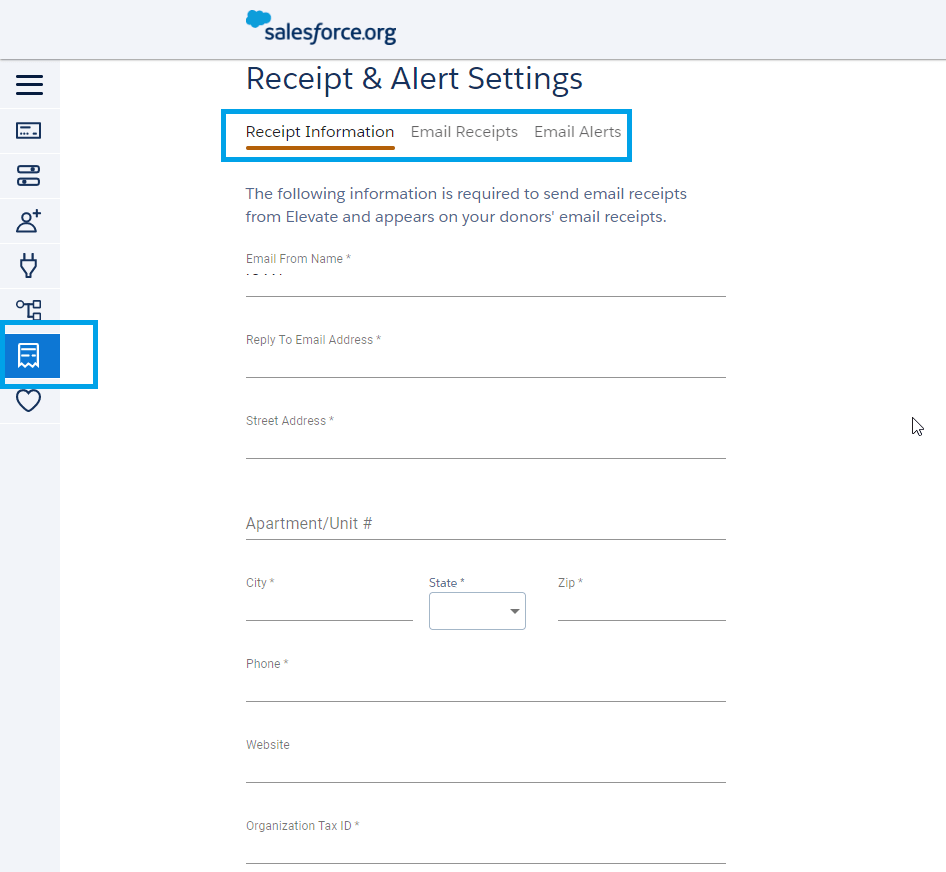
- Setup Receipts and Alert Settings
-
Create Giving Pages
- Click on “Create New Page”
- Configure the Page by mentioning URL name, add branding and click “Save & Continue”
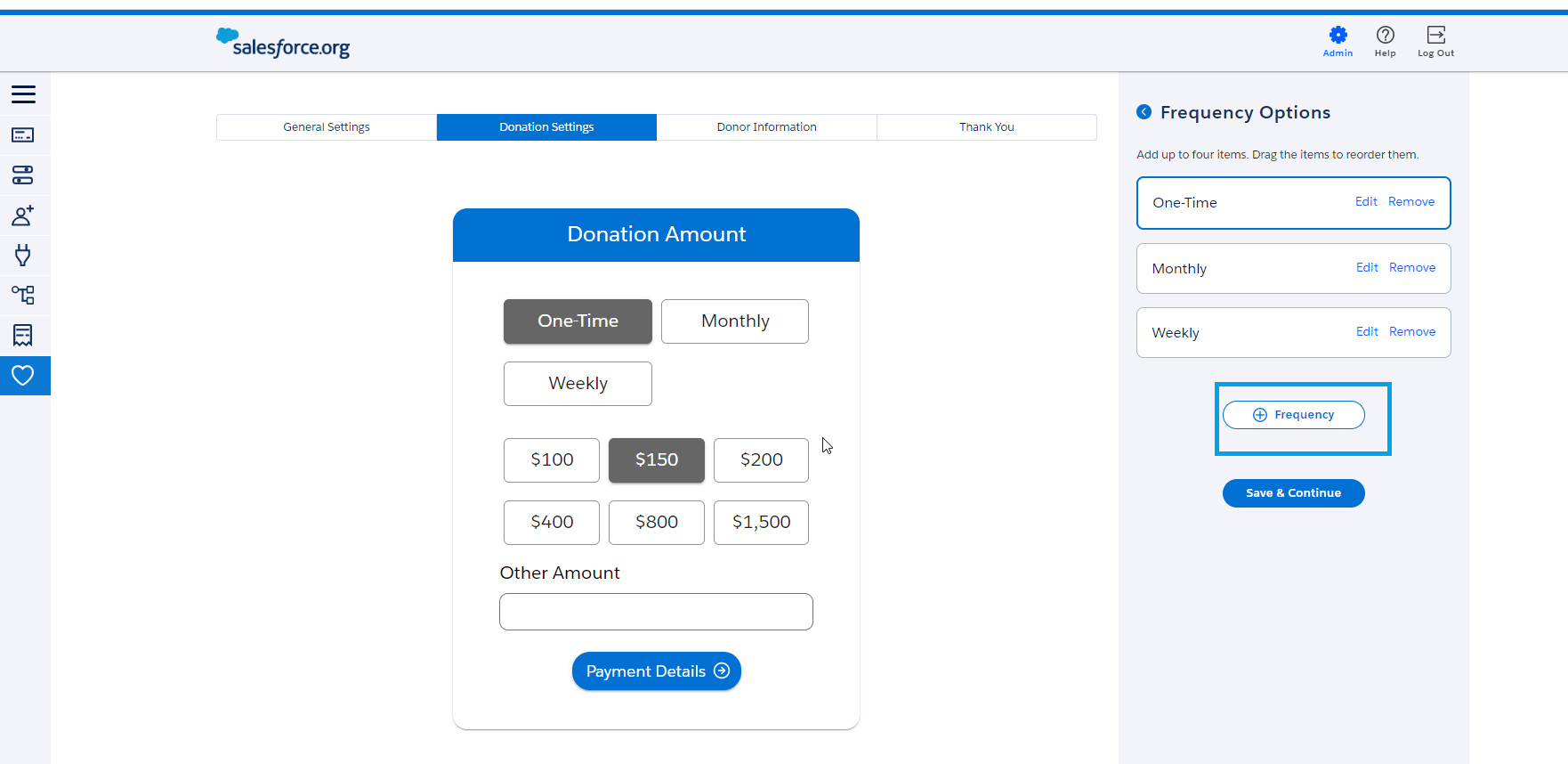
- Configure Donation Page by setting Frequency, we have the feature to configure frequency as per organization needs
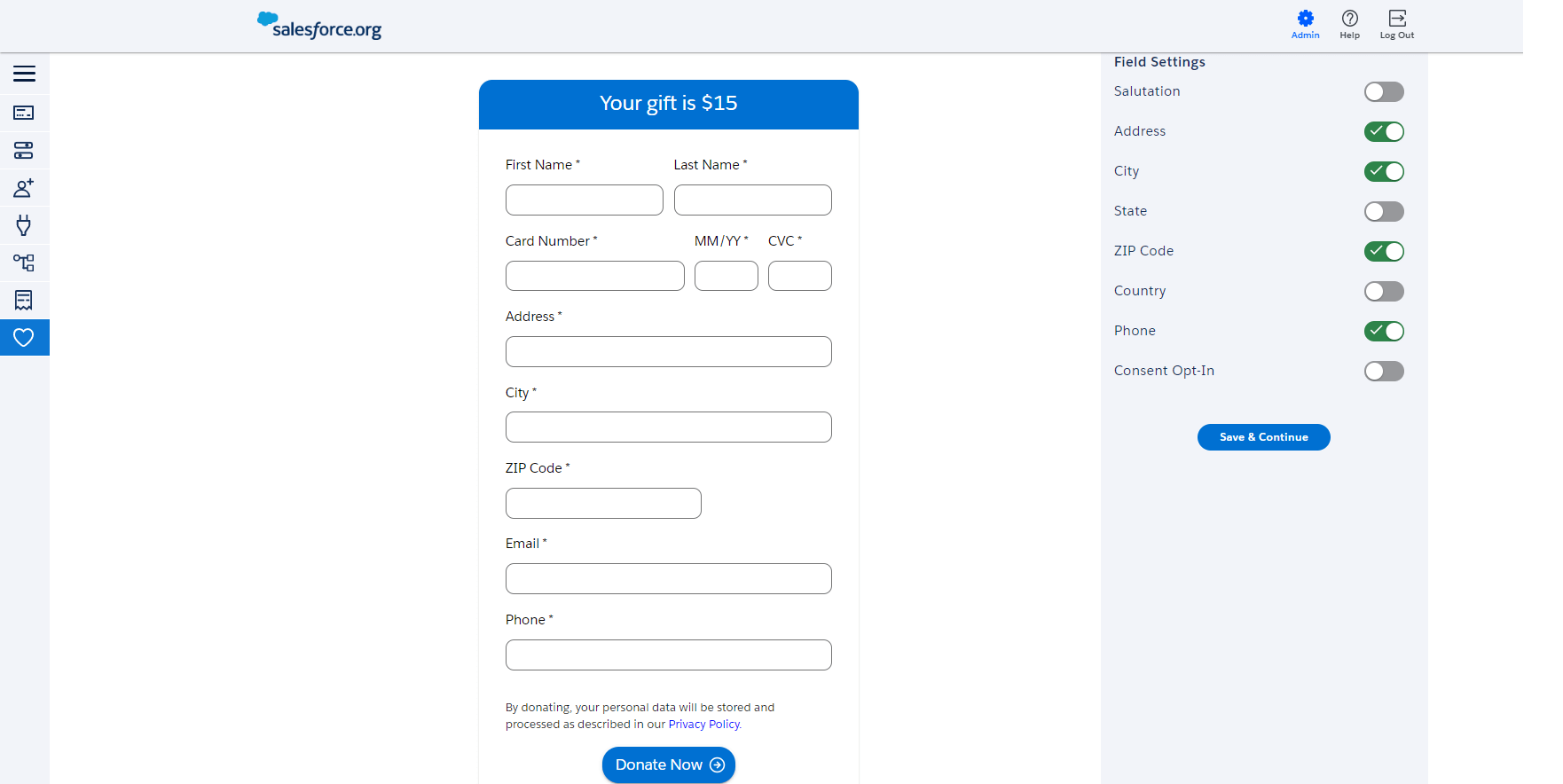
- Configure Donor Information Page.
- We can use standard fields provided by Elevate or we can import fields from Household,Contact and Donations. Sample snapshot is shown below.
- We can use standard fields provided by Elevate or we can import fields from Household,Contact and Donations. Sample snapshot is shown below.
- Configure Thank You page by saving redirect URL.
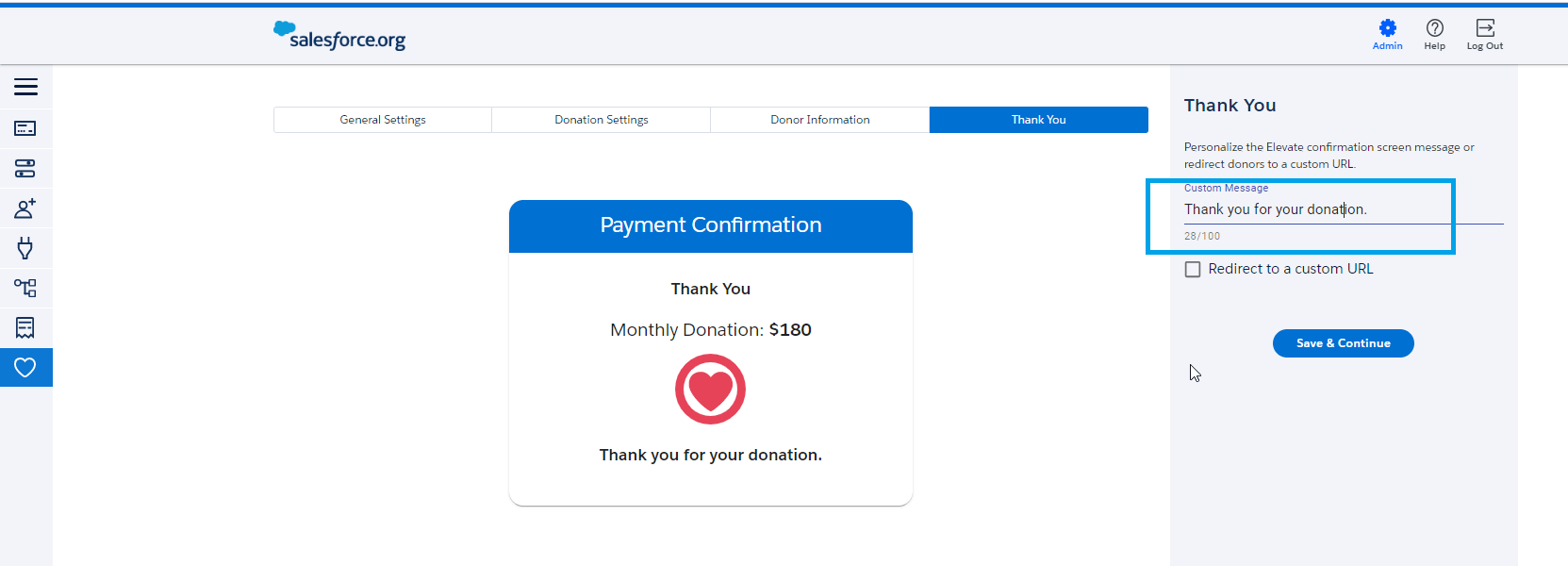
- Publish your changes
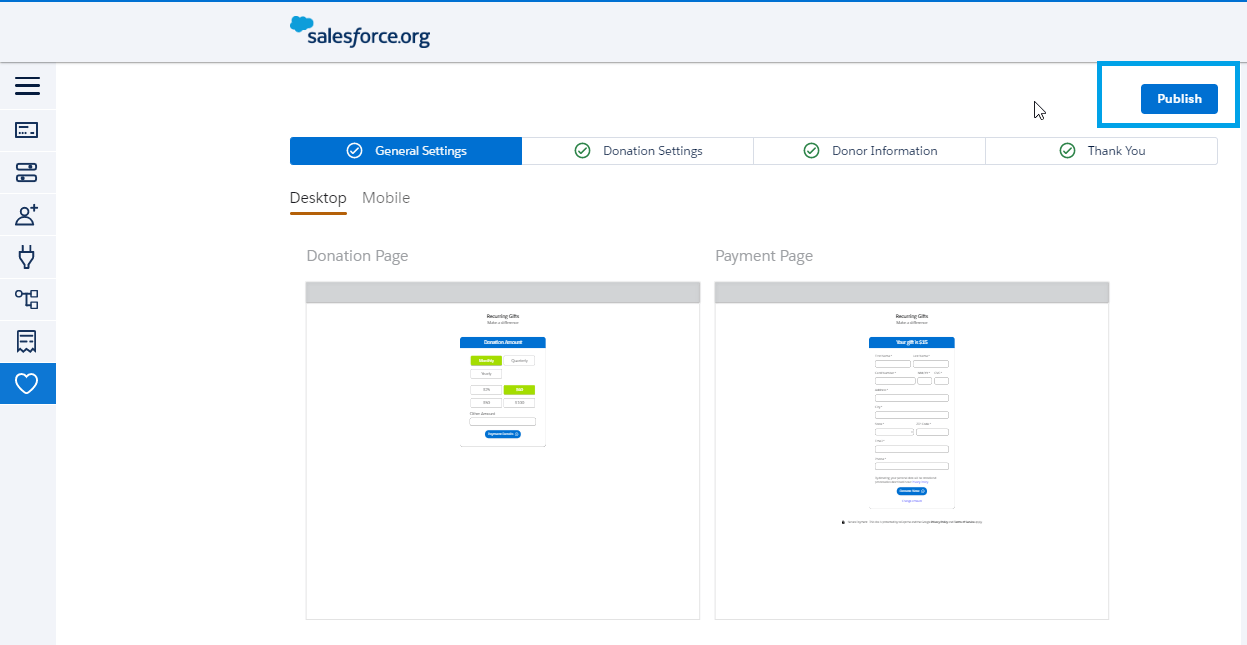
- You can publish multiple regular giving pages of one time donation or of recurring type
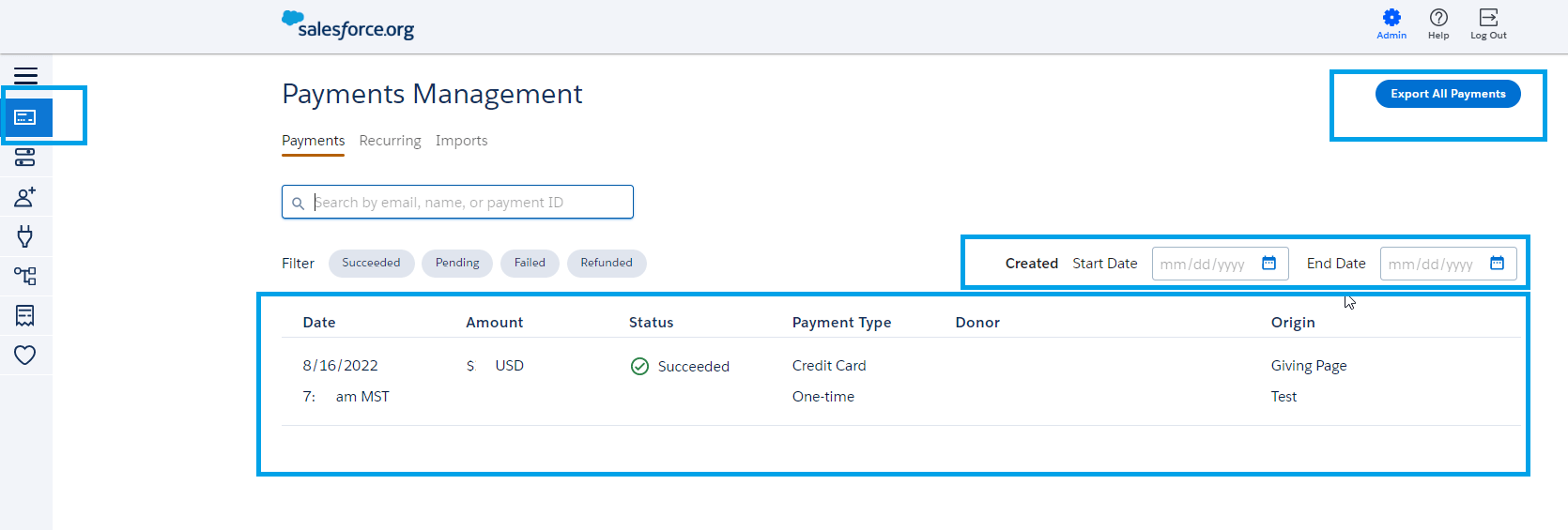
- All the payments received using Elevate are visible under the “Payments Management” tab.
- Filter based on payment dates will also be available
- Export to excel of Elevate payments is also available.
- Immediate syncing between Salesforce and Elevate to create /update Donation and Payment records.
- Funds received will be integrated with Campaign/GAU in Salesforce.
- Google Analytics is also available in Elevate
- Each and every donor who donated money using Giving Pages of Elevate will receive a receipt automatically (no coding required).
- Giving Pages are PCI-DSS Level 1-compliant as well as both GDPR- and CCPA-compliant.
- Giving Pages are compatible for Desktop/Tab and Mobiles.
- Giving pages can also be embedded on websites using source code available on Elevate.
Pros
While managing donations is critical, effective volunteer coordination plays an equally important role in nonprofit success. Automated notifications for volunteer leaders help streamline communication, improve task assignments, and ensure smooth execution of fundraising activities.
Salesforce NPSP provides a comprehensive platform for nonprofit organizations, covering donation management, volunteer coordination, case management, and reporting. To explore more insights, guides, and best practices related to Salesforce for nonprofits, visit our Salesforce Nonprofits (NPSP) Page.
Tags:#NPSP,#Elevate,#Donations,#Giving Pages,#Funds,#Philanthropy