It is said that the ships that are able to brave the longest voyages are the ones that are able to meticulously plan every aspect that could be needed in the journey. Not only in the initial stages, even after the voyage has begun, it is imperative for the leadership to be fully aware of the ship's capabilities to deploy them effectively. Everything from rationing food to making sure the sails are stored properly, knowledge about these features plays a pivotal role in determining whether the ship survives tough waters.
Businesses nowadays operate along these same principles. Having access to all of the information about your internal businesses is pivotal in making sure that internal resources are deployed effectively. Information about services or products the business is purchasing, including the eventual limits or the cost of additional items that are being explored, is vital. Being well aware of them not only in the initial stages of when Salesforce as a product is being explored, but at all stages of your CRM journey, is what Salesforce “Your Account” functionality is all about!
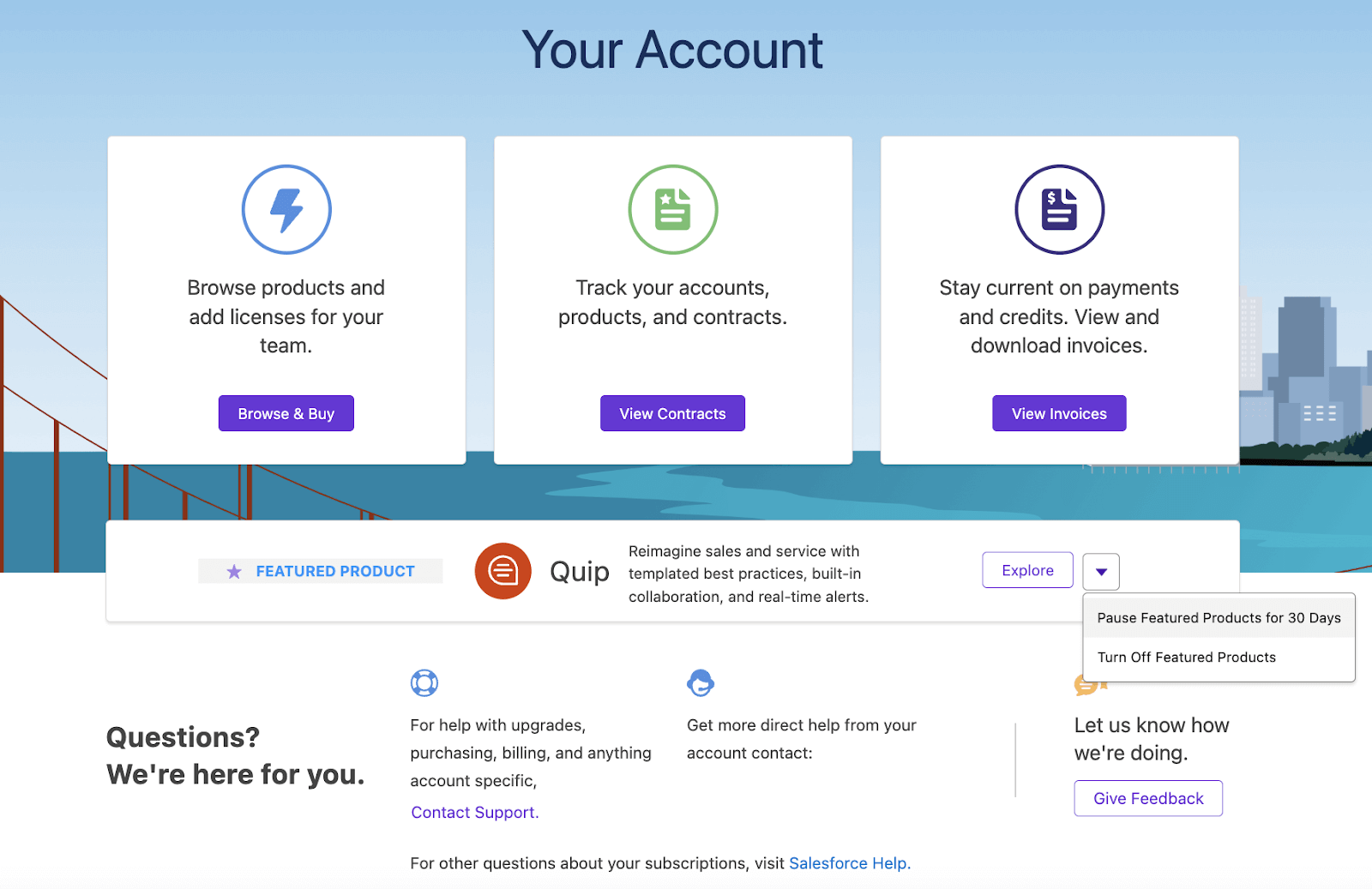
What is the Your Account App
Salesforce “Your Account” is an app that is a self‑service tool embedded within Salesforce designed to let customers manage their Salesforce subscriptions, licenses, billing, and related tasks—all directly within their own org.
The key features of the app are as follows:
- It allows for the browsing and purchasing of Salesforce products and licenses through a Browse & Buy interface.
- Allows users to revise billing and credit card details, review statements, orders, and invoices (this was earlier viewed via Salesforce Checkout).
- Allows users to view and manage contracts, including renewal dates, billing contacts, and shipping details.
- Let users view, download, and pay invoices (e.g., paying up to $5,000 or $10,000 with a credit card.
- Provides a centralised access view for completed quotes, pending quotes for signing, and renewal notifications. This was introduced in the Spring ’23 release.
- Built-in feedback mechanisms to share thoughts and requests (“Give Feedback”)
How To Access
The main way access to this app is maintained is similar to how other apps restrict and provide access. It is controlled via the Manage Billing permission or the Your Account App Admin permission set. Another feature offered is that identity licenses can also provide access to non-full Salesforce users.
-
Click Setup (Setup gear icon) and click Your Account. If you don’t have the Manage Billing permission, you won’t see Your Account.
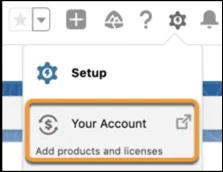
-
From the App Launcher (App Launcher icon), find and select Your Account. Your Account app in the App Launcher.

Note: The visibility of the App Launcher can be controlled by your Admin.
Here’s a link to the trailhead for the App:
https://trailhead.salesforce.com/content/learn/modules/the-salesforce-your-account-app-quick-look
Here is the link for the Salesforce Help article:
https://help.salesforce.com/s/articleView?id=xcloud.users_checkout.htm&type=5
Browse and Buy
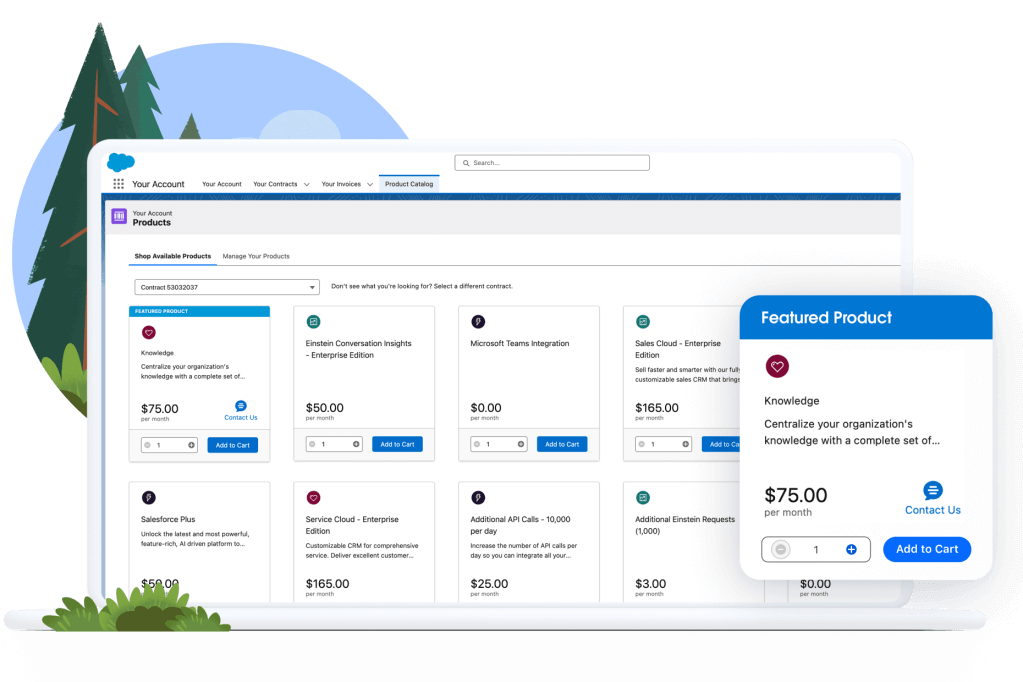
This is an essential feature of the Your Account app. It is like a self-service e-commerce portal inside Salesforce. It gives us access to a personalized catalog of Salesforce products and allows users to:
- View products available to your org
- Select and add licenses or products to your cart
- Review pricing and product descriptions
- Complete the purchase online
- Download order forms and quotes if further internal approvals are needed
What is the Your Account App
It essentially puts the Salesforce product catalog at the user's fingertips—no calls, emails, or meetings needed. Hence, for instances like when an organisation is expanding its Sales team and needs 10 additional licenses to be added to their org. The browse and buy feature allows authorised users to instantly be able to add those licenses without talking to a Sales rep.
Account Details
This section provides a centralized view of your organization’s Salesforce billing, shipping, and contact info. This provides information about:
- Invoices
- Order forms
- Contract delivery
- Notifications (renewals, billing, etc.)
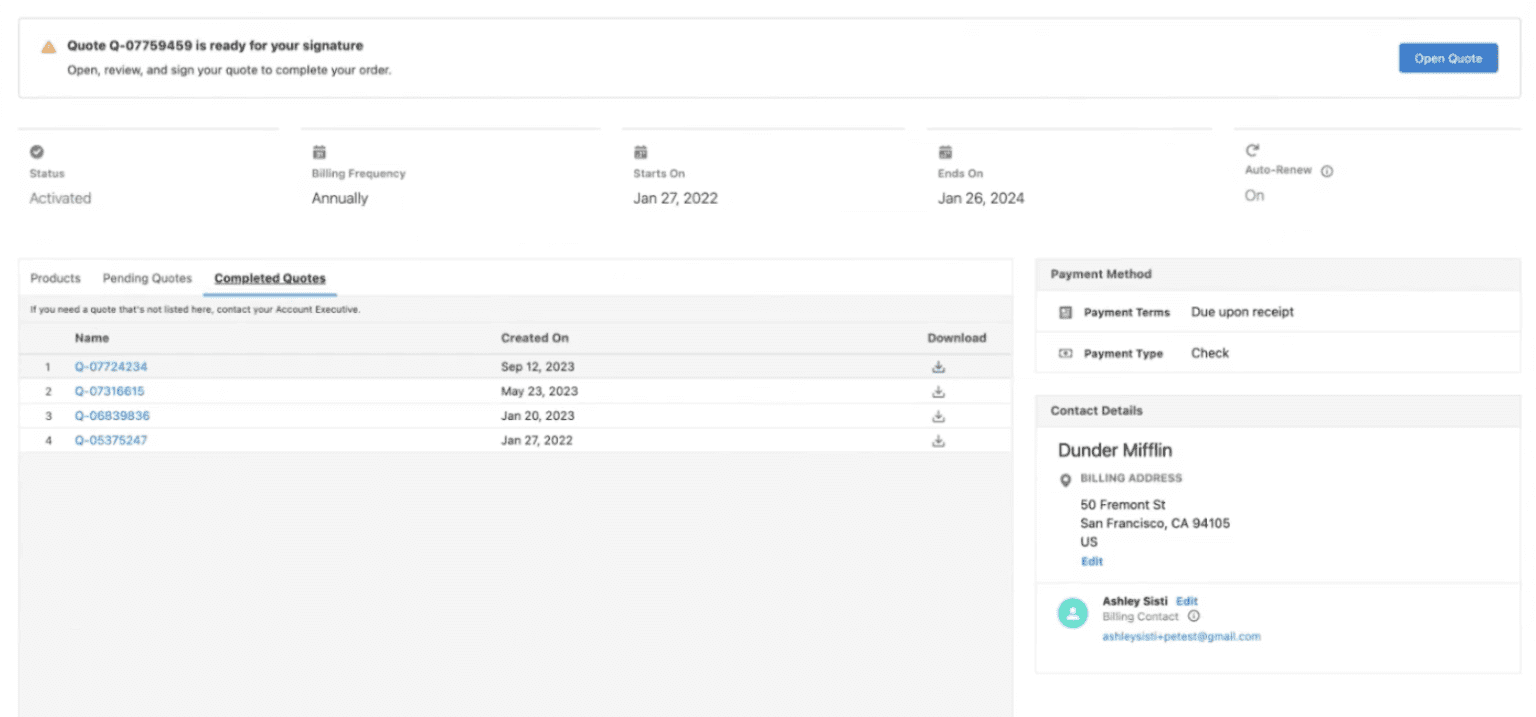
For the entirety of the contract eligibility of the Your Account app, Users will be able to dive into the details as soon as they click on the View Contracts button.
Regardless of whether everything was purchased at the same time or through different orders, the information will be visible with the option for the users to find out exactly when the order was activated, as well as its end date.
A relatively new addition to the Your Account app is the ability to obtain copies of each signed order form in the Completed Quotes tab ( this can be done without having to contact the org’s Account Executive).
A banner is also present at the top of the page, indicating an action is pending. Account Executives can publish quotes via the Your Account app, ready for the customer to review and sign.
Invoice Summaries
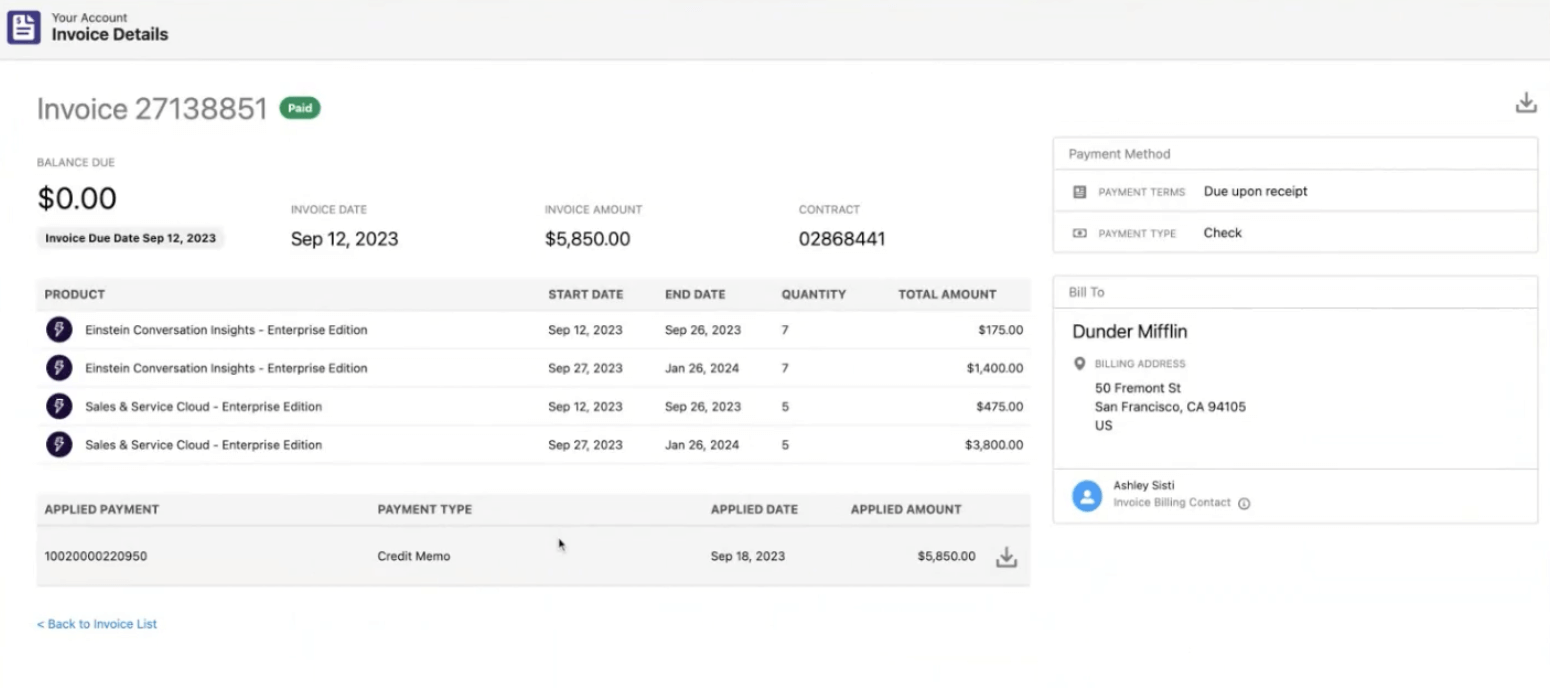
One of the major benefits of this app is that the heart of the matter, Invoices, are centrally managed as well. The Your Account App also has a dedicated section for all things related to payments.
All eligible invoices appear in a list once the View Invoices button is clicked, and not only can users view and download past invoices, but they can also pay up to $10K with a credit card. This direct payment option is something that mostly SMBs leverage, as it’s extremely convenient to wrap up the entire transaction in one go. Additionally, users can view applied payments and credit memos to each invoice as well.
Have any questions? Feel free to drop an email to support@astreait.com or visit astreait.com to schedule a consultation.