Introduction to Data Transform
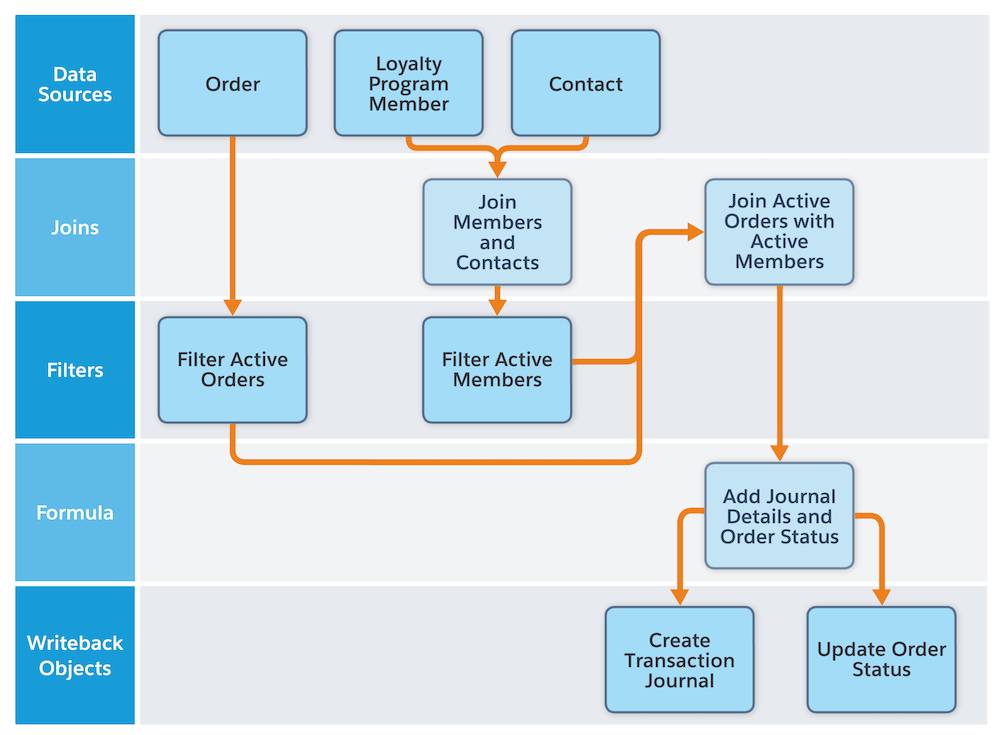
In Salesforce Data Cloud, a Data Transform is a process used to reshape, clean, and enrich data as it moves from a source object to a target object.
Data Transforms help prepare ingested data so that it aligns with the Customer Data Model (CDM) and is ready for downstream use cases like segmentation, analytics, and activation.
Key capabilities of Data Transforms include:
- - Changing data formats
- - Applying formulas and calculations
- - Merging or splitting fields
- - Removing unnecessary columns
- - Creating new derived attributes
Data Transforms typically operate on Data Lake Objects (DLOs). They take one or more source DLOs as input and write the transformed output into a new target DLO or another data object.
They are built visually using nodes such as Source, Join, Filter, Transform, Aggregate, and Output, allowing admins and data teams to implement complex logic without external ETL tools.
Needs of Data Transform
Salesforce Data Cloud ingests data from multiple systems such as CRM, ERP, websites, mobile apps, and marketing platforms. This ingestion is typically handled through Data Streams, , which bring data from external and internal systems into Data Cloud for processing. Once the data is ingested, Data Transforms are used to clean, standardize, and reshape it for further use.
Without transformation, this leads to:
- - Inconsistent records
- - Duplicate customer profiles
- - Unreliable analytics and insights
Data Transforms solve these challenges by:
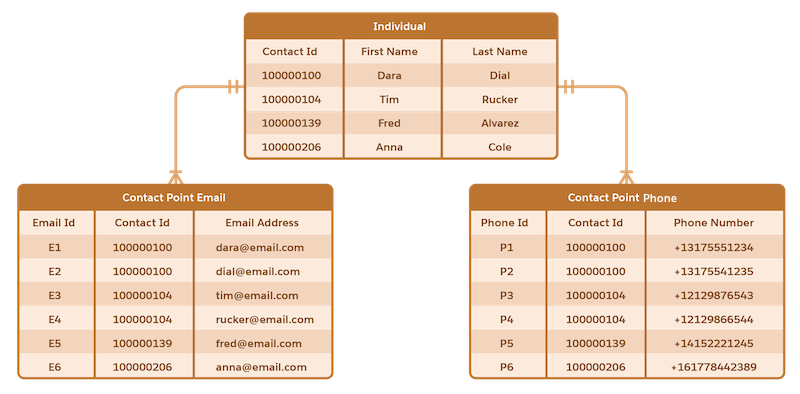
- - Normalizing data into a consistent schema
- - Merging or splitting fields
- - Removing duplicates and invalid records
- - Creating calculated attributes such as lifetime value or engagement score
As a result, teams across marketing, sales, and service work with a single, trusted view of customer data, improving personalization, reporting, and decision-making.
Types of Data Transforms (Batch vs Streaming)
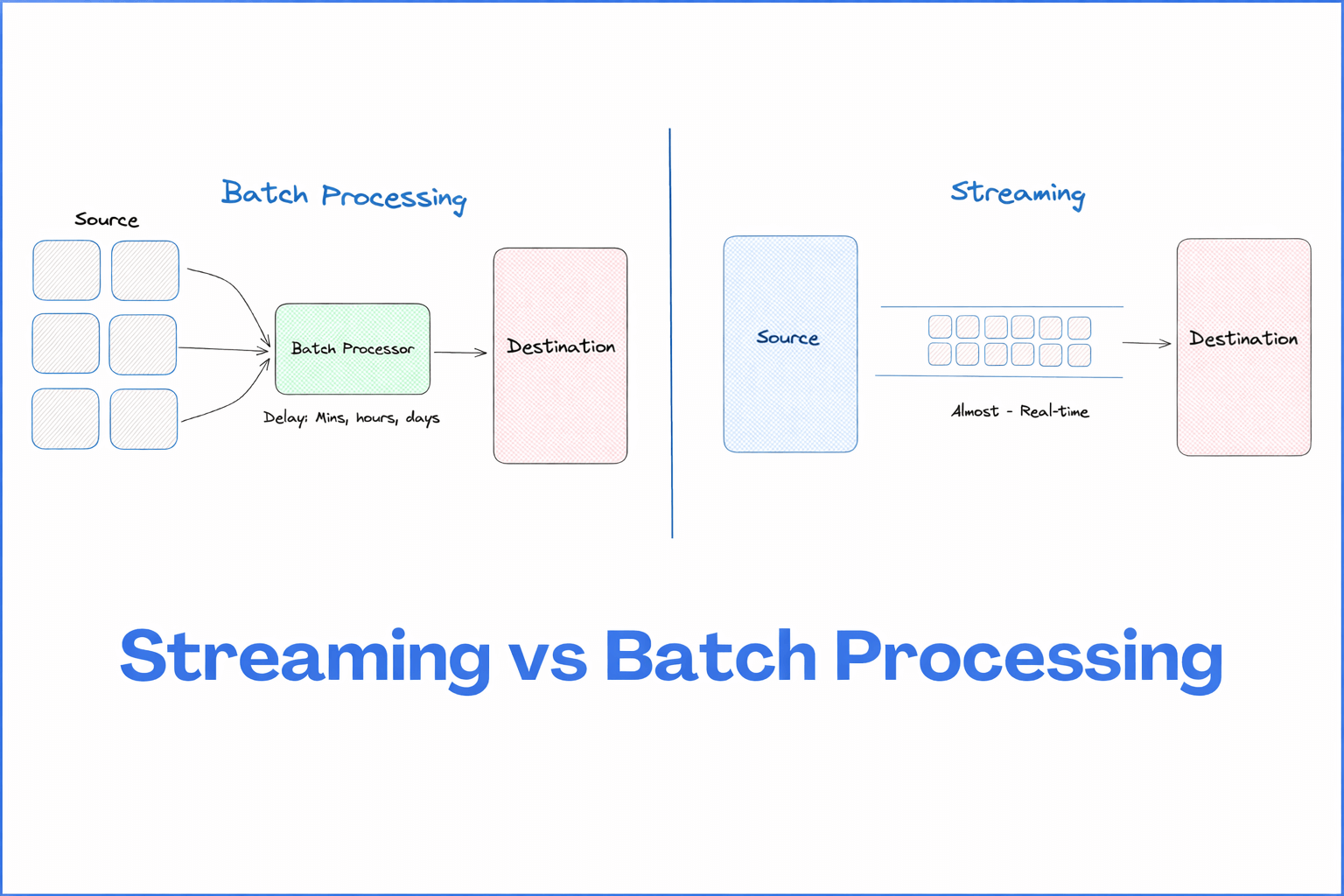
Batch Data Transforms
Batch Data Transforms process a set of records together, either on a schedule or on demand.
They are best suited for:
- Heavy joins across multiple objects
- Data standardization tasks
- Building curated, analytics-ready datasets
Streaming Data Transforms
Streaming Data Transforms process data continuously as it arrives. Each incoming record is transformed and written to the target object instantly.
They are ideal for:
- - Real-time profile updates
- - Immediate event classification
- - Real-time personalization and activation
Common Use Cases for Data Transforms
- Unifying customer profiles using multiple identifiers
- Creating calculated metrics like total revenue and average order value
- Preparing analytics and marketing datasets
- Cleaning noisy or invalid data
- Enabling real-time personalization using streaming transforms
Steps to Use Data Transforms in Salesforce Data Cloud
Step 1: Identify Source and Target Objects
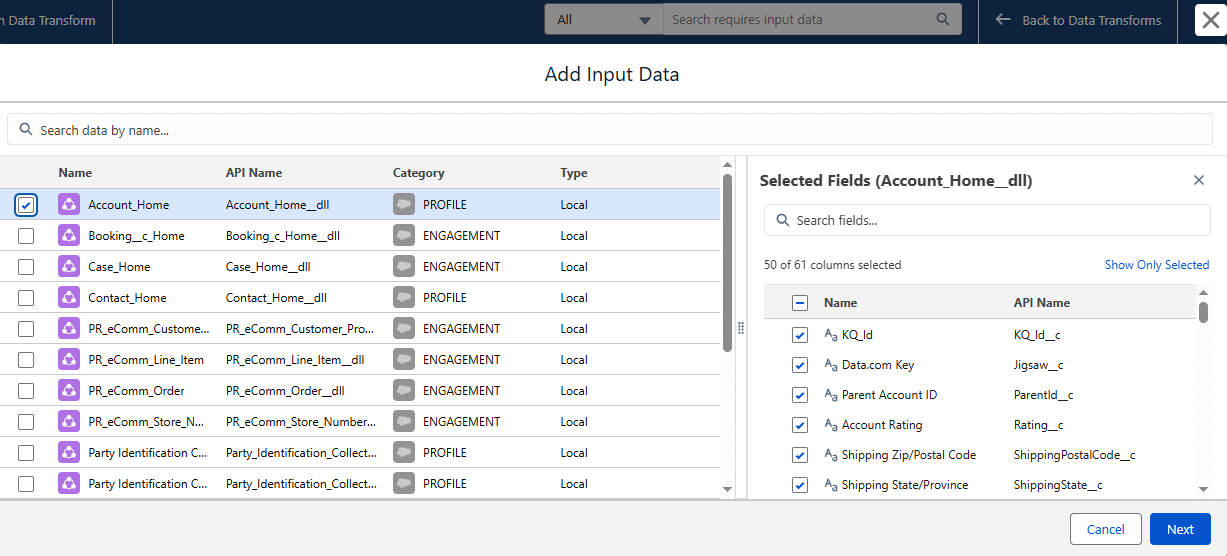
Determine which Data Lake Objects will act as the source, such as raw orders, web events, or CRM data. Define the target object where the transformed data will be stored.
Step 2: Define Transformation Requirements
Outline business requirements such as:
- Fields to keep, drop, or rename
- Required joins between objects
- Calculations and derived metrics
- Data quality rules
Decide whether the transform should run in batch mode or streaming mode based on latency requirements.
Step 3: Configure the Data Transform
Configure the required nodes:
- Source node
- Join node
- Filter node
- Transform node
- Aggregate node
- Output node
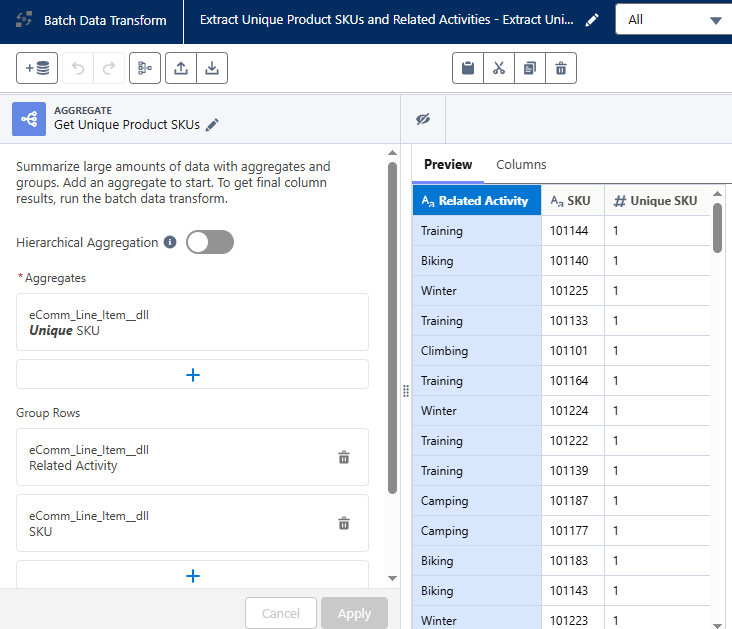
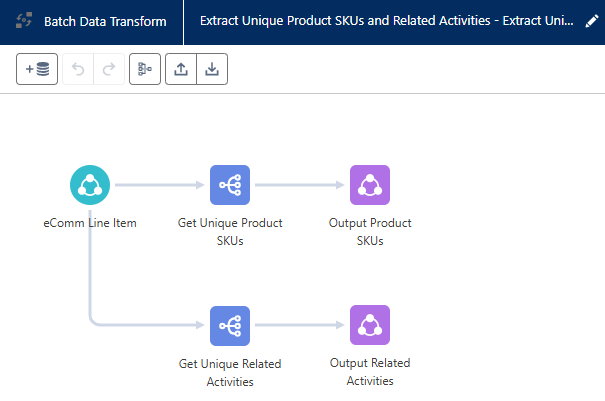
Step 4: Validate and Run the Transform
Preview the transformed output using sample records. For batch transforms, configure a schedule or run on demand. For streaming transforms, enable continuous processing.
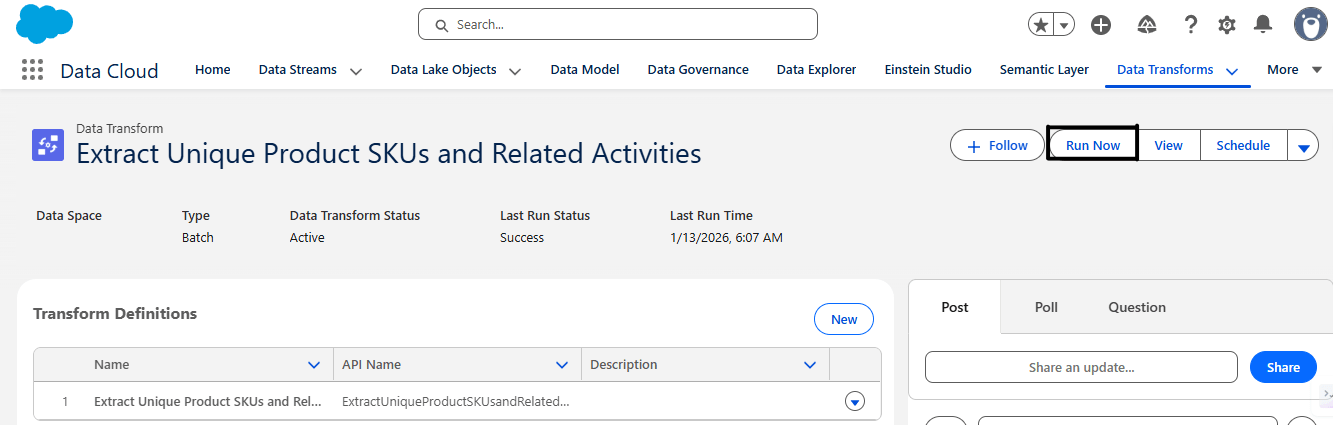
Step 5: Use Transformed Data in Downstream Processes
The transformed data can be used for segmentation, analytics dashboards, Sales, Service, and Marketing Cloud activation, or external destinations.
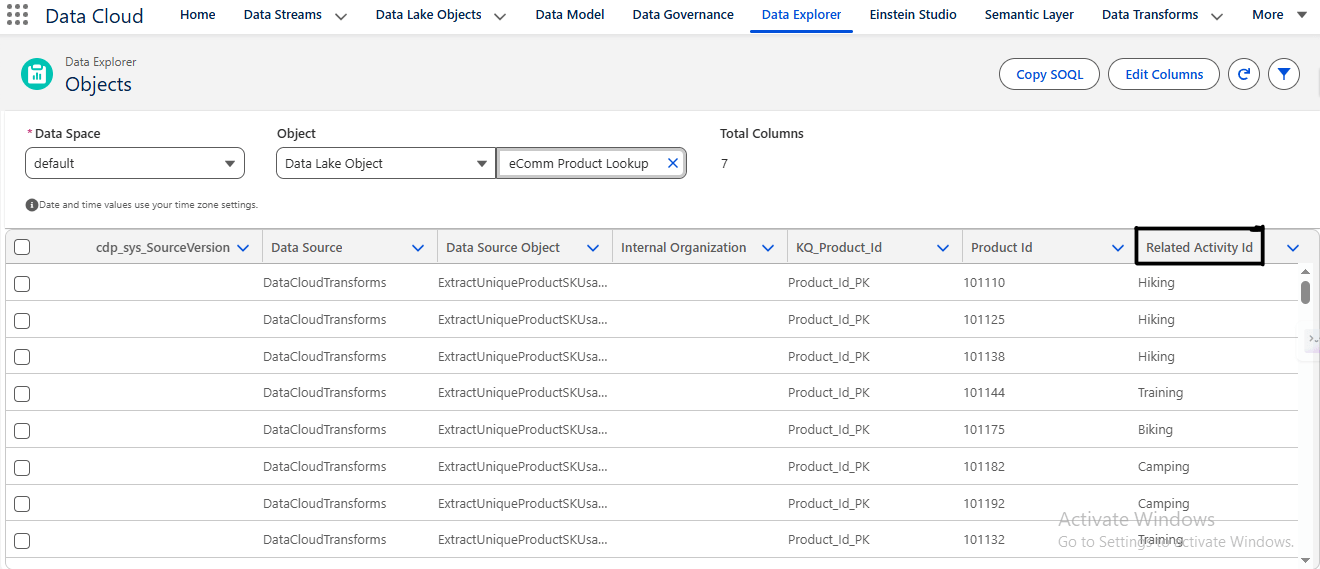
As organizations process and transform large volumes of customer data in Salesforce Data Cloud, maintaining data security and compliance becomes critical. Sensitive information such as personal identifiers, contact details, and transactional data must be protected during storage and processing. Salesforce provides Platform Encryption for Data Cloud to safeguard sensitive data while maintaining usability for analytics and activation processes. This ensures that customer information remains protected while still enabling powerful data transformations and insights.
Conclusion
Data Transforms are a foundational capability in Salesforce Data Cloud. They ensure that raw, fragmented data is converted into clean, structured, and insight-ready datasets. By leveraging batch and streaming transforms effectively, organizations can unlock accurate analytics, real-time personalization, and a unified customer experience.
Salesforce Data Cloud provides a unified platform for collecting, transforming, and activating customer data across multiple systems. To explore the broader capabilities and architecture of this platform, visit our Salesforce Data Cloud page.
Interested in expert Salesforce support or custom development? Learn more about our services at support@astreait.com or visit astreait.com to schedule a consultation.