Nonprofits and NGOs often juggle complex document workflows for donors, grants, and volunteers—tasks that can take days of manual chasing. Our new Non-Profits & NGOs Application changes that. Built on Salesforce's Nonprofit Success Pack (NPSP) and integrated with Lumin eSign, this app automates eSignature processes, slashing admin time from days to hours while ensuring compliance.
We can embed this video here:
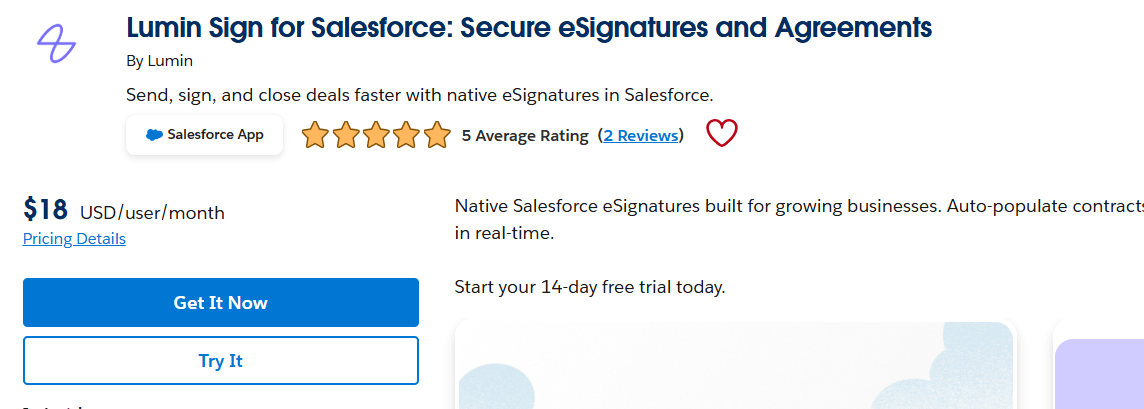
Install Lumin App:
Lumin: A cloud-based PDF editor for viewing, annotating, editing, signing, and collaborating on documents—right on desktop, or mobile. Install both apps to unlock the full power.
Install Nonprofit Success Pack (NPSP):
NPSP: This Salesforce-managed package supercharges standard objects with nonprofit-specific models for donors, grants, volunteers, and programs. It makes managing relationships seamless.
Core Objects and Streamlined Workflows
The app leverages core NPSP objects: Account, Contact, Opportunity, Recurring Donation, and Volunteers. Here's how it streamlines workflows.
Step 1: Accounts – Nonprofit's Engagement Hub
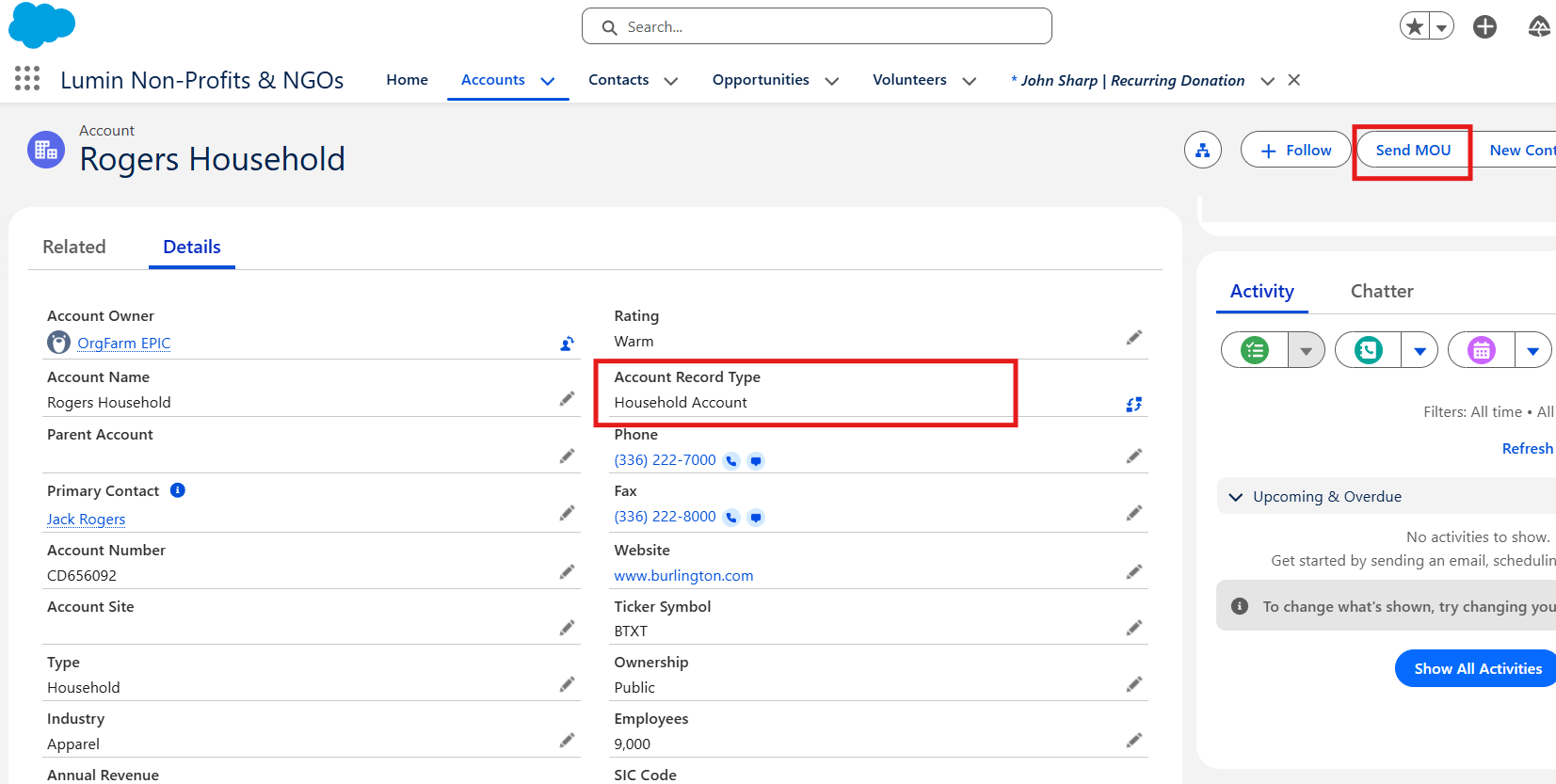
Accounts serve as the central hub for all key entities nonprofit engages with, including donors, clients, companies, foundations, and more. Leverage record types such as:
- Households: For families or individuals sharing the same address.
- Organizations: Charities, corporations, government bodies, vendors, and similar.
Simply create an Account and click the “Send MOU” button to auto-generate and send a Partnership/MOU Agreement via Lumin.
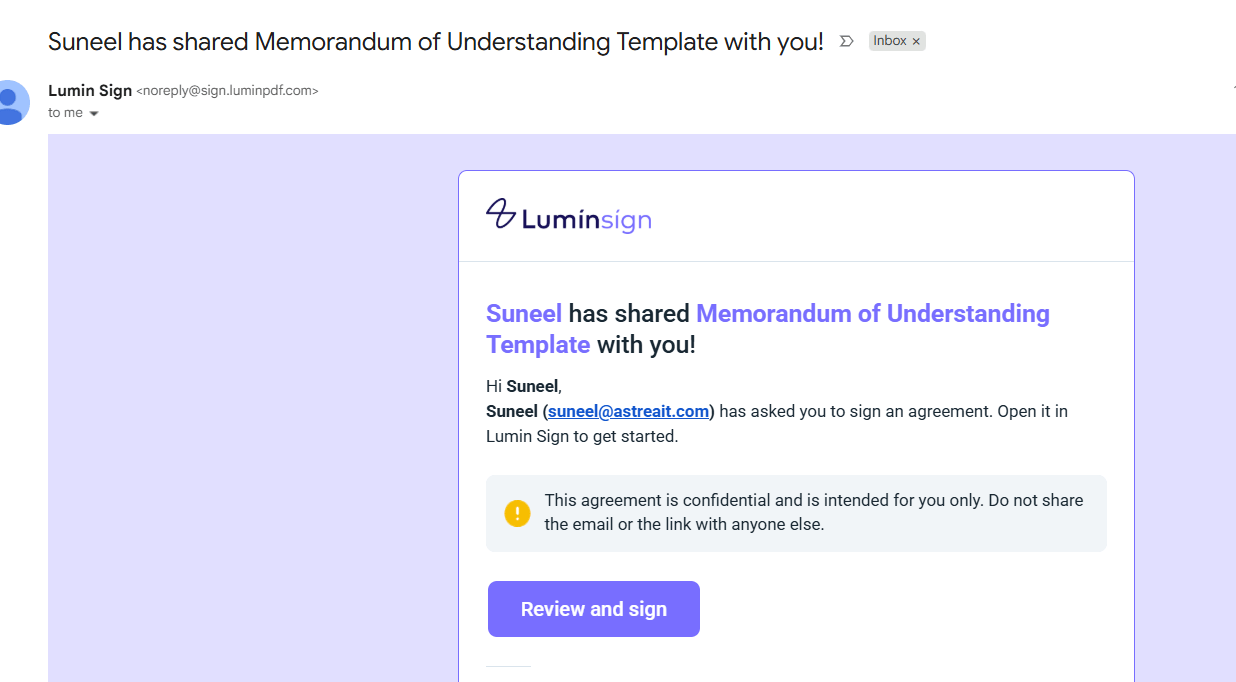
How Lumin's Email Alerts Make eSigning Effortless
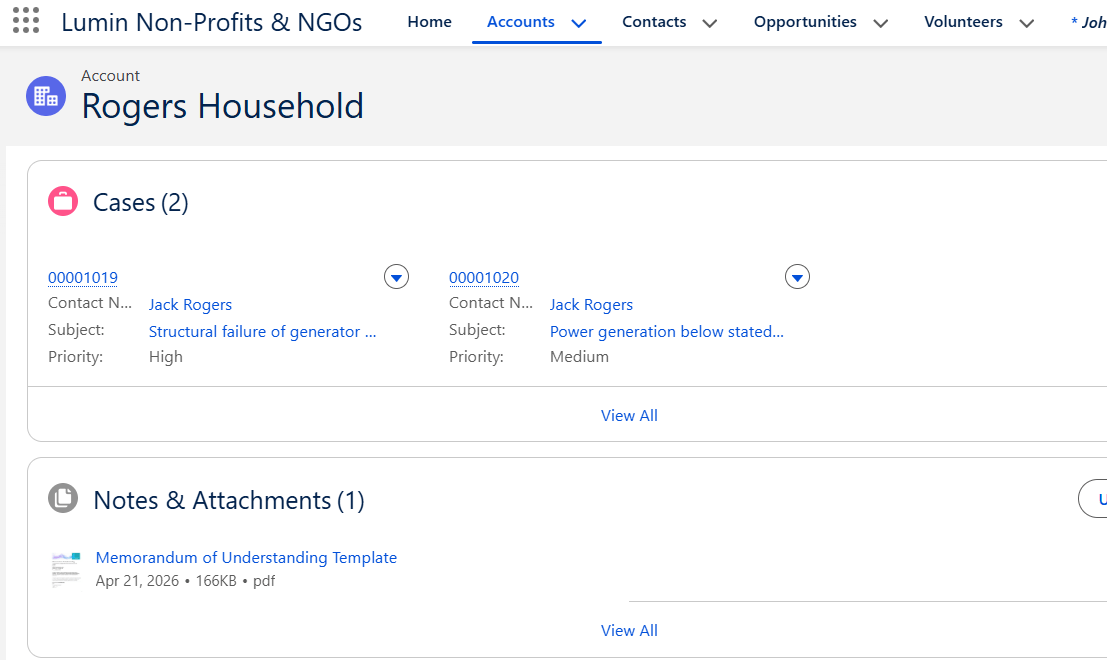
After signing, the system updates the Signed Status and Signing Date on the record, with the signed document automatically attached.
Step 2: Contacts and Volunteers – Personalized Tracking
Contacts represent individuals linked to Accounts—such as donors, volunteers, board members—capturing full personal details and relationships. No documents are generated at this stage.
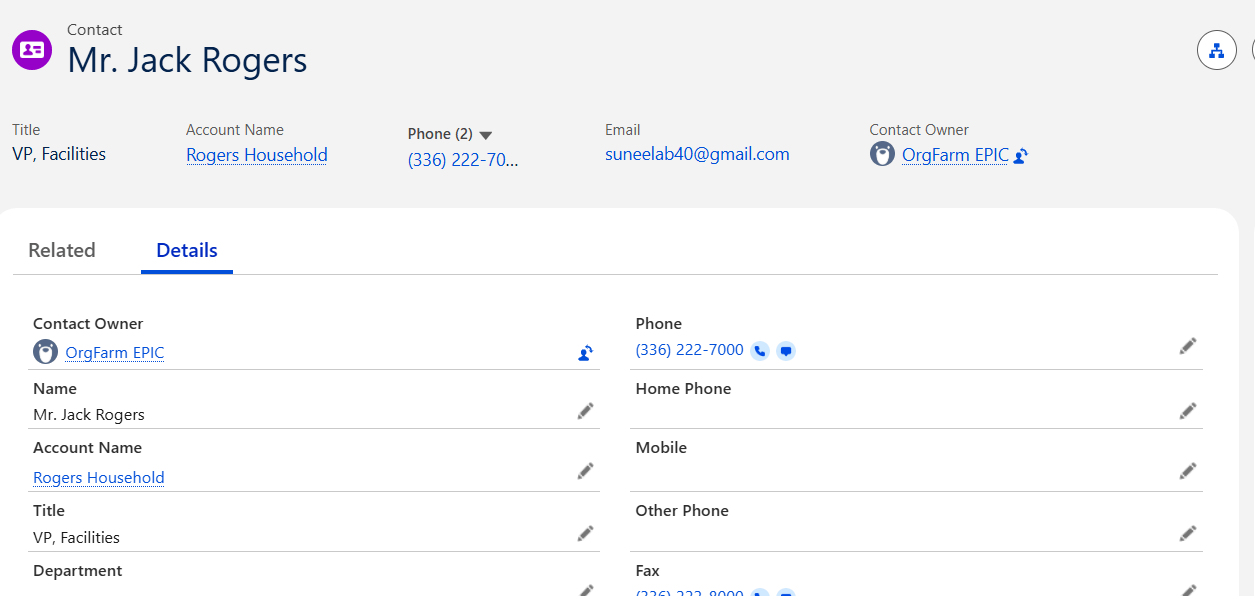
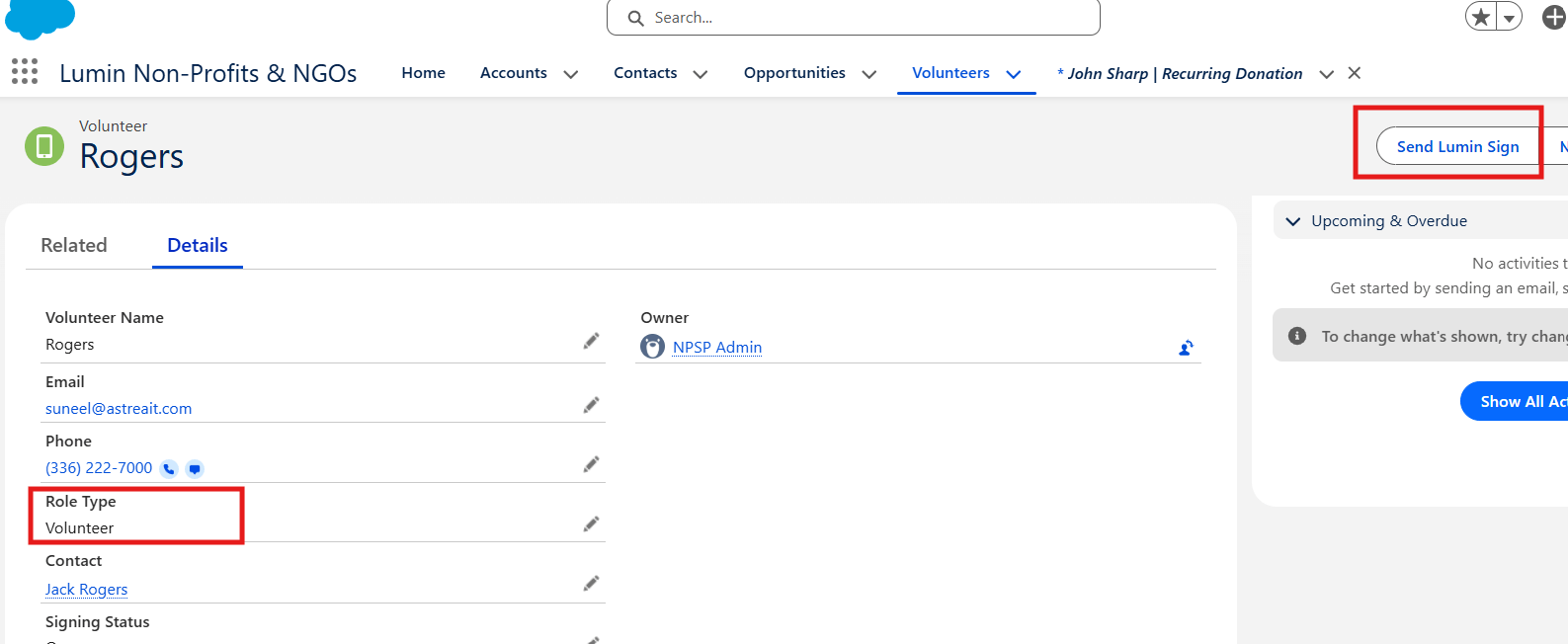
Volunteers are managed as a related function under Contacts, tracking Availability, Role Type, and Skills:
- Board Role type: Click “Send Lumin Sign” to generate and send a Board Member Conflict of Interest Form. Post-signature, the system auto-updates Signing Status and Signing Date.
- Volunteer Role type: Use the same button for a Volunteer Agreement & Waiver. Signatures trigger identical updates.
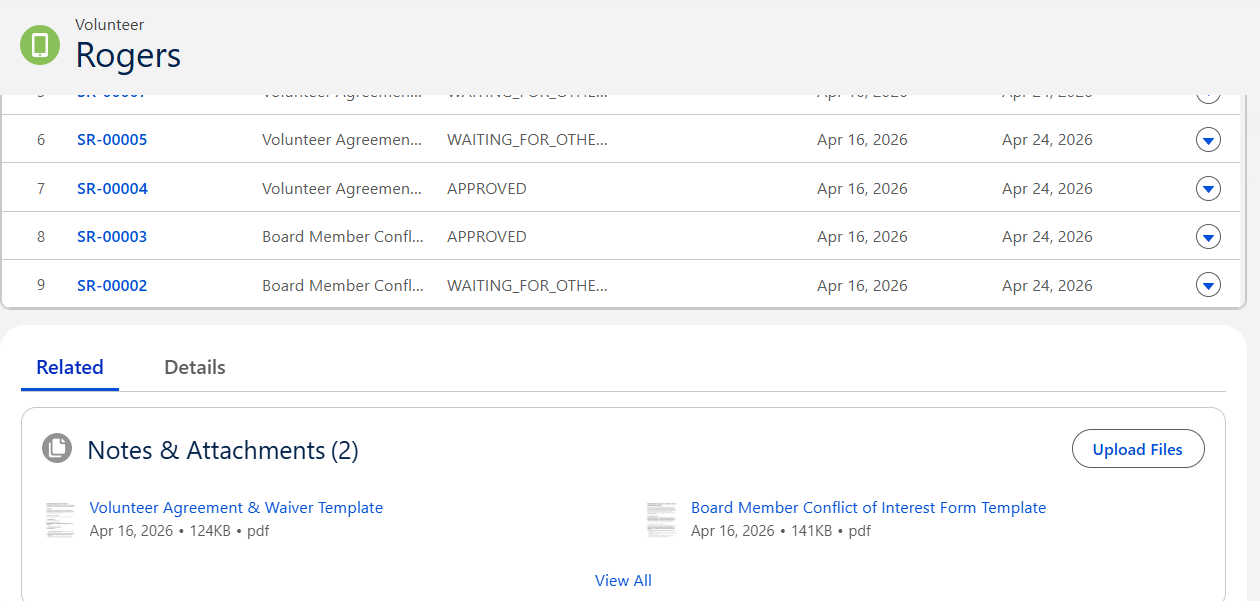
Document attached to the record.
Step 3: Opportunities and Recurring Donations – Revenue Simplified
Opportunities track diverse revenue streams—donations, grants, in-kind gifts, major gifts, and memberships—with details like amounts, currency, and funding sources.
Key record types include:
- Donation: One-time or general cash gifts from individuals or households.
- Grant: Funds from foundations.
- In-Kind Gift: Non-monetary donations (e.g., food, clothing, technology).
- Major Gift: High-value contributions.
During Opportunity creation, link Recurring Donations to manage scheduled gifts like monthly pledges.
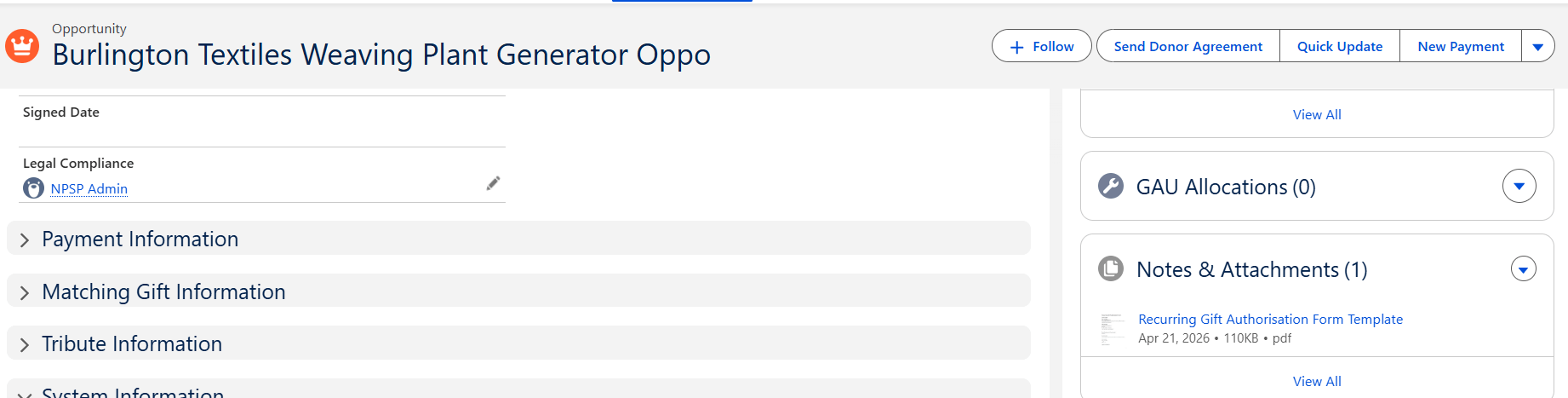
Click “Send Donor Agreement” based on the type of related doc that will be generated:
- Donation: Recurring Gift Authorization.
- In-Kind Gift: Gift-in-Kind Receipt.
- Grant: Grant Award Agreement.
- Major Gift: Major Donor Pledge Agreement.
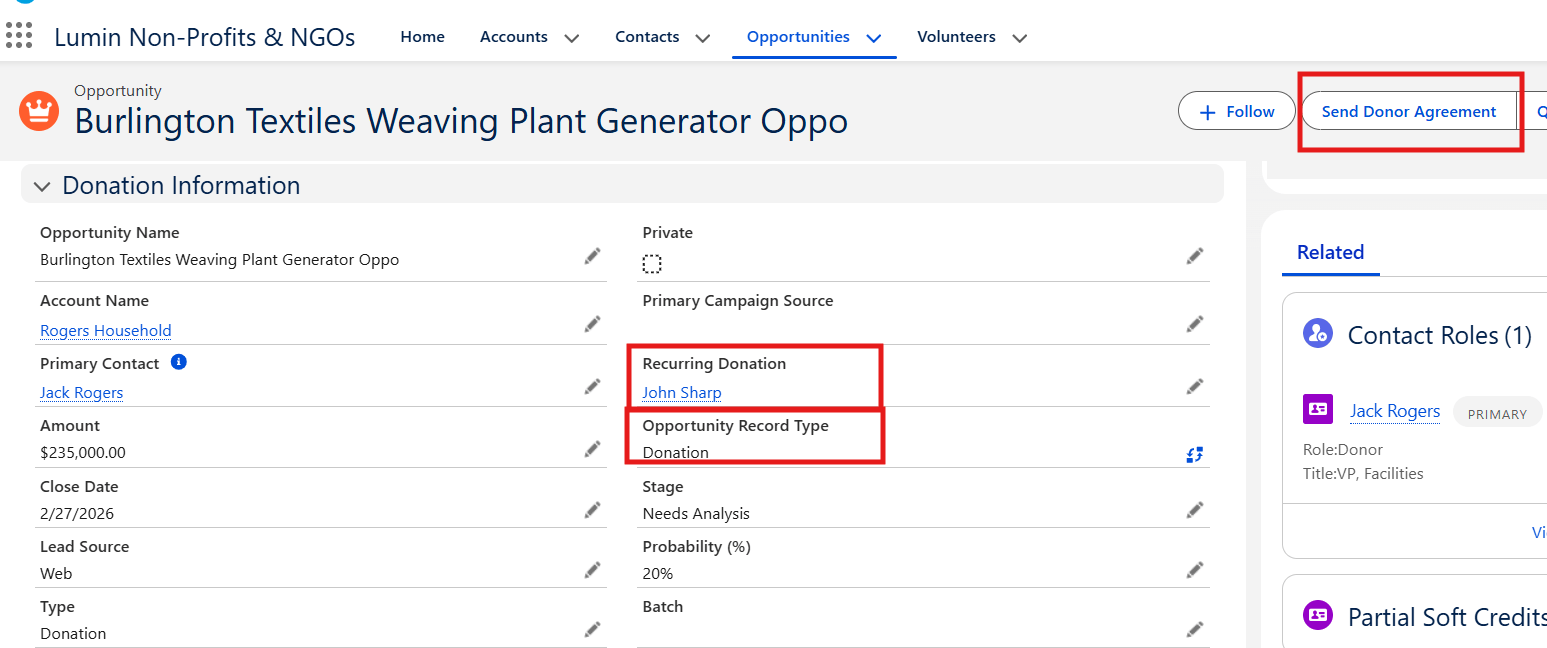
Signatures automatically update Signing Status and Signing Date for seamless compliance.
Document attached to the record.
Summary
In summary, this app transforms nonprofit document management—from MOUs and volunteer agreements to donor pledges—into a fast, automated, compliant process. Say goodbye to days of admin work and hello to hours of efficiency, empowering the team to drive real impact.
For any queries please reach out to support@astreait.com