Introduction
Managing customer relationships and tracking sales opportunities is one of Salesforce's core strengths. However, once an opportunity is successfully closed, the finance team must generate an invoice and record the financial transaction.
This is where Accounting Seed comes into play.
Accounting Seed is a native accounting solution built on the Salesforce Platform that extends CRM capabilities with invoicing, accounting, and financial reporting—all within the same environment. By eliminating the need for external accounting applications, organizations can maintain a single source of truth for both sales and finance operations.
In this article, we'll explore how to create a Billing record from a Salesforce sales transaction. This marks the first stage of the Order-to-Cash (O2C) process and lays the foundation for Posting, Journal Entry creation, and Financial Reporting.
Understanding the Business Process
Before a customer invoice can be generated, the sales team must complete the sales transaction in Salesforce. Accounting Seed then uses this information to create a Billing record that serves as the invoice.
The overall process is illustrated below.
Customer → Account → Opportunity → Opportunity Products → Billing
This workflow ensures that accounting records remain directly connected to the original sales transaction, reducing manual effort and improving data consistency across teams.
Prerequisites
Before creating a Billing record, ensure the following Salesforce records are available:
- Account
- Contact
- Product
- Standard Price Book Entry
- Opportunity
- Opportunity Product
These records provide the customer, pricing, and product information required by Accounting Seed to generate the invoice.
Step 1: Create the Sales Transaction
Begin by creating an Account for the customer and adding the required Contact.
Next, create a Product, activate it, and add it to the Standard Price Book.
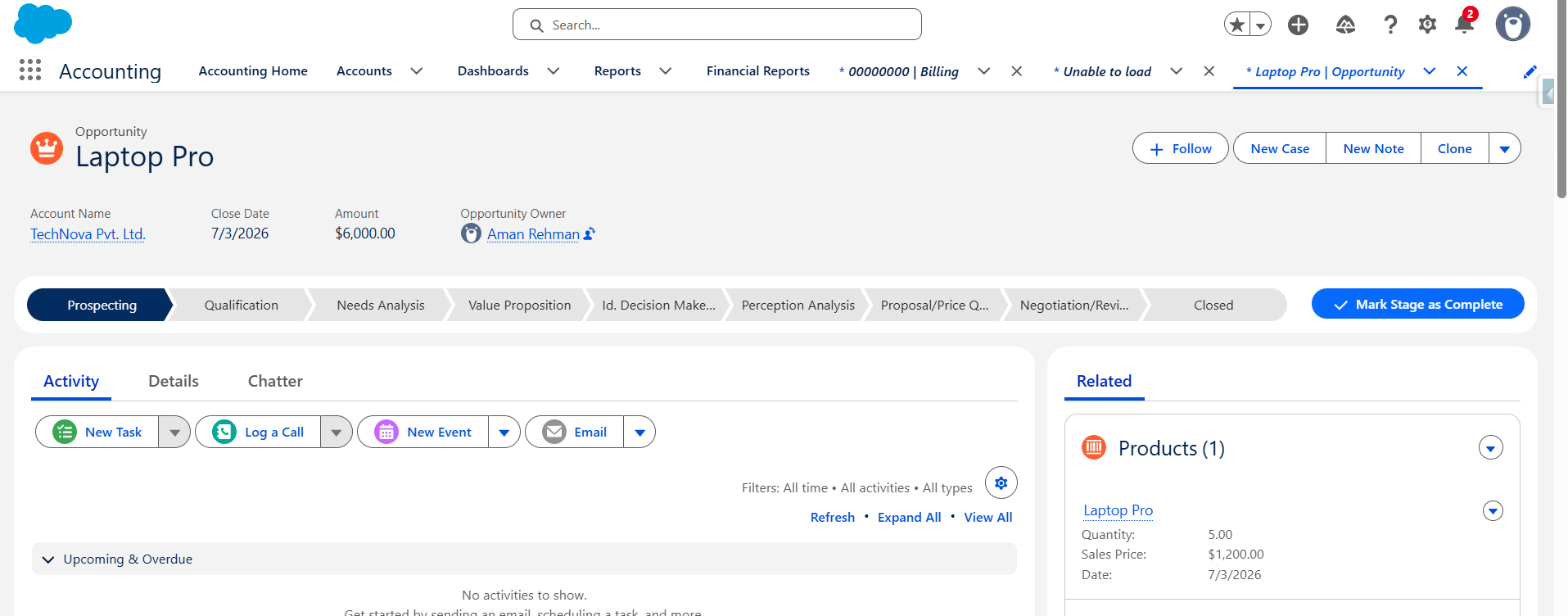
Create an Opportunity and associate the product using Opportunity Products. Salesforce automatically calculates the Opportunity Amount based on the product quantity and unit price.
For this implementation, a single product with a quantity of five units was added to the Opportunity.
Why is this important?
Accounting Seed is built natively on Salesforce and relies on standard Salesforce CRM records. Instead of duplicating customer and product information, it references existing Salesforce data to generate accounting transactions.
Key Insight
Salesforce manages the sales process, while Accounting Seed uses the same data to manage financial operations.
Step 2: Create the Billing Record
Once the sales transaction is complete, navigate to:
Accounting Seed → Create Entries → Billings
Click New and populate the required fields:
- Customer
- Billing Date
- Accounting Period
- Billing Status
Save the record after entering the required information.
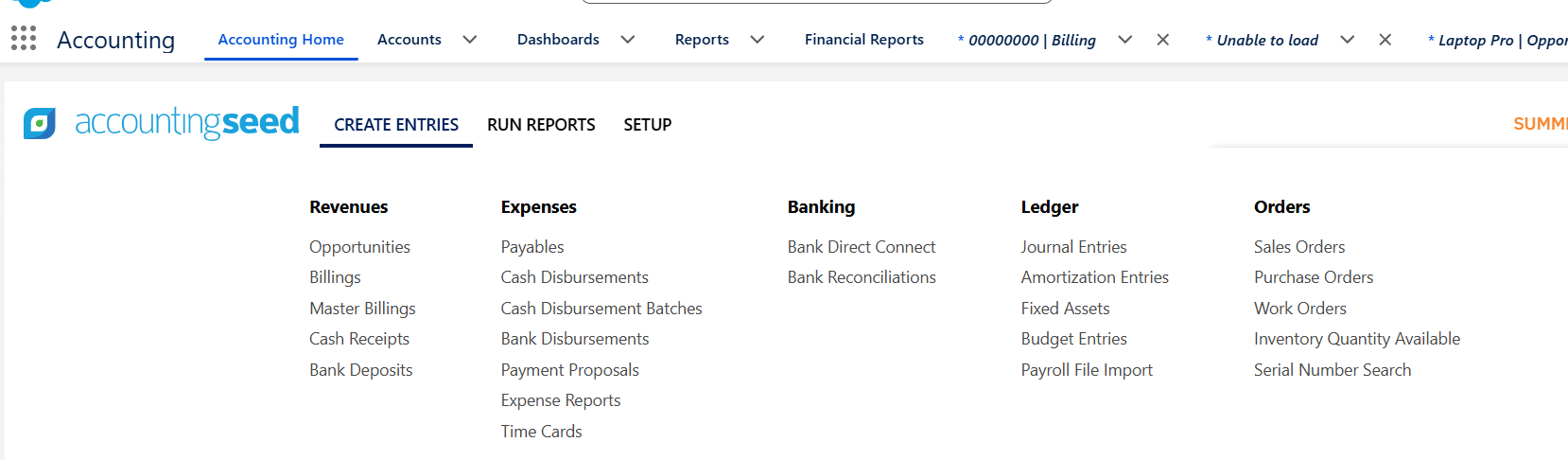

The Billing record represents the invoice header. It stores customer information, billing date, accounting period, and invoice status.
At this stage, the invoice has been created but does not yet include products or invoice amounts.
Why is this important?
The Billing record acts as the bridge between Salesforce CRM and Accounting Seed.
Although it represents a customer invoice, it does not generate accounting transactions immediately. The Billing prepares the invoice for the next stage, where Billing Lines are added and the invoice is posted.
Key Insight
Creating a Billing record does not impact the General Ledger. Accounting entries are generated only after the Billing is posted.
Implementation Summary
In this implementation, we completed the following activities:
- Created the customer Account and Contact.
- Created and activated a Product.
- Added the Product to the Standard Price Book.
- Created an Opportunity.
- Added Opportunity Products.
- Created a Billing record in Accounting Seed.
The invoice header has now been created successfully and is ready for Billing Lines.
Key Takeaways
- Accounting Seed is built natively on Salesforce.
- Standard Salesforce objects form the foundation of Accounting Seed transactions.
- Billing records act as invoice headers.
- Creating a Billing does not immediately create accounting transactions.
- Financial records are generated only after Billing Lines are added and the Billing is posted.
Conclusion
Accounting Seed extends Salesforce beyond customer relationship management by enabling organizations to manage accounting directly within the Salesforce platform.
Creating a Billing record is the first step in transforming a completed sales opportunity into a financial transaction. By leveraging existing Salesforce CRM data, Accounting Seed helps organizations streamline the Order-to-Cash process, improve collaboration between sales and finance teams, and maintain a single source of truth for business operations.
In the next article of this series, we'll explore Billing Lines, understand how they define invoice details, and demonstrate how the Posting process automatically generates Journal Entries using double-entry accounting principles.
If you're interested in exploring more Accounting seed solutions, visit our Accounting Seed page.
For any queries please reach out to support@astreait.com