Introduction
In modern real estate operations, managing documentation efficiently is critical to ensuring faster deal closures, regulatory compliance, and a seamless client experience.
Traditionally, agents manually prepare agreements, disclosures, and closing documents, leading to:
- Increased turnaround time
- Data inconsistencies
- Higher risk of compliance issues
To address these challenges, Salesforce integrated with document generation tools (such as Lumin) enables trigger-based document automation, where documents are automatically generated and sent for eSign based on predefined business events.
2. Objective
The objective of this solution is to:
- Automate document generation at each stage of the real estate lifecycle
- Eliminate manual data entry by leveraging Salesforce data
- Enable seamless digital signature workflows
- Ensure compliance through standardized and timely document creation
- Improve operational efficiency and client satisfaction
3. Solution Overview
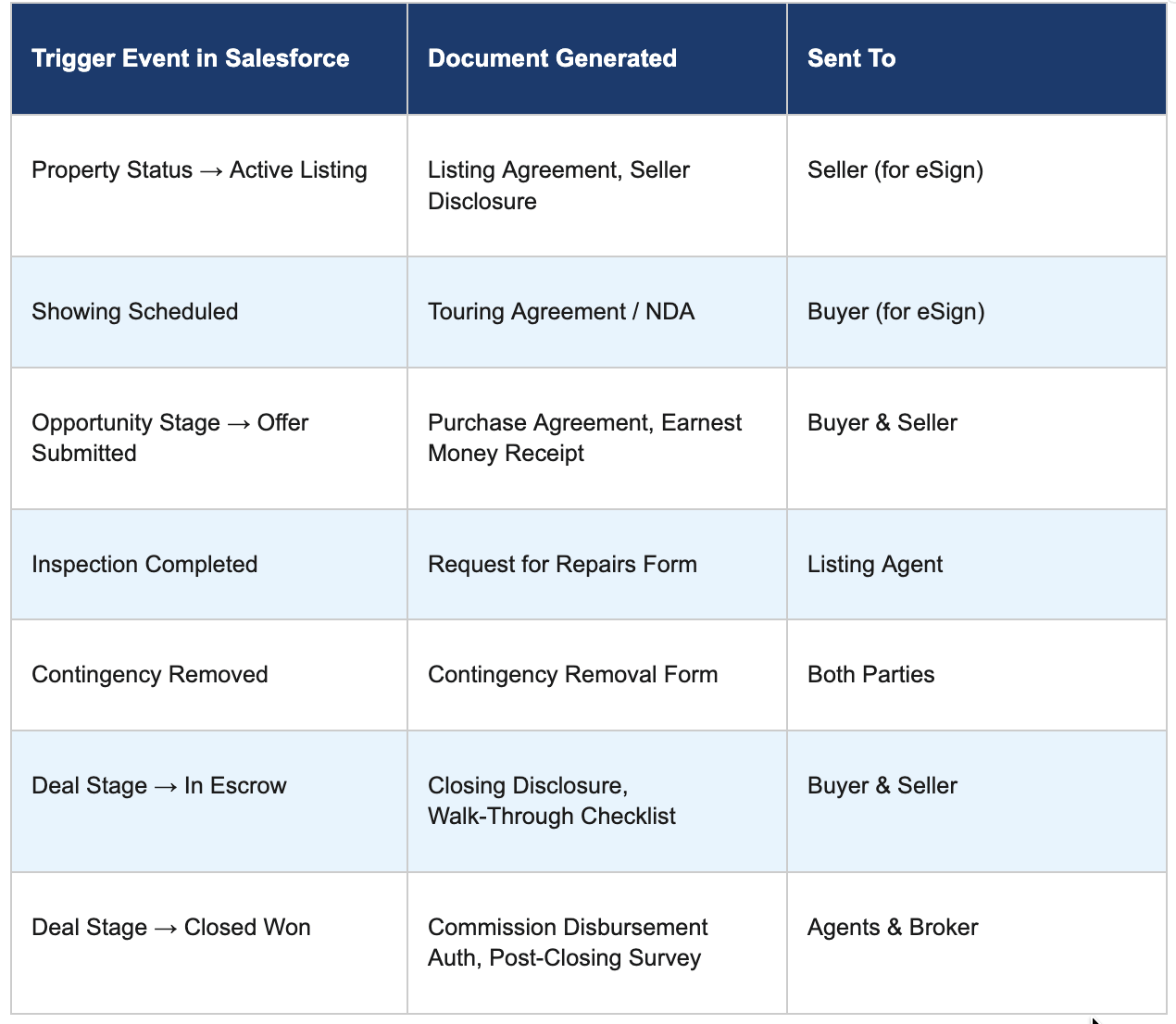
The system is designed to automatically generate and distribute documents based on specific trigger events in Salesforce.
Each trigger:
- Detects a change in record status or stage
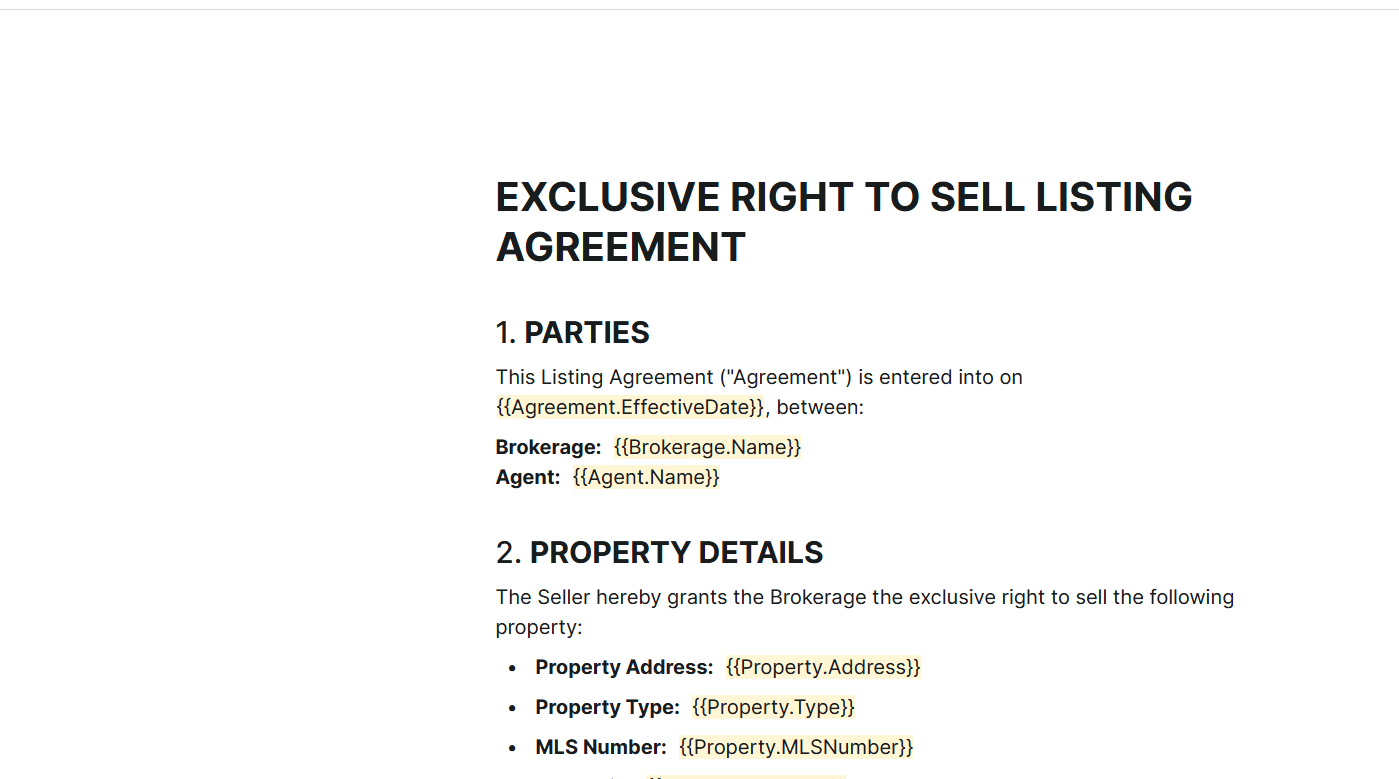
- Generates relevant documents using predefined templates
- Sends documents to appropriate stakeholders for electronic signature
4. Salesforce Data Model & Key Objects
The following Salesforce objects will serve as the data source for document generation. Lumin will be configured to merge fields from these objects into the corresponding document templates.
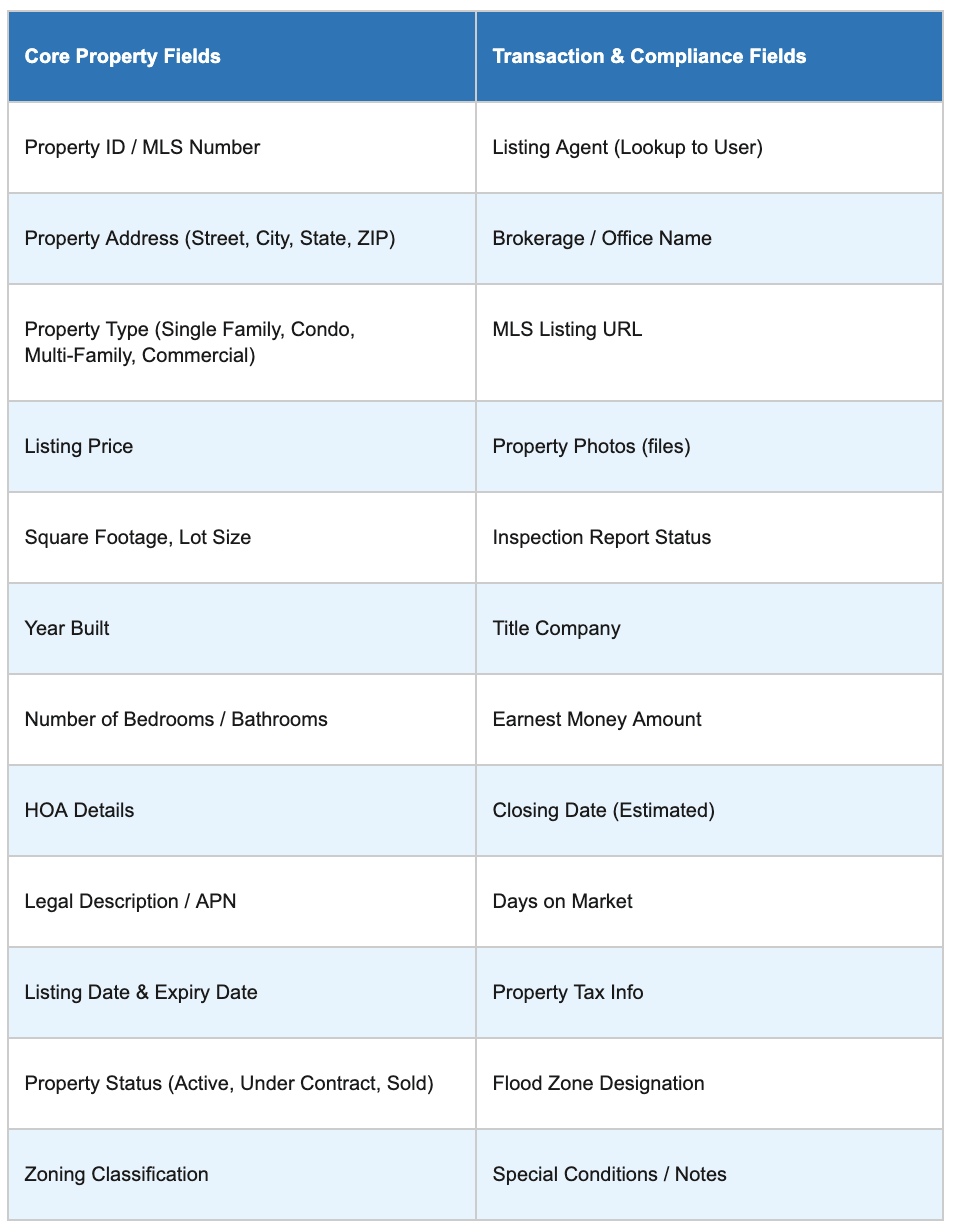
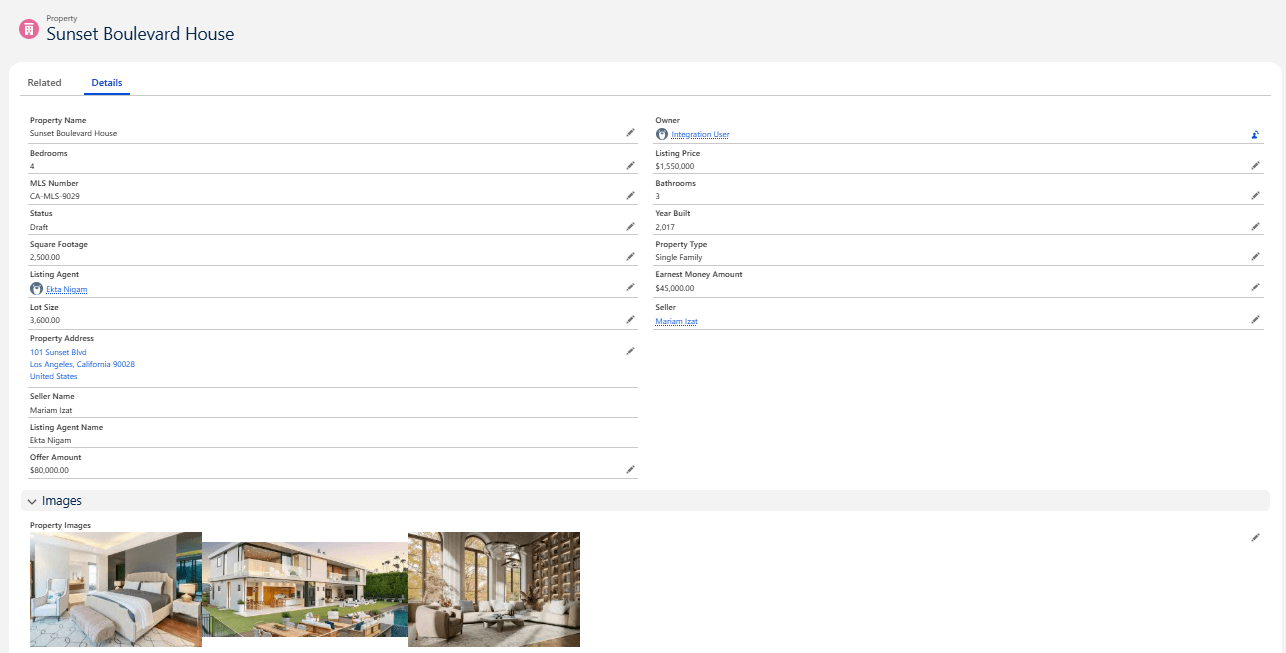
3.1 Property Object
Stores all details about the real estate property being listed or transacted.
3.2 Buyer Object (Contact / Custom Object)
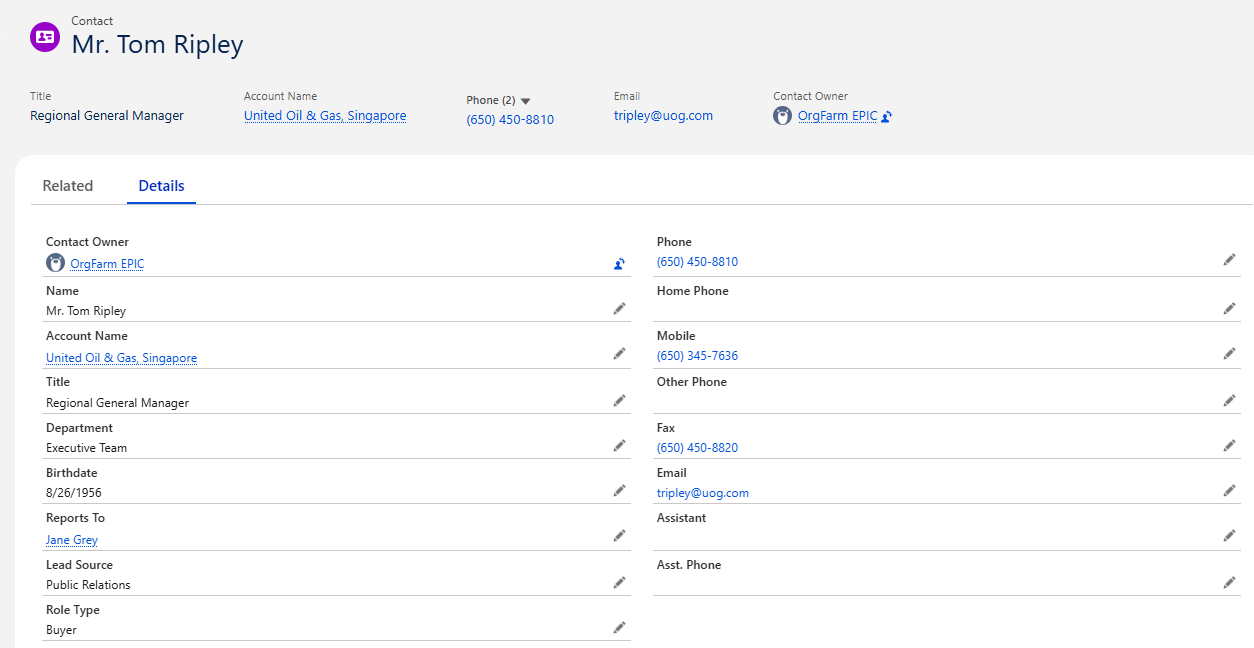
Captures personal, financial, and legal details of prospective buyers.
3.3 Seller Object (Contact / Custom Object)
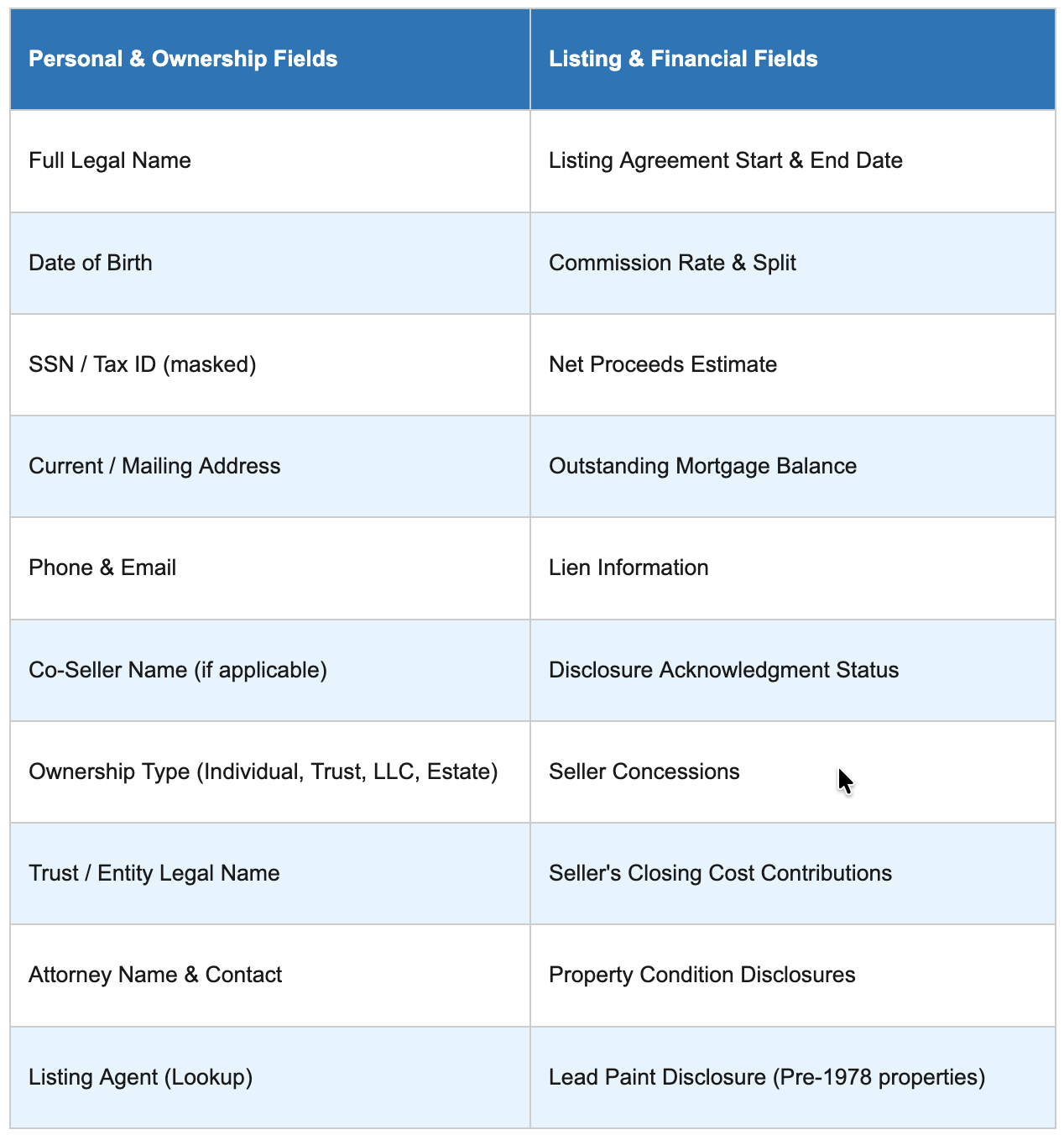
Records information about property sellers, including legal, financial, and agency details.
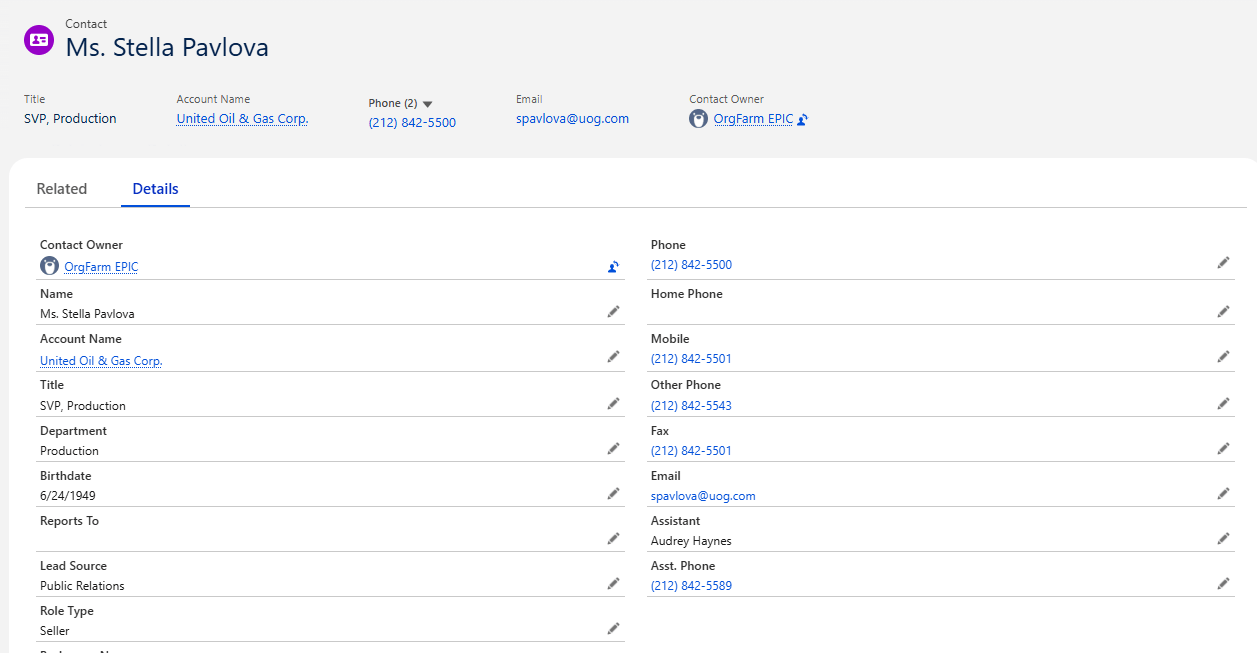
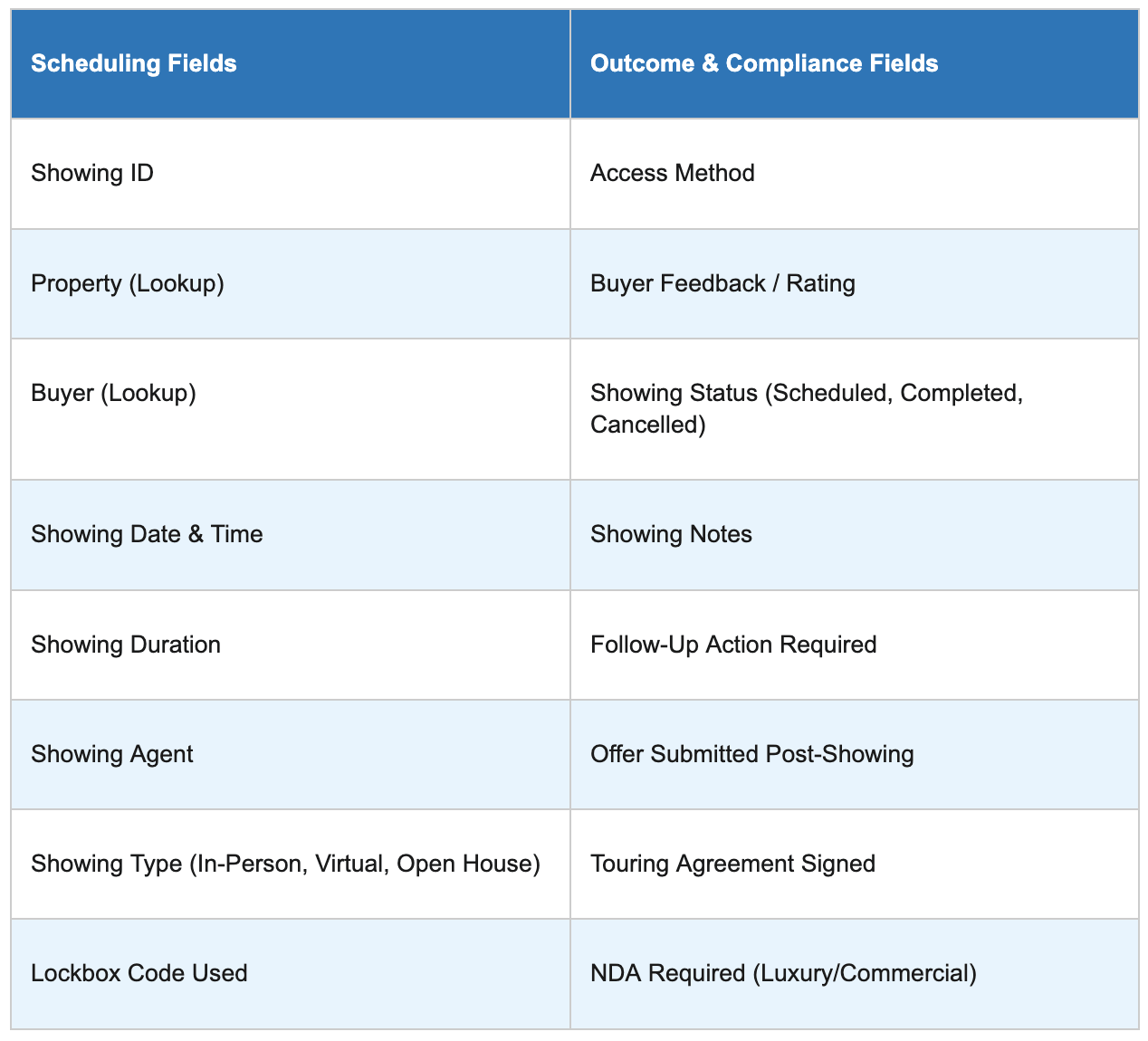
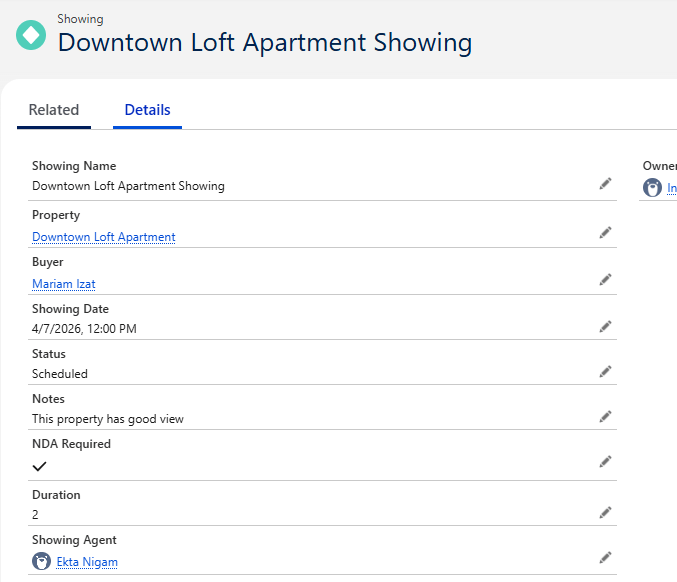
3.4 Showing Object (Custom Object)
Tracks scheduled and completed property showings with potential buyers.
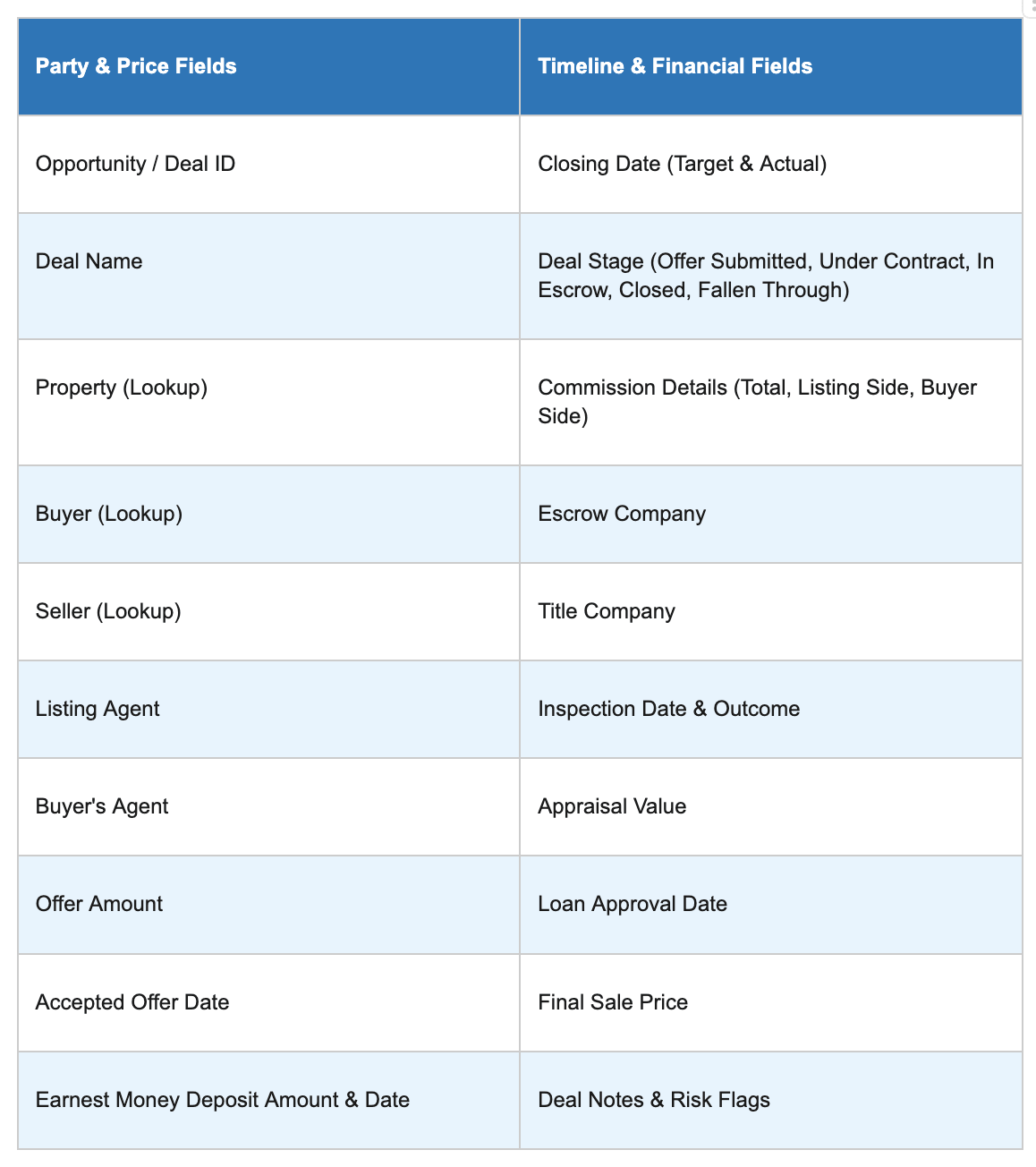
3.5 Deal / Opportunity Object
The central record tying together property, buyer, seller, and all transactional details.
4.5 Document Generation Triggers in Salesforce
6. Key Features
- Automated Document Creation
Documents are generated instantly based on system triggers. - Data-Driven Templates
All documents are auto-filled using Salesforce records, ensuring accuracy. - Integrated eSignature
Supports fully digital signing workflows compliant with legal standards. - Centralized Document Storage
All generated and signed documents are stored within Salesforce. - Audit Trail & Compliance
Complete tracking of document generation, delivery, and signing activities.
7. Business Benefits
Implementing trigger-based document generation provides significant advantages:
- Reduced Processing Time
Document preparation reduced from hours to minutes - Faster Deal Closures
Signature cycles reduced from days to hours - Improved Accuracy
Elimination of manual data entry errors - Enhanced Compliance
Ensures all required documents are generated at the correct stage - Better User Experience
Seamless and professional experience for buyers, sellers, and agents
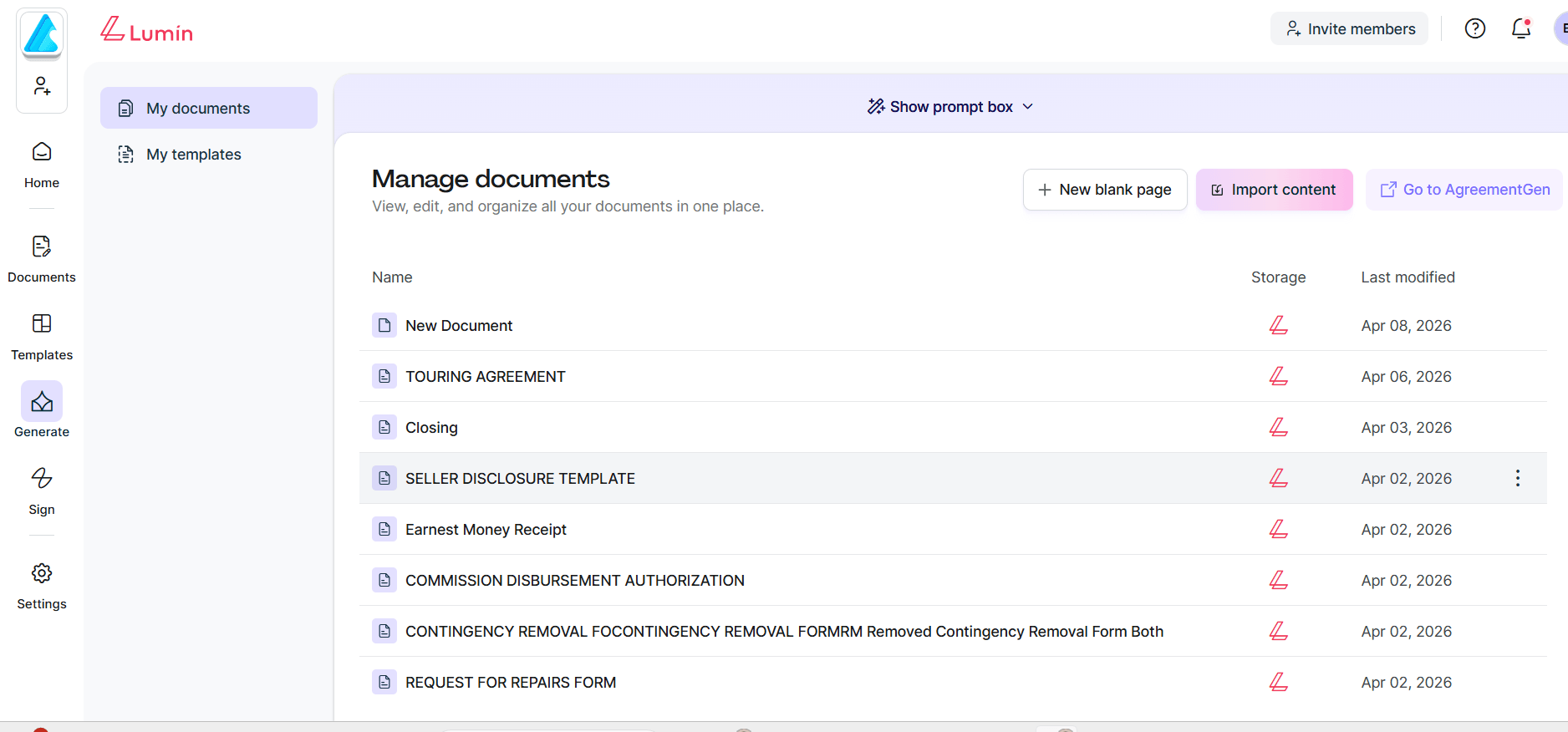
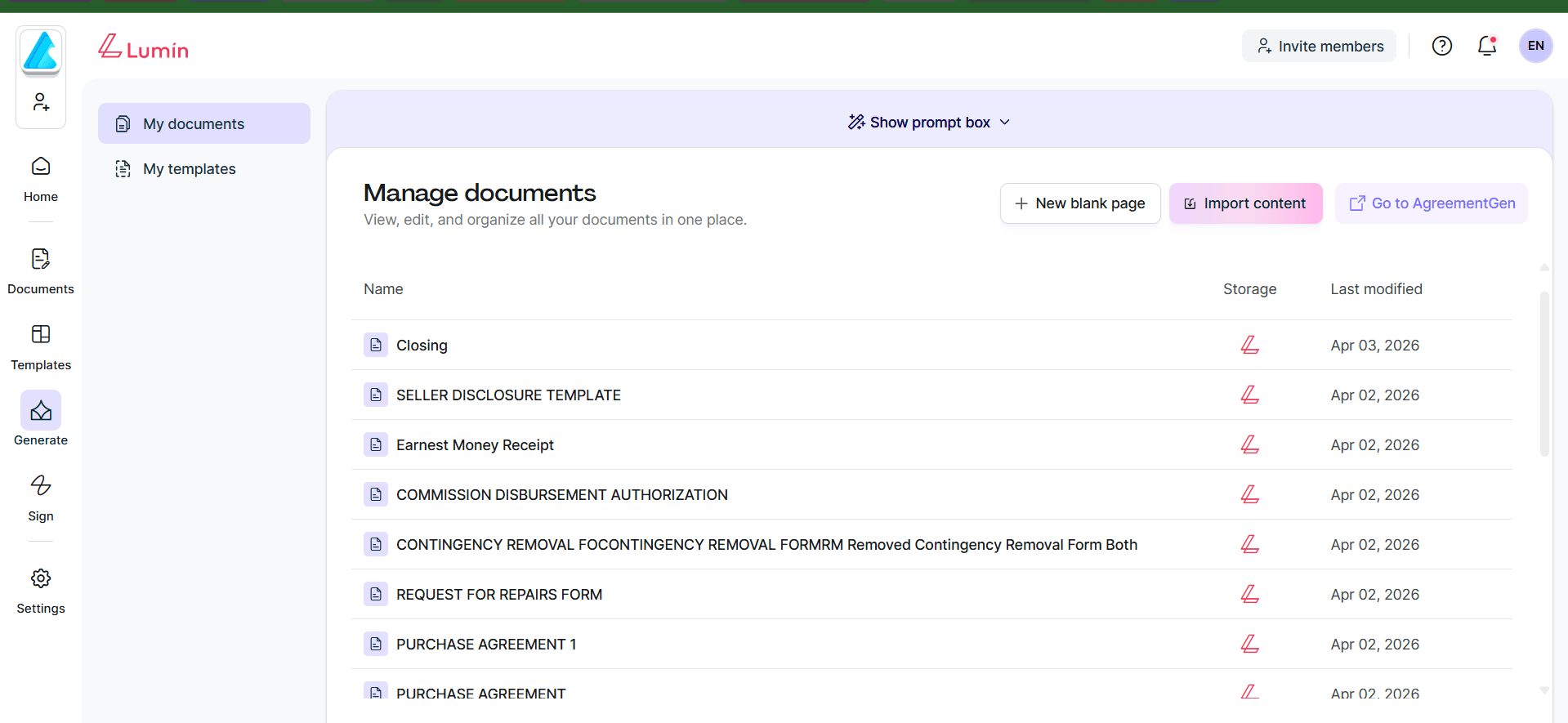
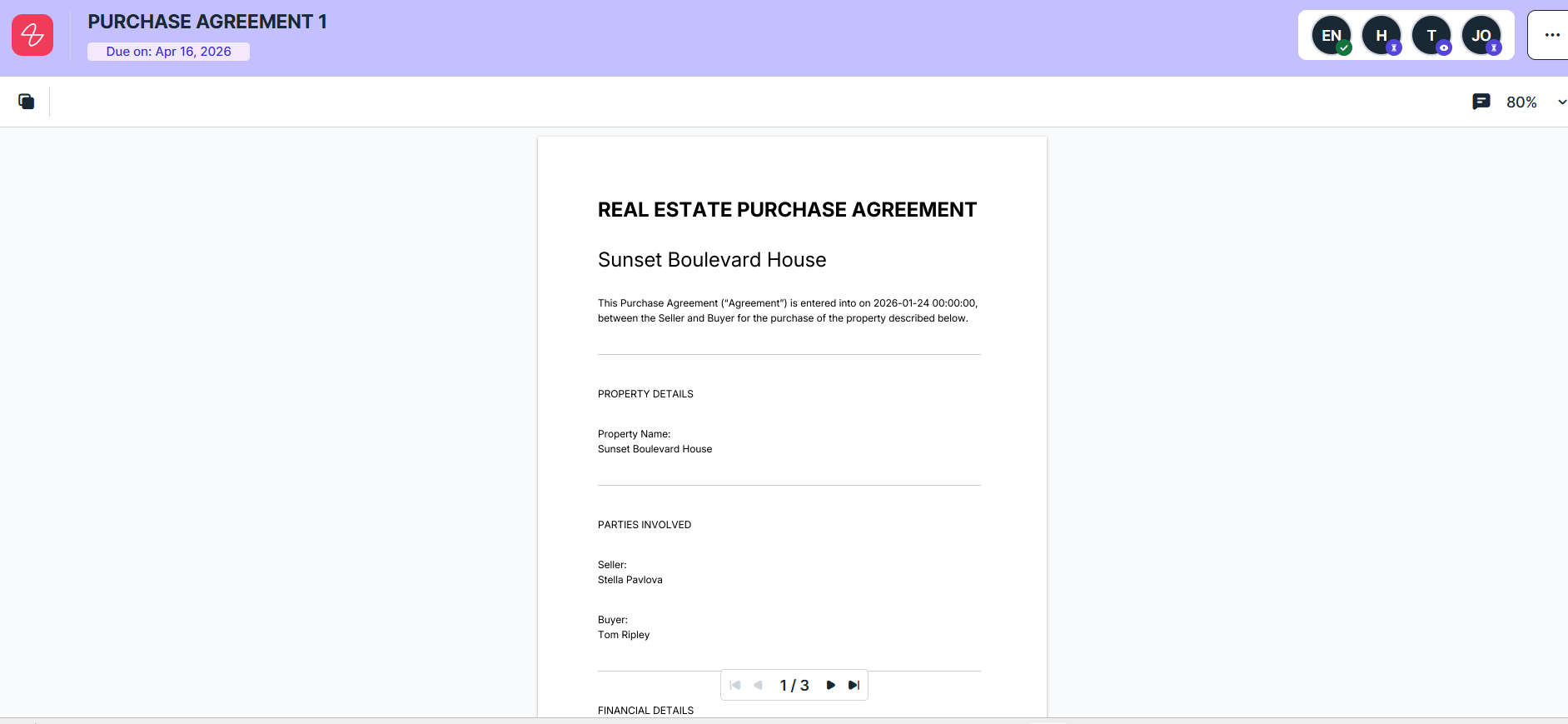
Below is the image attached to show how Lumin dashboard looks
8. Conclusion
Trigger-based document generation in Salesforce transforms traditional real estate workflows into a streamlined, automated, and fully digital process.
By aligning document creation with business events, organizations can:
- Improve operational efficiency
- Accelerate transaction timelines
- Deliver a superior client experience
This approach is a critical step toward building a modern, scalable, and compliant real estate transaction system.
Have questions? Learn more about our services at support@astreait.com or visit astreait.com to schedule a consultation.