In the era of AI, real-time analytics, and cloud-native data platforms, organizations often say, Data matters.” But as data volumes grow and business-critical insights become increasingly dependent on it, a more important truth emerges is that data security is even more important. Here comes the simple mantra: In Databricks , “Data Matters. Security Matters More.”. As businesses adopt modern data platforms like Databricks to power analytics and AI, ensuring secure access, credential management, and governance becomes essential. Features such as Secret Scopes and Unity Catalog help organizations protect sensitive information, enforce access controls, and build a secure foundation for scalable data operations. In this blog, we'll explore how these capabilities work together to strengthen security across Databricks.
1. Stop Hardcoding: The Power of Secret Scopes
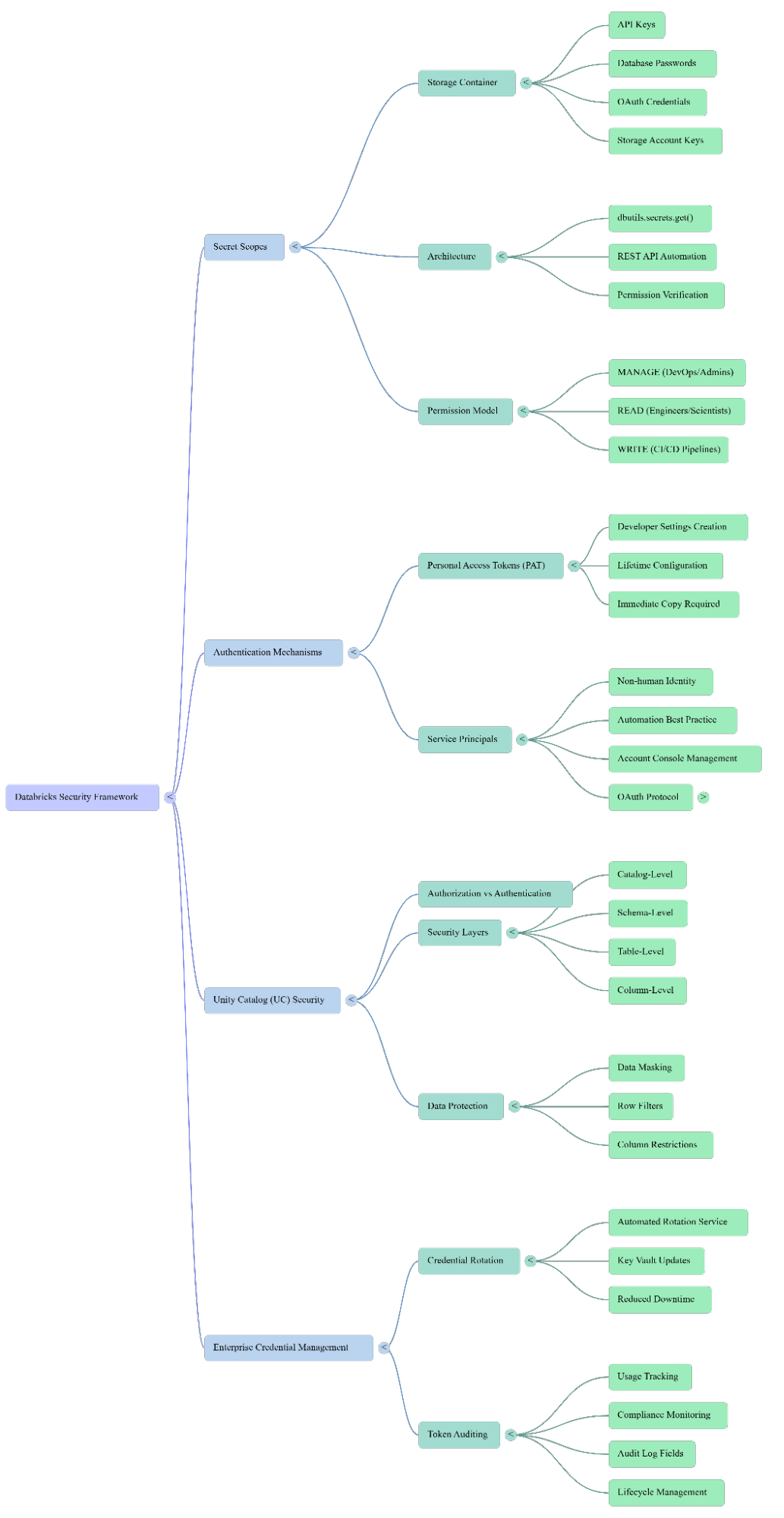
A Secret Scope is a named namespace in Databricks that references either a Databricks-managed store or an external vault (such as Azure Key Vault) to securely retrieve sensitive information like API keys and passwords.
When a notebook requests a secret:
- Databricks verifies user permissions.
- Secret Scope validates access rights.
- Secret value is returned securely.
- Value is hidden from notebook output.
The Risk of Hardcoding: Hardcoding credentials directly into notebooks is a "bad practice" that leads to passwords being visible in source code, difficulty in rotating credentials, and increased risk of accidental exposure.

Problems:
- Password visible in source code
- Difficult to rotate credentials
- Increased risk of accidental exposure
The Recommended Approach: Instead, use the Databricks Secrets API or dbutils to retrieve secrets at runtime. When a notebook requests a secret, Databricks verifies permissions, the scope validates access, and the value is returned securely—hidden even from the notebook output.

Permission Model:
- MANAGE: For DevOps/Security Admins to create, delete, and grant permissions.
- READ: For Data Engineers/Scientists to retrieve and use secrets.
- WRITE: For CI/CD pipelines to update secrets without reading them (applies to Databricks-managed scopes; Key Vault-backed scopes defer to Azure access policies).
2. Authentication vs. Authorization: PATs and Unity Catalog
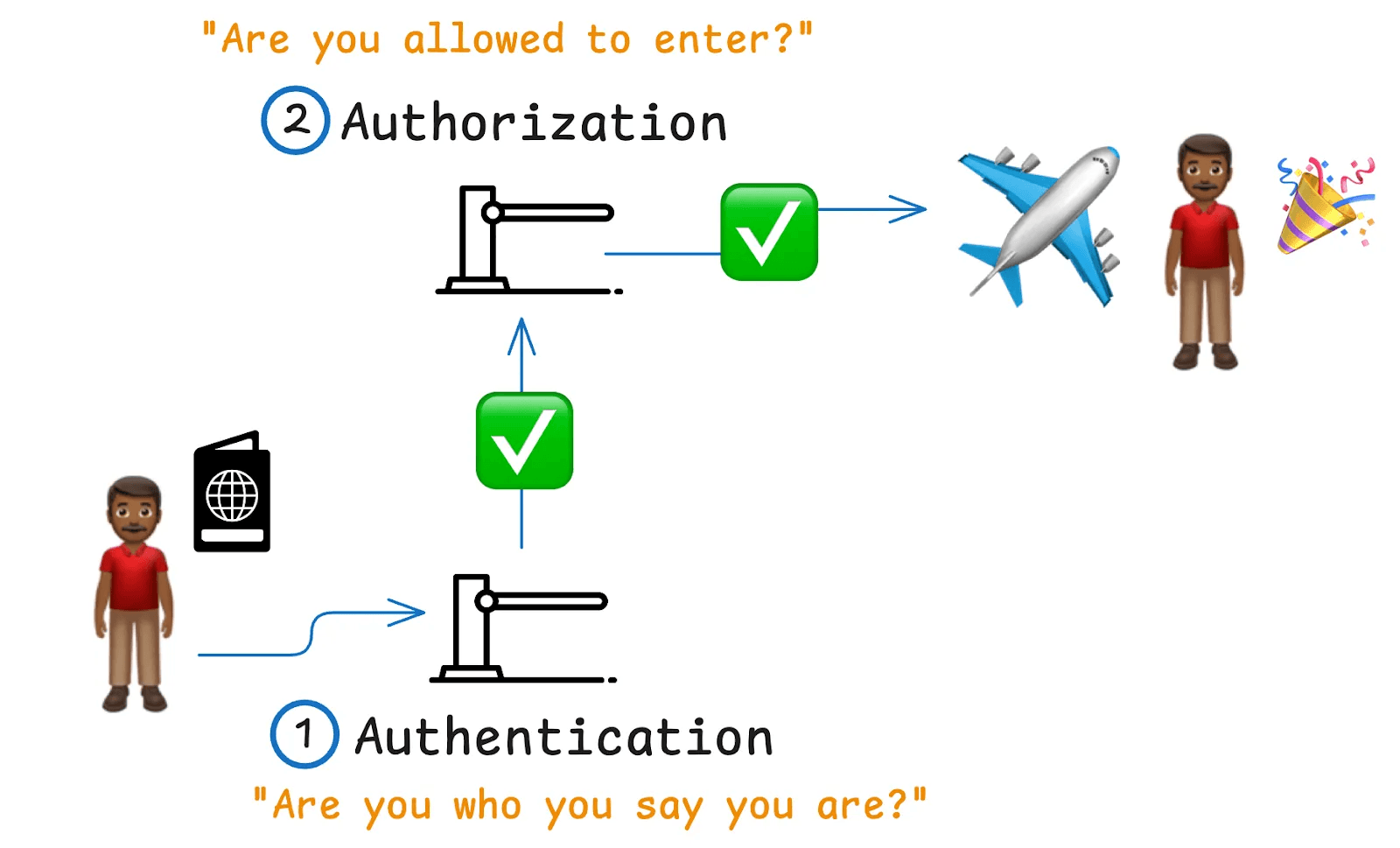
A common point of confusion is the relationship between access tokens and Unity Catalog. Simply put: A token authenticates the user, while Unity Catalog authorizes them.
- Personal Access Tokens (PATs): These allow users and applications to interact with Databricks APIs. They are generated via User Settings > Developer.
[Crucial Tip: Copy your PAT immediately upon generation, as Databricks will never show the value again.] - Unity Catalog (UC): Even with a valid token, UC checks for specific catalog, schema, and table permissions before granting access. It provides granular security layers, including Column-Level Security (CLS) and Row-Level Security (RLS) to ensure users only see what they are supposed to.
3. Advanced Data Protection: Data Masking and Row Filtering
Data Masking: Unity Catalog takes security further with data masking, which hides sensitive information from unauthorized users. For example, a Data Scientist might see a "MASKED" value in a salary column, while an HR group member sees the actual data. This logic is determined by UC at the moment of query, regardless of the token used for authentication.
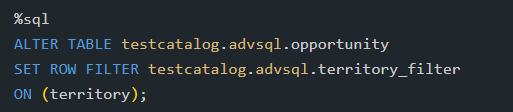
Row Filtering: Row Filtering is a data security mechanism that restricts access to specific rows within a table based on predefined rules. Unlike table-level permissions where users either have access to the entire table or none of it, row filtering enables fine-grained access control by ensuring that users can only view records relevant to their role, department, region, or business responsibilities. This approach allows organizations to maintain a centralized dataset while protecting sensitive information from unauthorized access.
Common Use Cases:
- Region-Based Access – Sales representatives can access only opportunities within their sales region.
- Project-Based Access – Team members can access data only for projects they are assigned to.
- Branch-Level Banking Security – Branch employees can view customer accounts belonging only to their branch.
- Customer Data Isolation – Customers can access only their own records in a shared platform.
Example: Region Based Access for sales Representatives
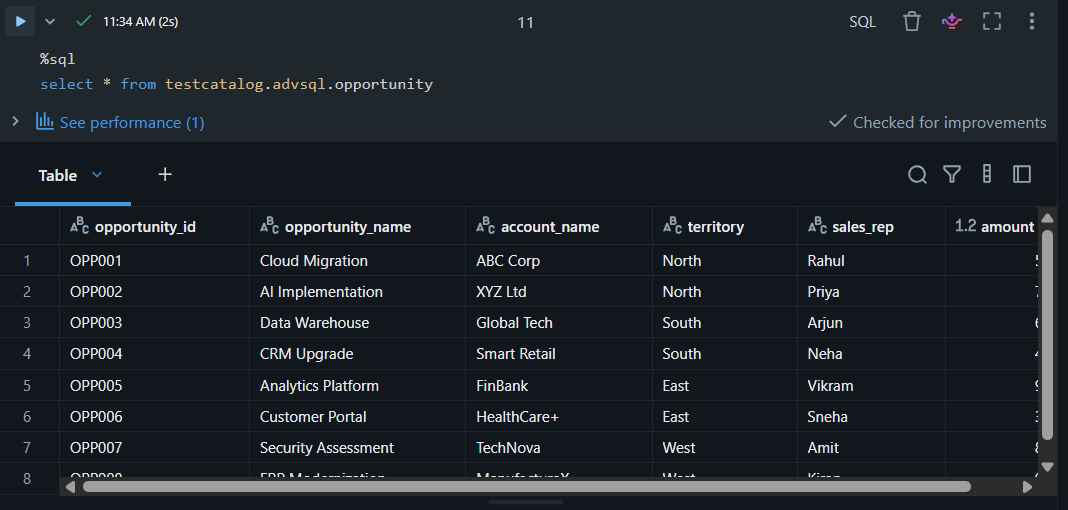
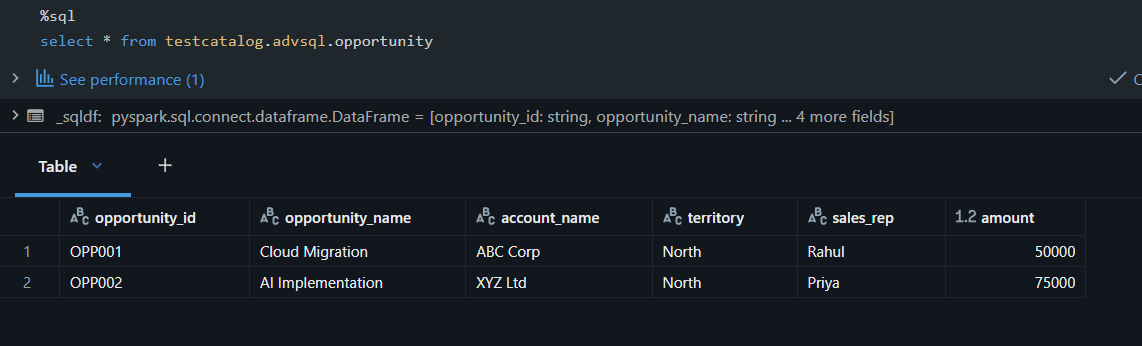
While the opportunity table contains data of all territories, users assigned to North sales group will only see Northern Opportunities due to row filter applied on the table.
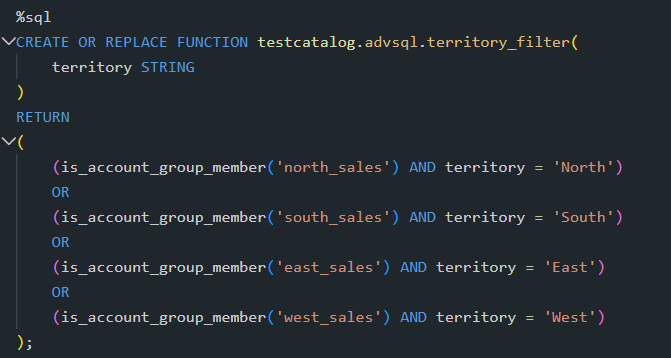
So, when a user in North sales group accesses the table, he only sees Opportunity of his region.
4. Automation Best Practices: Service Principals and OAuth
For production pipelines, relying on a user's PAT(Personal Access Token) is a significant risk. If that employee leaves the company, your pipelines might fail.
The Solution: Service Principals -It is a non-human identity dedicated to automation. It is independent of any specific employee, making it easier to audit and secure.
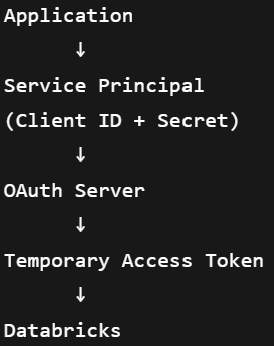
Why OAuth Matters: While automation can use a PAT, the enterprise gold standard is OAuth. OAuth allows a Service Principal to prove its identity and obtain short-lived access tokens automatically. This eliminates the need for manual rotation of long-lived, leak-prone PATs.
5. Governance: Auditing and Rotation
To maintain a high security posture, organizations must implement:
-
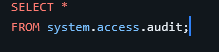
Token Auditing: Tracking who created, used, or revoked a token, as well as the source IP address and specific APIs accessed. This is vital for compliance and breach investigations.
- Automated Credential Rotation: Regularly updating secrets in a Key Vault that Databricks Secret Scopes then point to. This ensures applications automatically use new secrets with zero downtime or notebook modifications.
Conclusion
Securing a Databricks environment isn't just about locking down tables; it's about managing the entire lifecycle of credentials and identities. By moving from user-based PATs to Service Principals and leveraging the granular controls of Unity Catalog, you can ensure your data remains both accessible and protected.
If you're interested in exploring more Salesforce solutions, visit our Sales Cloud page.
For any queries please reach out to support@astreait.com