
Salesforce users know the value of related lists — they provide essential context by displaying child records like Contacts under Accounts, Opportunities under Leads, or custom relationships across objects. But what happens when you need to extract that data for analysis, reporting, or sharing?
Enter the Related List Downloader, a simple Chrome Extension that allows you to export related list records directly from Salesforce Lightning to a CSV file — no manual work, no complex tools, just one click.
Why Use a Related List Export Tool?
Salesforce offers robust in-app features, but exporting related list records can still be frustrating. If you’ve ever:
- Needed to analyze child records offline
- Wanted to quickly share a related list with your team
- Found yourself copy-pasting from the UI into Excel
The Related List Downloader Chrome Extension simplifies the process and gives you your data instantly — formatted, clean, and ready to use.
How to Use the Related List Downloader

Getting started is quick and easy:
-
Navigate to a Salesforce Record Page
Open any record in Salesforce Lightning that contains a related list (e.g., an Account with Contacts).
-
Open the Related List Section
Scroll to the related list you want to export.
-
Click the Extension Icon
In your Chrome toolbar, click the Related List Downloader extension icon.
-
Download Starts Automatically
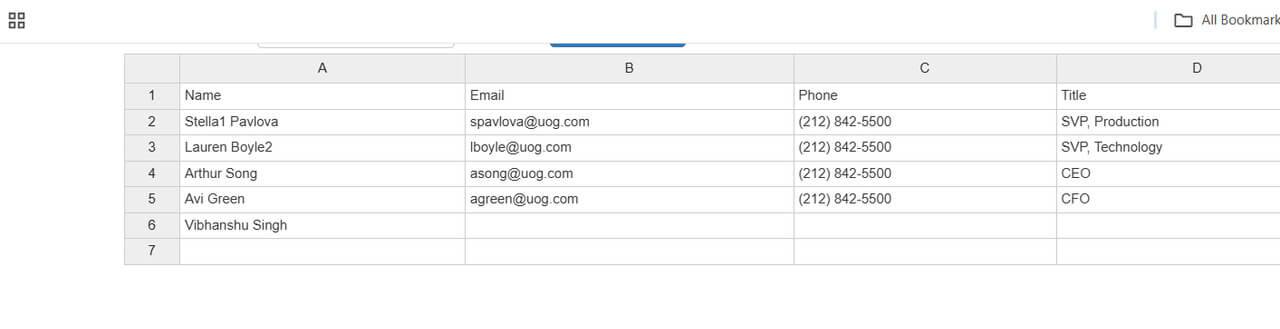
A CSV file containing the related list data will instantly begin downloading to your device.
Who Is This Extension For?
This tool is ideal for:
- Salesforce Admins
Quickly extract related records for configuration review or backups. - Business Users & Managers
Export contact lists, case histories, or opportunity records for meetings and planning. - Data Analysts
Combine related list data with external datasets for deeper analysis.
Beyond this Extension - More Export Extensions
Astrea also offers additional products for even more flexibility:
- Astrea Smart vCard for Salesforce (Extension)
Export Account, Contact, Lead in VCF format. - Astrea Listview Export Extension (Extension)
Export Listview Data in Excel — free to download.
Conclusion
The Related List Downloader Chrome Extension bridges a key gap in Salesforce Lightning by enabling fast, reliable exports of related list data. If you’re tired of manual workarounds and want a cleaner way to access your data — this extension is a must-have.
Download it today and streamline your Salesforce workflow.
For questions or support, email us at support@astreait.com or visit astreait.com to schedule a consultation.