Problem Statement
The business requirement was to display Opportunity information along with the latest related Note in a single table/chart.
In Salesforce, Notes are stored using:
- ContentNote
- ContentDocumentLink
Standard Salesforce Reports and Report Types do not directly support:
In Salesforce, Notes are stored using:
- Showing only the latest note per Opportunity
- Displaying Opportunity and latest Note content in a single row
- Advanced filtering such as selecting the most recent child record
Because of these limitations, standard reporting alone was not sufficient for the requirement.
Solution Implemented
A custom solution using Apex and Lightning Web Component (LWC) was implemented.
Solution Flow
-
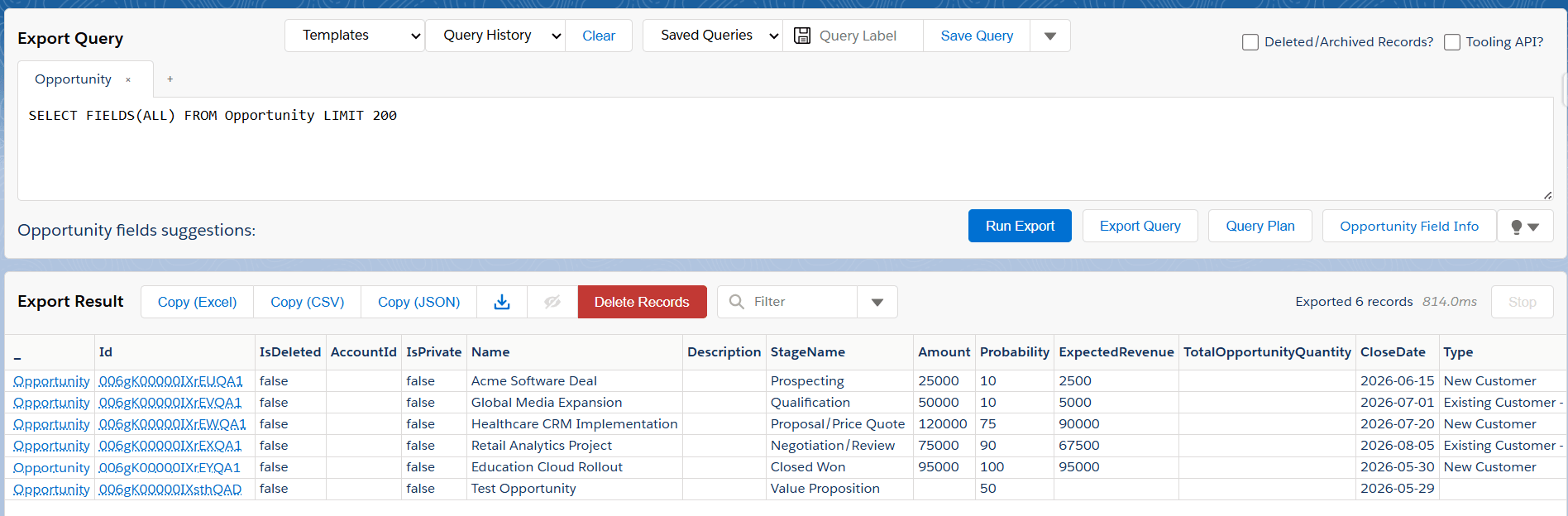
Query Opportunities using SOQL
-
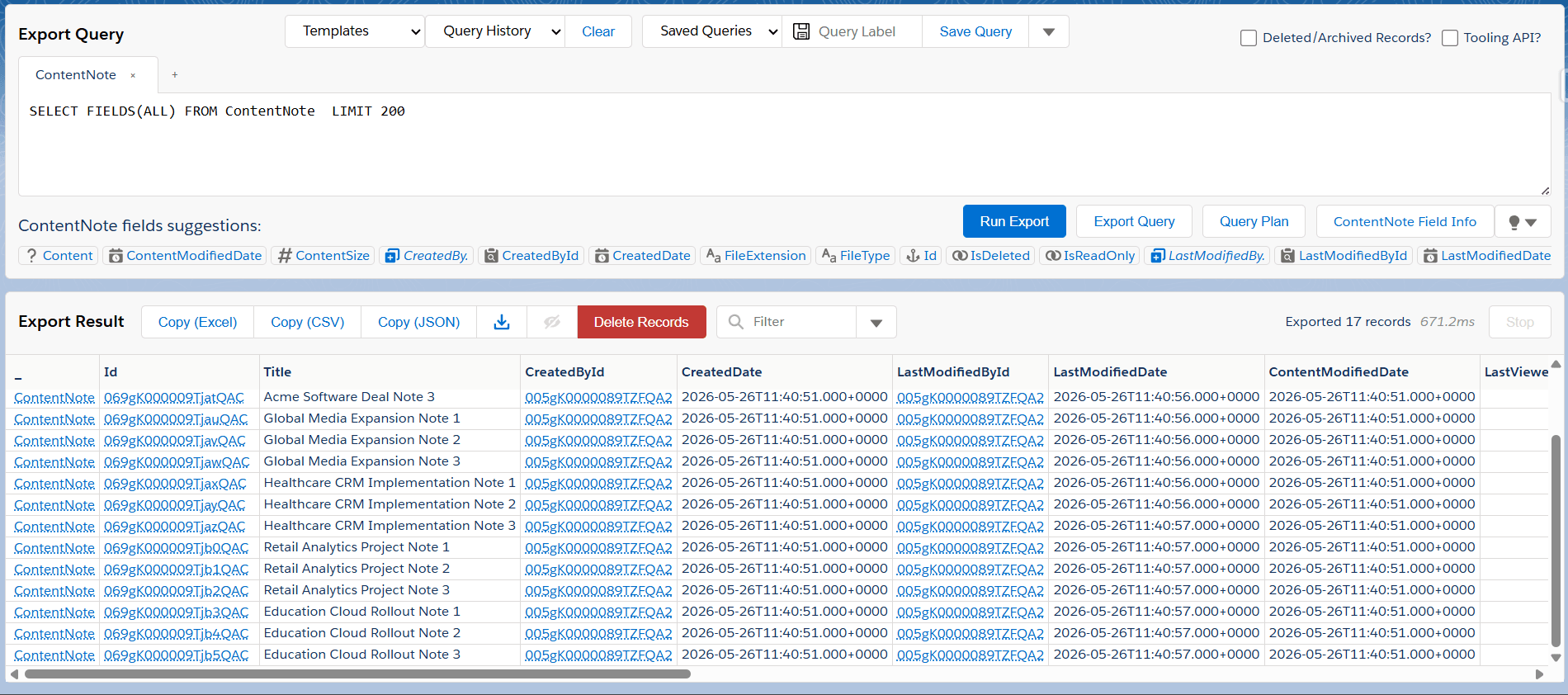
Query related Notes through ContentDocumentLink
-
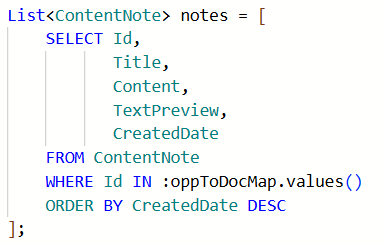
Identify the latest note for each Opportunity
-
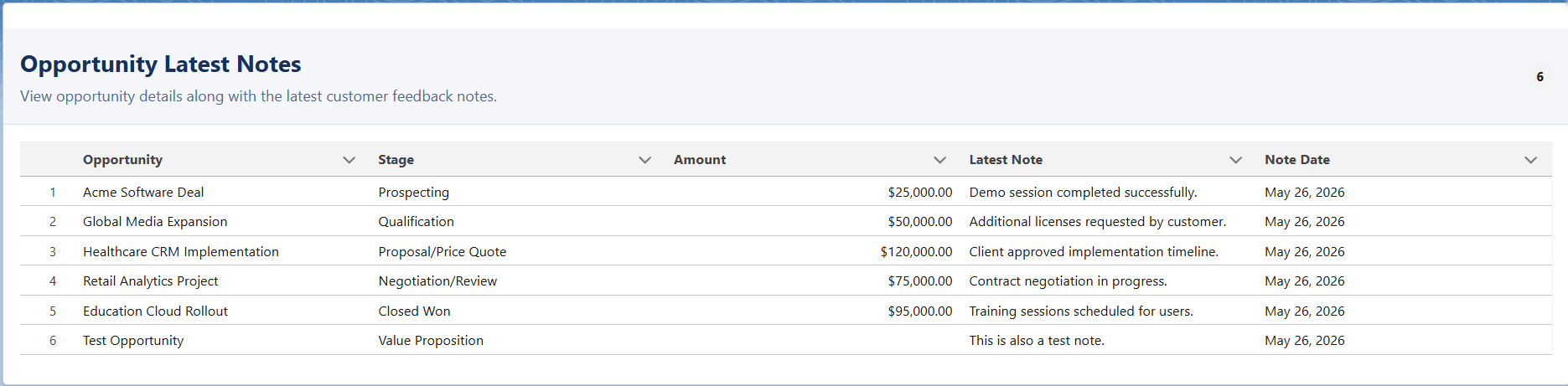
Display the data in a Lightning Datatable
This approach allows:
- One row per Opportunity
- Latest Note display
- Real-time data retrieval
- Easy visualization in Lightning Experience
Components Used
Apex Controller
The Apex class:
- Queries Opportunity records
- Retrieves related Notes
- Maps latest notes to Opportunities
- Sends structured data to the LWC
Lightning Web Component (LWC)
The LWC:
- Calls the Apex controller
- Displays Opportunity and latest Note data in a table
- Provides a clean UI for users
Sample Data Creation
Sample Opportunities and Notes were created for testing.
Each Opportunity contains:
- Multiple related Notes
- Different feedback entries
- Latest Note identification
Benefits of the Solution
- Overcomes Salesforce reporting limitations
- Displays latest feedback dynamically
- No need for additional reporting tools
- Easy to extend for charts and dashboards
- Reusable component for multiple business use cases
Conclusion
The implemented solution successfully combines Opportunity and latest related Note data using Apex and LWC. This provides a scalable and user-friendly way to visualize customer feedback and notes directly within Salesforce.
If you're interested in exploring more Salesforce solutions, visit our Sales Cloud page.
For any queries please reach out to support@astreait.com