Salesforce is the system of record for your customers, but it is not an archive. Some of its most valuable records are kept for a limited time and then removed or moved out of reach: who logged in, who changed the configuration, and what your teams did with each account. Most teams only find out when they need a record that is already gone.
This blog shows how to capture those records every day with Lakeflow Connect and keep them in Delta Lake, so the history you collect today is still there years from now.
The quiet expiry problem
Three of the most useful sets of Salesforce history run on a rolling window. Every day the oldest day drops off the back.
| Salesforce data | How long Salesforce keeps it | What you lose without a copy |
|---|---|---|
| Login History | About 6 months | Evidence for security investigations, access reviews and unusual-login analysis |
| Setup Audit Trail | About 180 days | Who changed profiles, permissions, sharing rules and settings, and when |
| Tasks and Events | Archived after 365 days | The long-term record of calls, meetings and follow-ups on every account |
Many compliance frameworks and internal policies expect a year or more of audit evidence, and investigations rarely start the day something happens. A suspicious login discovered in month eight has no trail. A permission change an auditor asks about a year later cannot be explained. Activity archived after 12 months disappears from daily use just when you want year-over-year comparisons.
The idea: a two-layer vault
The design keeps ingestion and retention separate, so each layer has one job.

- Bronze(mirror) is the current mirror of Salesforce, kept up to date by the Lakeflow Connect pipeline. A mirror follows the source, and in the connector's default mode that includes removing rows that Salesforce removes.
- Archive (vault) is the permanent copy. It is written only by our daily job, using an insert-only rule: new rows are added, edited activities are updated, and nothing is ever deleted.
A mirror is the right behavior for analytics but the wrong one for an archive, which is why the two layers matter.
Step 1: Ingesting with Lakeflow Connect
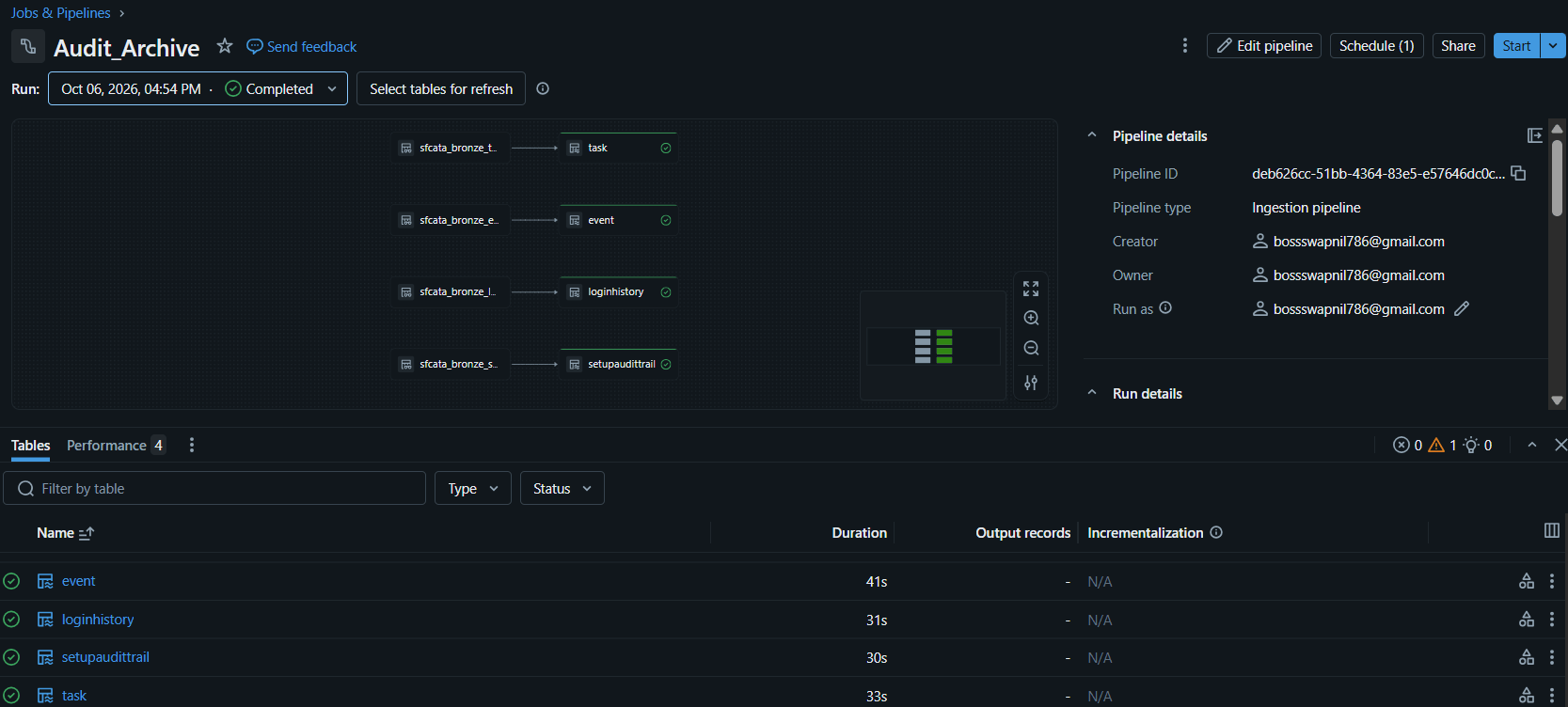
Expirable records like LoginHistory, SetupAuditTrail, Task & Event are ingested using Lakeflow Connect’s Salesforce Connector.
Set the destination to catalog and schema, because the archive handles retention. The first run is your backfill.
NOTE | Check the Salesforce User’s Permissions, the connection authenticates as:
It needs API access and read access to all four objects. SetupAuditTrail is a system audit object, so that user also needs the View Setup and Configuration permission, and LoginHistory needs Manage Users or Monitor Login History permissions.
Step 2: Building the archive
A SQL notebook copies bronze into the archive.
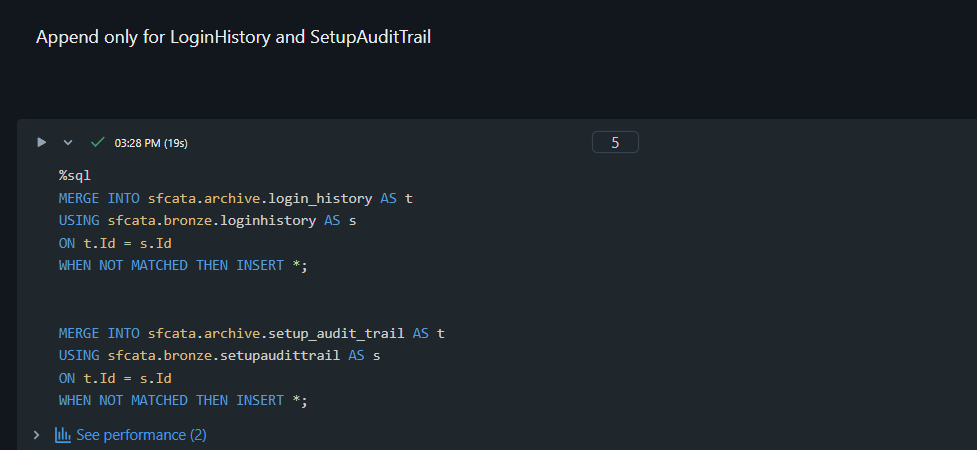
All four objects, including SetupAuditTrail, expose a standard Id field, and that is the key the merge matches on. Because these rows never change, the match is only used to skip rows that are already in the vault.
Login history and setup audit rows never change once Salesforce writes them, so we only insert the ones we have not seen:
Tasks and events can be edited, so we also update rows that changed. Again, there is deliberately no delete clause:
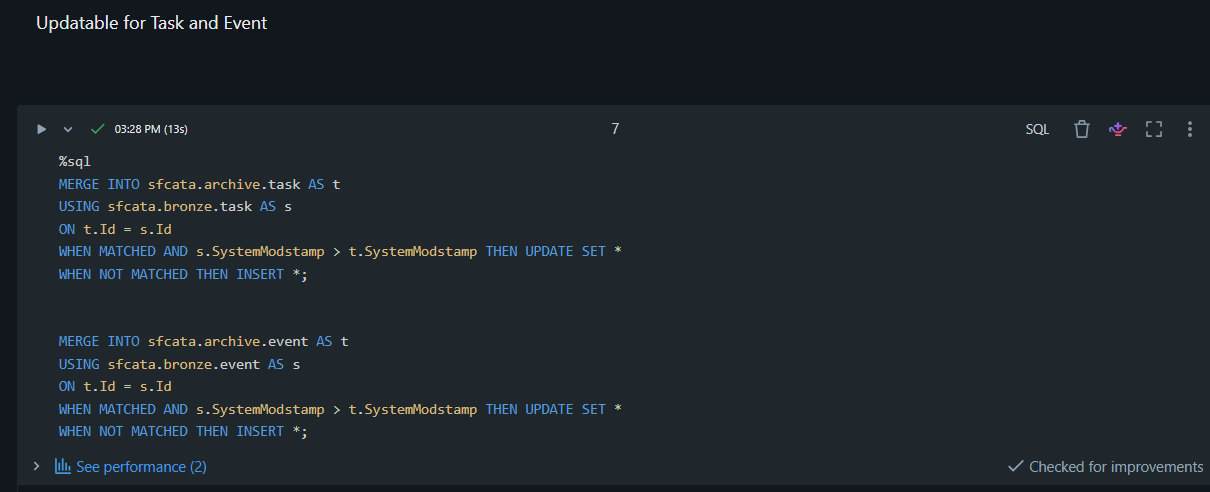
Why SystemModstamp and not LastModifiedDate?
LastModifiedDate only moves when a user or an integration edits the record. SystemModstamp also moves when Salesforce itself changes the record, for example through automation or system processes. Comparing SystemModstamp means the vault picks up every change to a task or event, not only the ones made by people.
As the LoginHistory archive grows, each daily MERGE may need to search through an increasing number of existing records to identify matching login entries. To improve this process, we can use Delta Lake liquid clustering on the Id column, which is used to match records during archival.
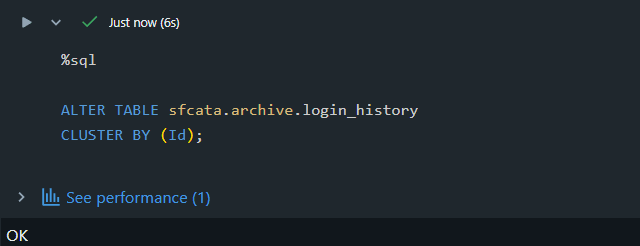
Why cluster on Id?
Since the archive uses Salesforce Id to match records during MERGE, clustering on this column can help Databricks skip irrelevant files and improve matching efficiency as the archive grows.
We then run OPTIMIZE to reorganize the stored data according to the clustering key, allowing Databricks to skip irrelevant files where possible instead of scanning them unnecessarily. This helps maintain efficient archival operations as the dataset grows, although the actual performance improvement depends on the table size, data layout, and workload.
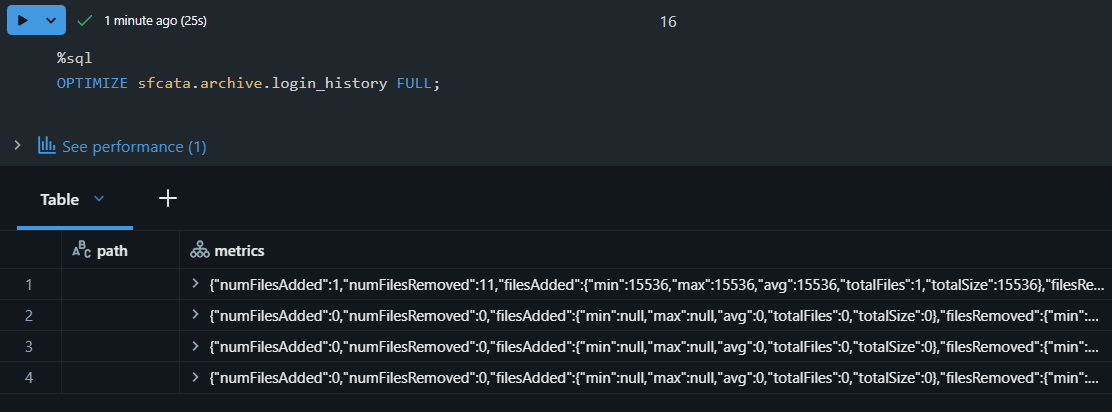
The same clustering and optimization approach can be extended to other archive tables, such as SetupAuditTrail, Task, and Event, based on their data volume and query patterns. Selecting appropriate clustering keys and running OPTIMIZE where beneficial can help maintain query and archival performance as the vault grows.
Step 3: Scheduled Job everyday
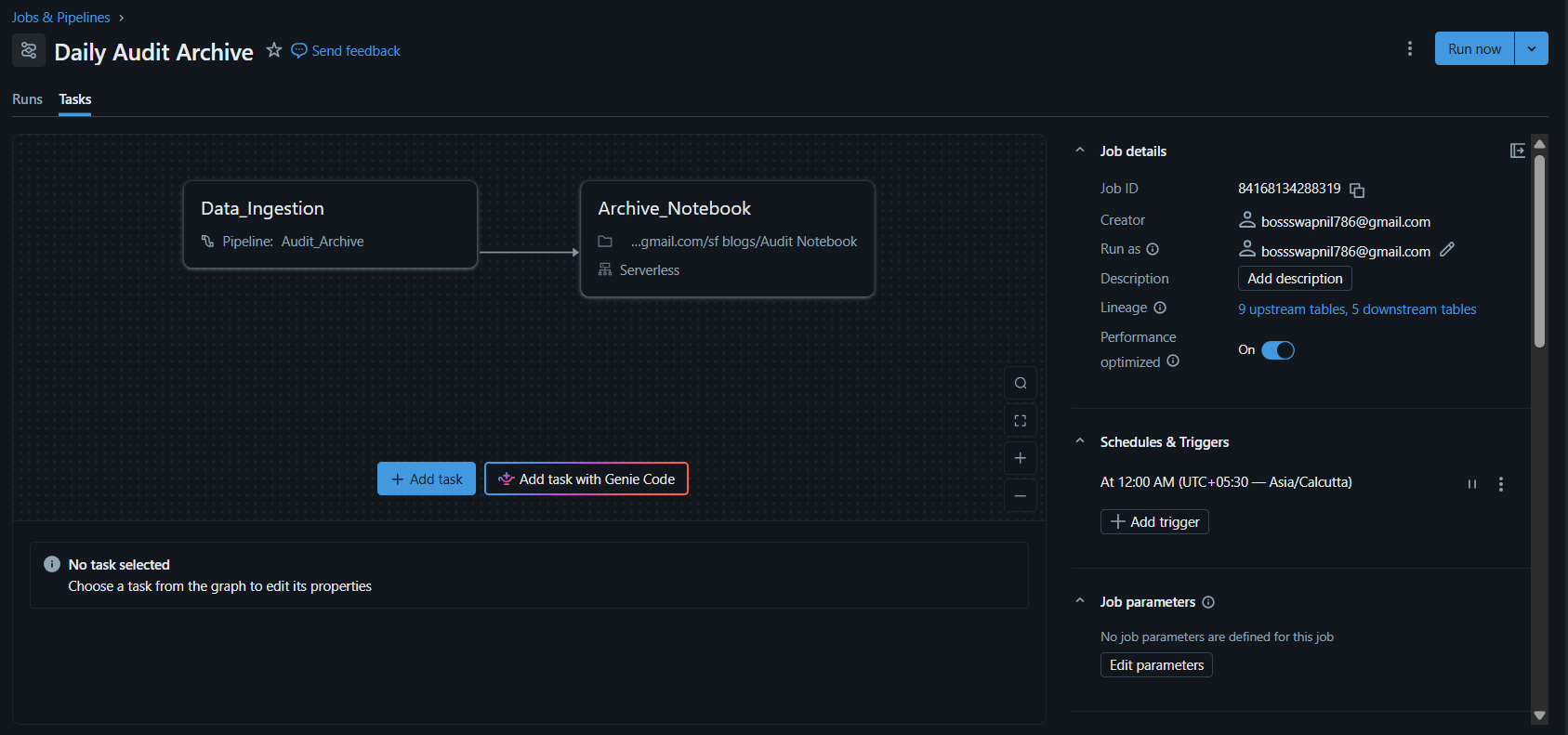
A Databricks job with two tasks is created. The first runs the ingestion pipeline. The second runs the notebook and depends on the first, so the archive never loads half-synced data.
The Job is scheduled daily at a quiet hour, allowing one run at a time, retry and email alert on failures are configured in the job.
Proving it works
Every run also writes row counts to a run_log table: how many rows the source has and how many the archive holds. The archive count should never fall below the source count. We check three things:
- Record-count consistency: We compare the number of records in the Bronze source and archive tables as a consistency check. The archive may contain more records than Bronze when Salesforce records are deleted or removed from the source. However, matching counts alone do not prove that every record has been preserved, so record-level validation is needed to verify archival completeness.
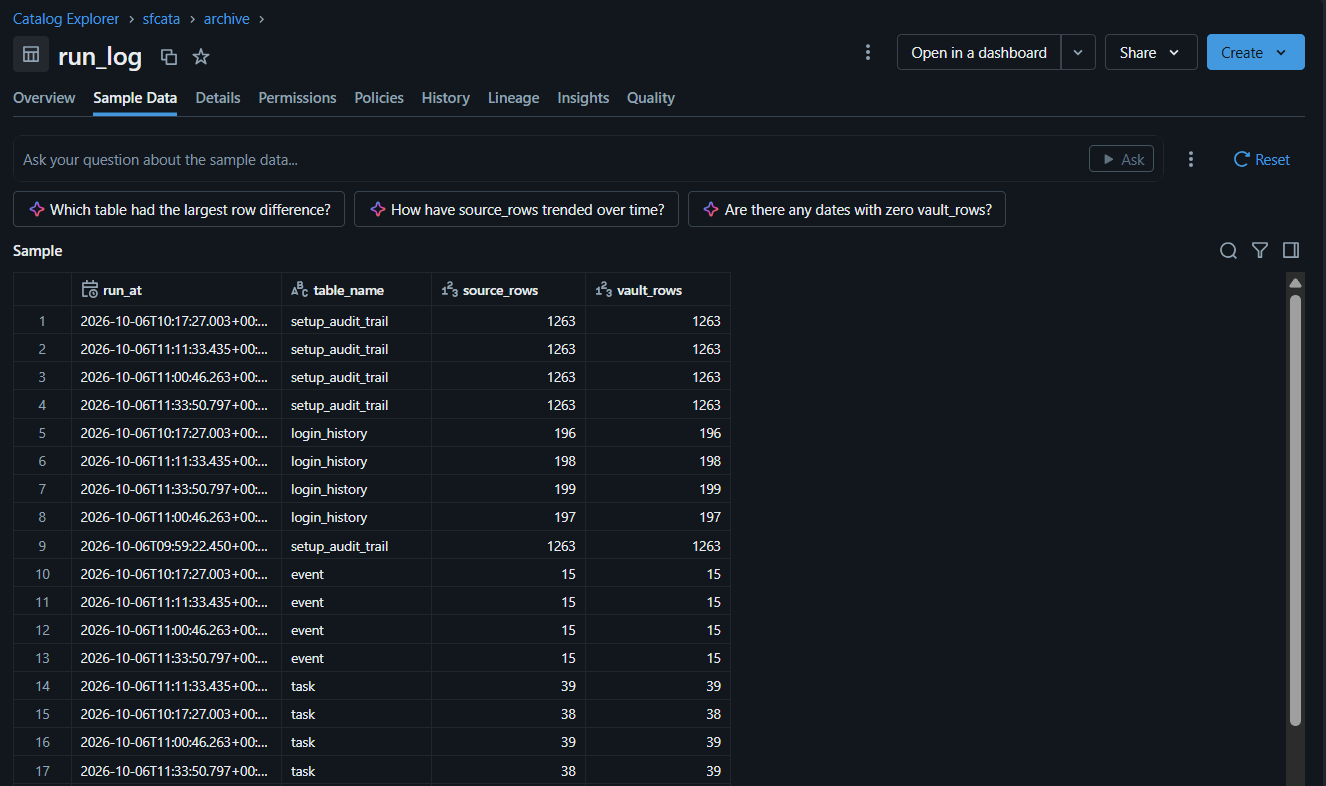
- It is incremental : On each run, only new records/updated records are ingested thus ensuring that even as the total data increases over time, per day ingestion load remains roughly constant and thus saving compute cost.
- Deletions do not reach the vault. We also verify that records deleted from Salesforce disappear from the Bronze mirror but remain in the archive, demonstrating that source deletions do not propagate to the vault.
- As we can see before the deletion of the record (highlighted in green), it is present in both the bronze(top) as well as archive(bottom) tables
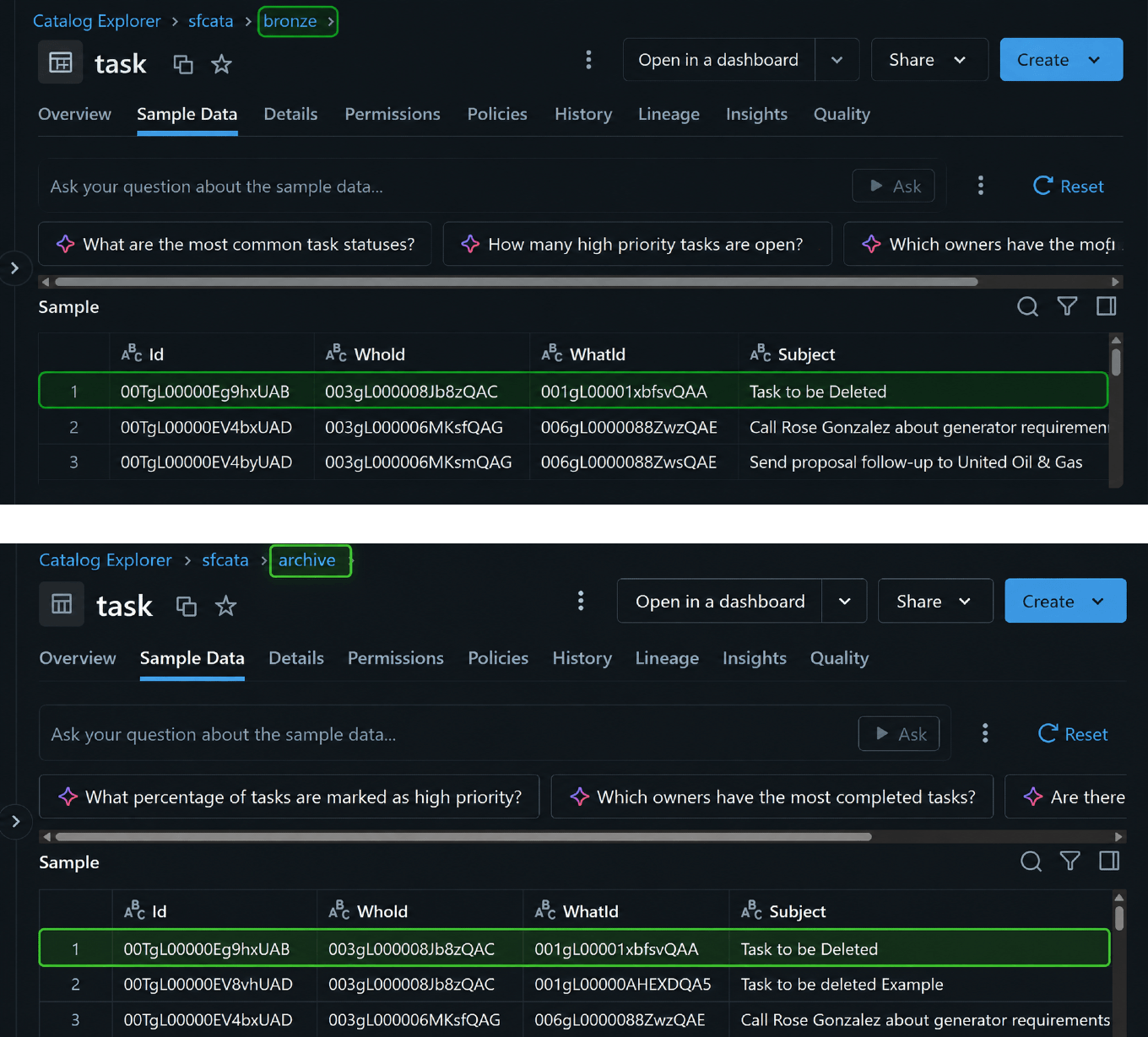
Bronze and Archive Tables Before Deletion
- After deleting the record (highlighted in blue) from Salesforce and running the job again, the record is removed from the mirrored landing table (Bronze). However, it remains in the archive table (bottom), ensuring that records are preserved permanently even if they are deleted from Salesforce.
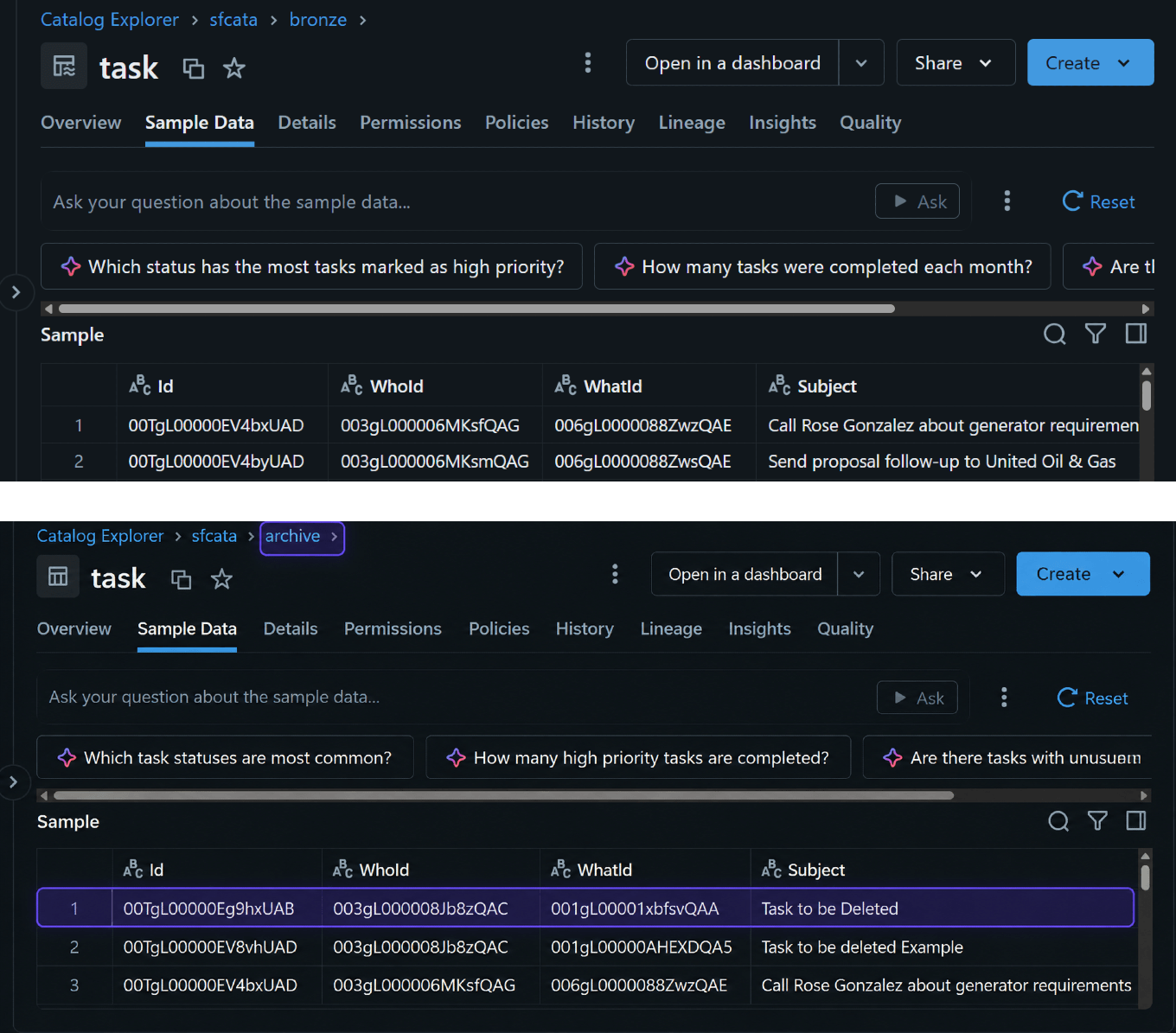
Bronze and Archive Tables After Deletion
What can be done with the vault
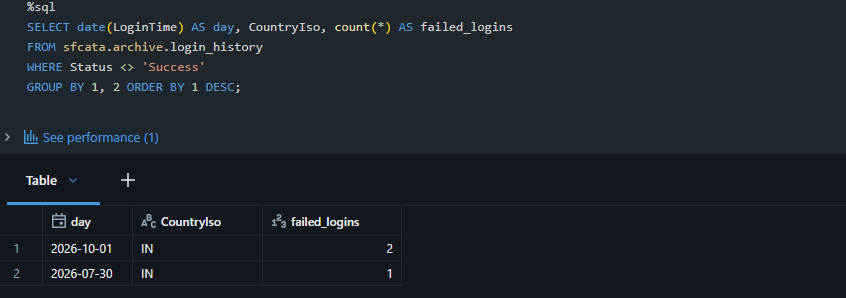
The archive answers questions Salesforce can no longer answer. Which countries do failed logins come from over the last year? Who has been changing our configuration?
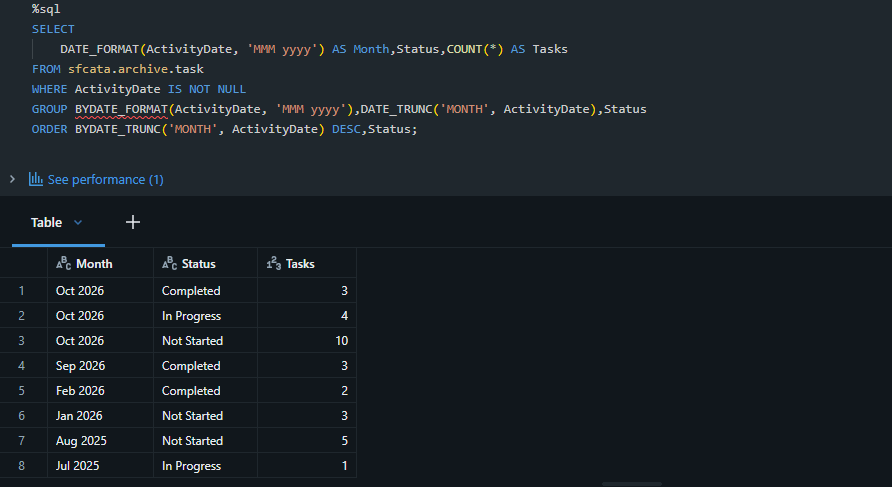
Tasks and events keep their full history too, so you can compare activity by month long after Salesforce has archived it:
(Optional) Extending the Vault: AI-Assisted Login Anomaly Detection
Once Salesforce login history is stored in Delta Lake, it can be used for more than auditing and reporting. We can extend the vault with a security monitoring workflow using Databricks SQL and AI Functions. SQL rules identify potentially suspicious patterns, such as a login from a newly observed country, repeated invalid-password attempts within a short period, or successful logins from different countries within two hours.

These detections are then passed to Databricks' ai_query() function, which generates a plain-English explanation of the evidence and suggests investigation steps.
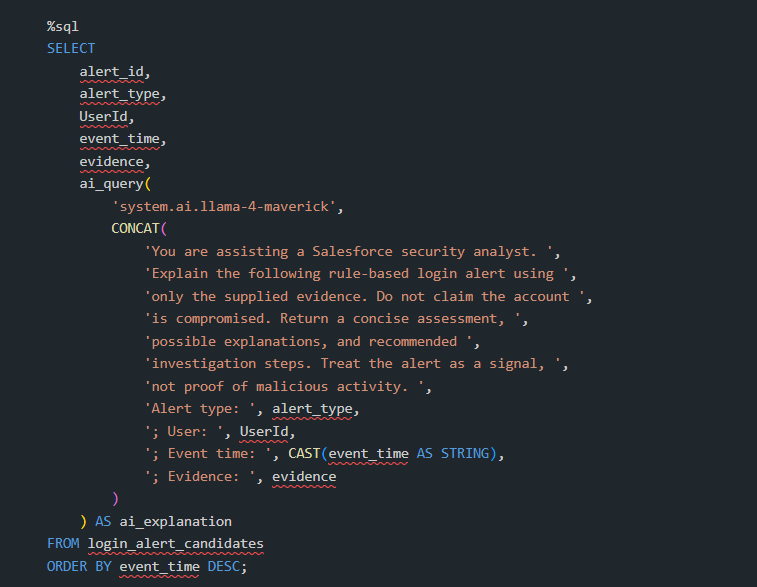
The results can be stored in a Delta table for further analysis and reporting. This approach combines transparent, rule-based detection with AI-generated explanations without requiring a separately trained machine learning model.
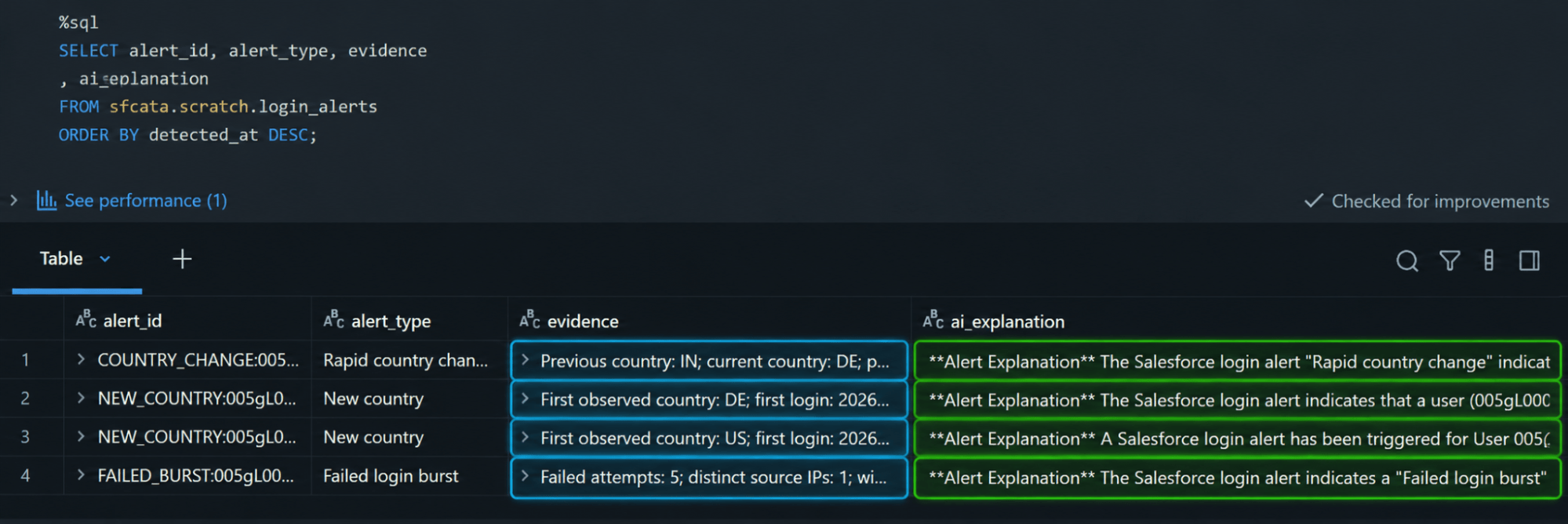
These patterns are investigation signals, not proof of malicious activity. With additional historical data and validation, the same foundation can be extended to more advanced anomaly detection over time including machine learning.
Next Steps with Astrea IT
Preserving Salesforce history is about more than retaining records. It creates opportunities for long-term auditing, historical analysis, and proactive security monitoring while helping organizations manage their data more effectively.
At Astrea IT Services, we connect Salesforce with Databricks Lakehouse solutions to help organizations build reliable archival pipelines, preserve important historical data, and turn it into actionable business insights through analytics and AI-assisted anomaly detection.
Looking to strengthen your Salesforce data retention and audit capabilities?
Connect with our engineering team to explore a Salesforce History & Audit Vault tailored to your organization's retention requirements, governance needs, and analytics goals.
If you're interested in exploring more Databricks solutions, visit our Databricks page.