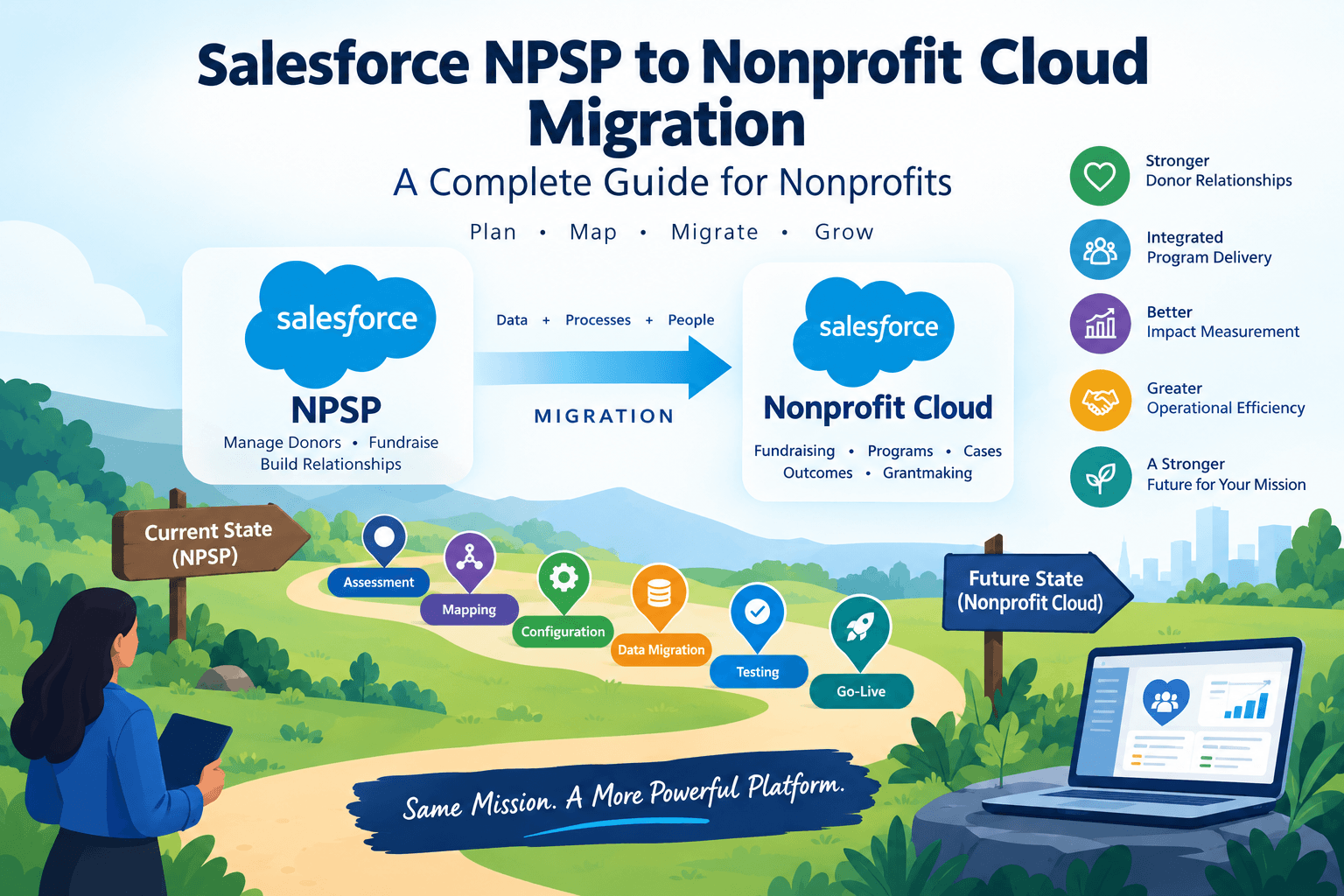
Moving from the Nonprofit Success Pack (NPSP) to Nonprofit Cloud is not an upgrade. The two products use different data architectures, and the move is a reimplementation with a data conversion attached. In this post we will discuss the decisions that matter most. These include Person Accounts, the new objects, rollups and integrations.
1. The product is now called Agentforce Nonprofit
Salesforce now says that Nonprofit Cloud is called Agentforce Nonprofit, and that the old name may still appear in the product and documentation. It is the same product, so articles that say Nonprofit Cloud still describe the same objects. This post says Nonprofit Cloud (NPC) for readability.
2. This is a reimplementation, usually in a new org
NPSP is a set of managed packages layered on standard Salesforce objects such as Account, Contact and Opportunity while Nonprofit Cloud is built on a different, industry-style data model. Implementation partners describe the move as typically landing in a new Salesforce instance rather than converting your existing org in place.
Plan it like a new implementation:
- Design the target model before moving any records.
- Transform data rather than copying fields one to one.
- Rebuild automation, reports and integrations around the new objects.
- Retrain users, because screens, terms and workflows change.
Salesforce provides official migration and implementation guides for this move. Treat them as the source of truth wherever this post and the guides differ: Nonprofit Cloud Migration and Implementation Guides.
3. Decide on Person Accounts first
This is the most consequential decision in the project, because it is the one you cannot undo.
- Person Accounts are the model NPC is built around. Nonprofit Cloud represents individual constituents as Person Accounts. Salesforce's migration guidance is reported to make moving Contacts into Person Accounts, and the NPSP Household Account model, where each person has a Contact plus a Household Account, is not supported.
- You cannot turn Person Accounts off. Once Person Accounts are enabled in a Salesforce org, they stay enabled. That is standard platform behavior, so rehearse in a full-copy sandbox you can afford to discard.
- Households become relationship groups. In NPSP a Contact can belong to only one household. Party Relationship Groups let one person belong to several groups, for example a child linked to two families. Partners use slightly different names for these party relationship structures, so check the exact object names in your org.
- Automation and reporting need rewiring. Anything built on Contacts and Household Accounts behaves differently with Person Accounts.
Before you commit, check every report, list view, Flow, Apex class and integration that assumes a Contact with a Household Account behind it. Each one is affected.
4. Fundraising: the Opportunity stops being the donation
In NPSP, a donation is an Opportunity, a recurring donor is a Recurring Donation, and fund allocation runs through General Accounting Units (GAUs) and Allocations. Nonprofit Cloud ships purpose-built fundraising objects instead. Trailhead describes more than a dozen of them, with three at the core: Gift Designation, Gift Commitment and Gift Transaction.
| NPSP | Nonprofit Cloud |
| Opportunity representing a received donation | Gift Transaction |
| Opportunity still in cultivation | Opportunity (kept for gifts not yet secured) |
| Recurring Donation | Gift Commitment, with a Gift Commitment Schedule |
| General Accounting Unit (GAU) | Gift Designation |
| Allocation (the record linking a gift to a GAU) | Gift Transaction Designation |
| Contact plus Household Account | Person Account, with household grouping in a Party Relationship Group |
| Affiliations and Relationships | Account Contact Relationship, Actionable Relationship Center or party relationship structures, depending on the case (confirm each) |
| Batch Gift Entry | Gift Entry and gift batches |
| Program Management Module: Service | Benefit |
| Program Management Module: Program | Program |
| Case Plan | Care Plan (the workflow around it differs) |
Step 1: Define the Plant Capacity Data Model
- Gift Designation records represent funds set aside for a specific purpose.
- Gift Commitment records represent the promise of a donation, and relate to payment schedules, designations, campaigns and opportunities.
- Gift Transaction records track payments, whether a one-time gift or an installment against a commitment. They are created by Gift Entry and by gift commitments, and can also be entered manually.
Two cautions about this table:
- It is a guide, not a conversion spec. One NPSP Opportunity can become a Gift Transaction plus one or more designation records, so a field-to-field copy will not preserve the meaning of the gift.
- Soft credits, tributes, relationships and affiliations do not map as neatly. Confirm each against the official migration guide and a sandbox test before you design your load.
5. Rollups are not real time
NPSP calculates donor totals such as total giving and last gift through its Customizable Rollups. In Nonprofit Cloud, equivalent summaries are produced through Data Processing Engine definitions, which run on a schedule rather than updating the moment a gift is saved.
The practical consequences:
- A donor total on the record can be out of date by the time a fundraiser reads it.
- You must choose how often the calculations run, and year-end giving may justify a different schedule than a quiet month.
- Tell users that totals have an as-of time, before go-live, not after someone quotes a stale number to a donor.
- Every NPSP report that relied on a rollup field needs to be revalidated.
6. Programs, cases and add-ons: not everything carries over
If you use NPSP add-ons, check each one against Nonprofit Cloud, because the answers differ.
- Address management: NPSP’s Address object supports classifying, tracking and verifying addresses, plus seasonal addresses. Nonprofit Cloud does not offer the same support. Plan to carry over each contact’s primary address and find another way to handle seasonal addresses and verification.
- Volunteers for Salesforce (V4S): V4S is a separate NPSP package and does not carry over, but Nonprofit Cloud now has native Volunteer Management. It covers volunteer initiatives, shifts, roles and locations, a volunteer portal through Experience Cloud, and manual hour tracking.
- Program Management Module: The Program object exists in both products. What the module calls a Service is a Benefit in Nonprofit Cloud, which has more fields, so mapping and transforming it takes more work. Program Cohort also exists in Nonprofit Cloud: using it to group program enrollments by cycle, start date or another operational group, and the Developer Guide lists objects for cohort participants. Plan to map cohorts and their members alongside enrollments.
- Case management: Nonprofit Cloud flow as a referral that generates a case, which is used to build a care plan that assigns the participant to programs. NPSP’s flow runs from referral through programs to a case plan. Walk through the new object chain before you migrate case data.
Nonprofit Cloud also includes tools you may not have used before, such as OmniStudio, Actionable Relationship Center, Document Generation and the Discovery Framework. Treat them as options to evaluate, not requirements.
7. Customizations and integrations
NPSP-specific Flows, Apex, validation rules and reports are written against Opportunity, Contact and NPSP package objects. They do not carry over by themselves. Review each one and decide whether to rebuild it, replace it with a standard feature, or retire it. A migration is a good moment to drop customizations that only existed to work around NPSP.
Convert any legacy Workflow Rules and Process Builder automation you still depend on to Flow before deployment, and use Salesforce’s Migrate to Flow tool where it fits. Update profiles and permission sets for the new objects too, so users do not lose access to what they use today.
Integrations are often the real schedule risk. A payment processor or fundraising platform that creates Opportunities will not populate Gift Transactions.Nonprofit Cloud integration that expects Person Accounts and creates Gift Transaction, Gift Designation, Gift Commitment and Gift Commitment Schedule records, with its own setup requirements, such as a default gift designation.
8. A sensible migration sequence
- Inventory the current org. Record the objects, fields, automation, integrations, reports, profiles and permission sets in use, and note an owner for each.
- Define the target model. Decide how donors, households, gifts, commitments, designations and any programs or cases will be represented. Do not aim for a one-to-one rebuild.
- Write the source-to-target mapping. Include transformation rules and a plan for records that do not fit.
- Clean the data. Fix duplicates, broken relationships, inconsistent stages and missing designations. Bring over only relevant data, and document anything you intentionally leave behind.
- Extract and transform. Export with SOQL queries using Data Loader or the Salesforce Inspector Reloaded browser extension. Retrieve metadata such as Flows, Apex, Lightning Web Components and reports with the Salesforce extensions for VS Code, then update it for the new model before deploying.
- Rehearse in a sandbox. Run the full load, including the Person Account conversion, and test the reports people actually use. Load small batches first.
- Load in dependency order. A typical order is people and accounts, then designations, then commitments and schedules, then transactions, then transaction designations. Keep a crosswalk of old IDs to new IDs, or use external IDs, because Salesforce record IDs will differ in a new org.
- Reconcile financials. Compare donation totals, gift counts and designation allocations against trusted source reports, and document approved differences.
- Plan the cutover. Agree a data freeze or final incremental load, repoint integrations, check permissions, get business sign-off, and keep a contingency plan.
- Train and support users. Offer role-based training, then watch for failed integrations, missing relationships, duplicates and report differences after go-live.
9. Should you migrate now?
As of this writing, NPSP remains supported and Salesforce has not announced an end-of-life date. Salesforce’s investment is going into Nonprofit Cloud, so NPSP is not where new features are arriving. Check Salesforce’s current announcements before setting a timeline.
Migration is worth serious evaluation if you:
- are implementing Salesforce for the first time,
- are already planning a major redesign of fundraising or program operations,
- carry significant technical debt in your current org, or
- need to connect fundraising with program delivery and outcomes.
Staying on NPSP is reasonable if it meets your needs, your integrations are not ready, and you lack the budget and admin capacity for a reimplementation. In either case, the inventory from step 1 is worth doing now.
Conclusion
Moving from NPSP to Nonprofit Cloud is a reimplementation with a data conversion attached. The records are the easy part. The hard part is making a few decisions early and living with them.
- Person Accounts. They can’t be turned off once enabled, so rehearse in a sandbox and confirm the requirement for your capabilities before you design anything.
- The gift model. A donation stops being an Opportunity and becomes a Gift Transaction, and recurring donors become Gift Commitments. The mapping has to preserve the meaning of each gift, not just its fields.
- Rollups. Donor totals are calculated on a schedule, so fundraisers need to know their numbers have an as-of time.
- Add-ons and integrations. Address management, volunteer tracking and your payment processor each need a decision before cutover.
NPSP is still supported and no end-of-life date has been announced, so there is no reason to migrate in a panic. But Salesforce’s investment is going into Nonprofit Cloud, so the question is when, not whether. A new Salesforce implementation, a planned redesign of fundraising or programs, or heavy technical debt are the strongest reasons to move now. If none of those apply, spend the time on groundwork.
The best first step costs nothing: inventory your objects, automation, integrations, reports and permissions, with an owner for each. That inventory is useful whether you migrate this year or in three. Do it before you talk to a consultant or commit to a date, and verify anything that affects your design against Salesforce’s official migration guide.
To explore more resources, guides, and best practices related to Salesforce for nonprofits, visit our Salesforce Nonprofits (NPSP) page.